RL1 User Manual
21
M-RL1-001-01
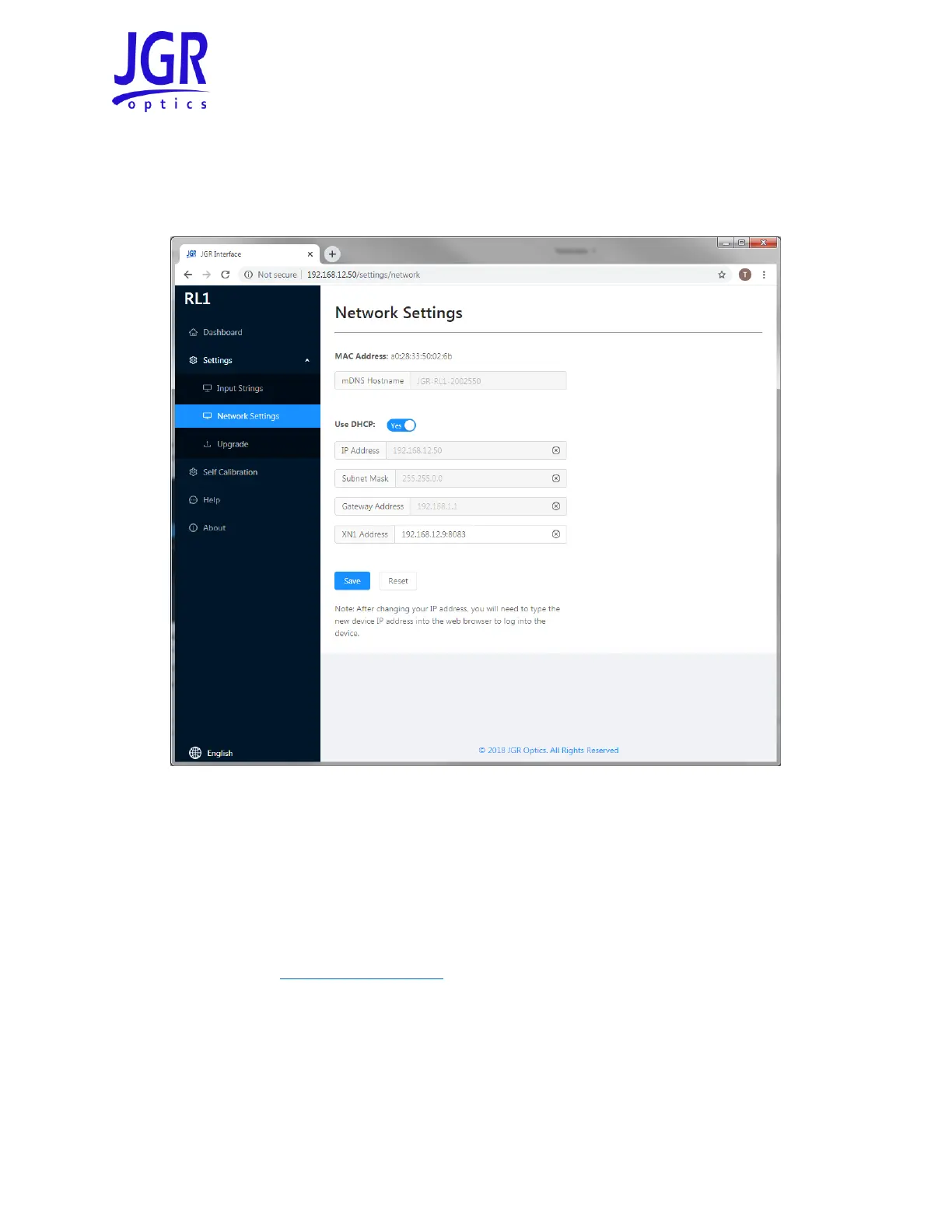
Network Settings
You can view, edit or reset the network settings of the RL1 from the Settings > Network Settings tab (Figure
17).
Figure 17: RL1 webpage – Network Settings tab
Upgrade
Go to Settings > Upgrade to view the version of, upgrade or re-install the firmware of the RL1 and power
meters (Figure 18).
Notes:
1. Please contact support@jgroptics.com before performing a firmware upgrade for additional
instructions.
2. The power meter firmware is contained within the RL1 firmware. If a power meter upgrade is
required, it will be indicated on the Upgrade page.
3. Internal refers to the power monitoring, internal detector. A paired RD-S wireless remote-head
detector will show up on the power meter list with its serial number.



 To Next Page