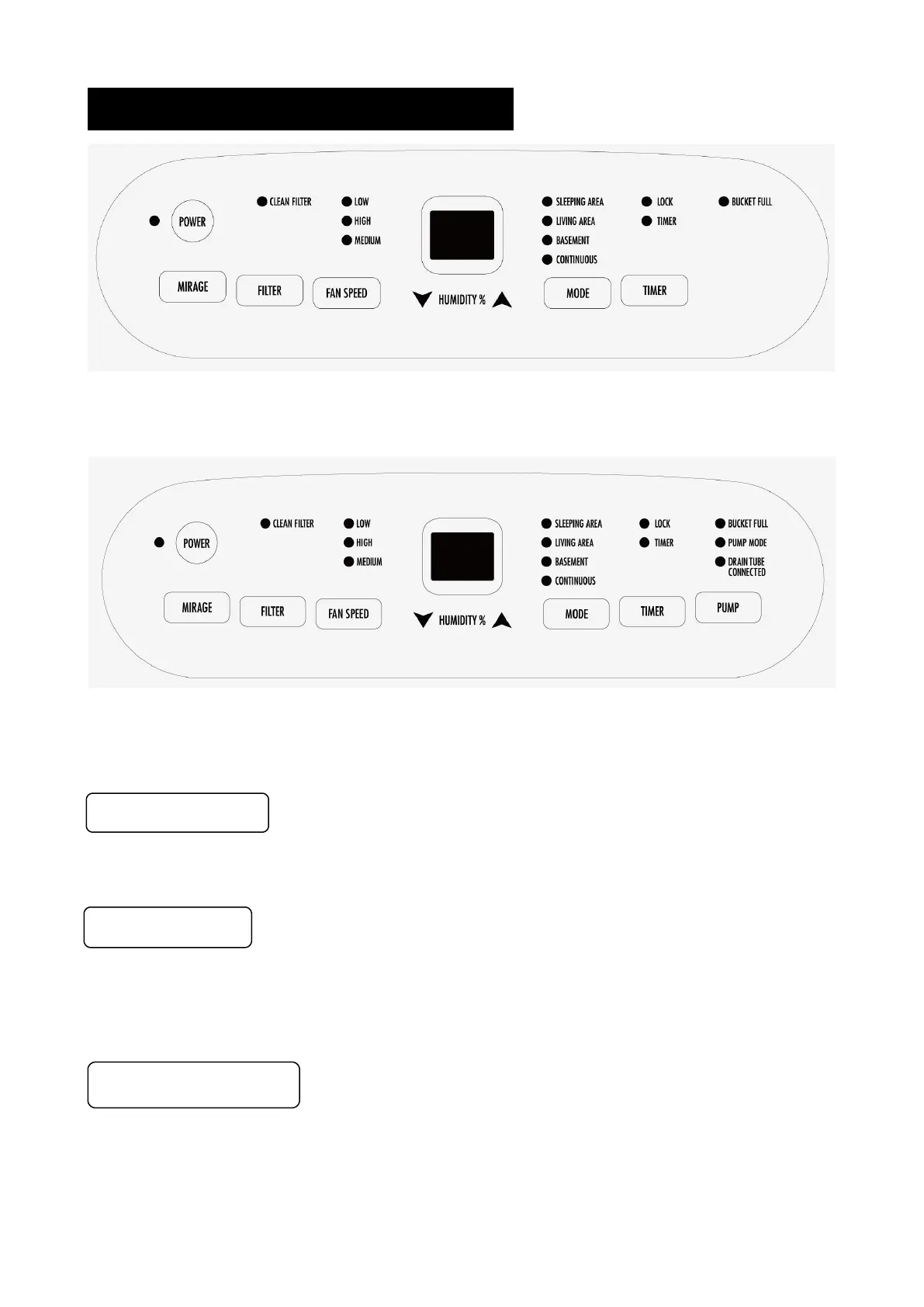
OPERATING INSTRUCTIONS
D025B-25PT / D025B-35PT / D026B-50PT
D026B-50PT-P
Press to turn the dehumidifier on and off.
When the Filter Alert Light is ON, it is time to clean the filter. Switch the unit OFF and
carefully remove the filter from the unit and clean. Replace the filter and switch ON the unit.
Press to cycle through High, Medium, or Low fan modes. Higher fan speeds lead to
increased moisture removal. When humidity has been reduced or quiet operation is
preferred, set the fan to Medium or Low.


 To Next Page