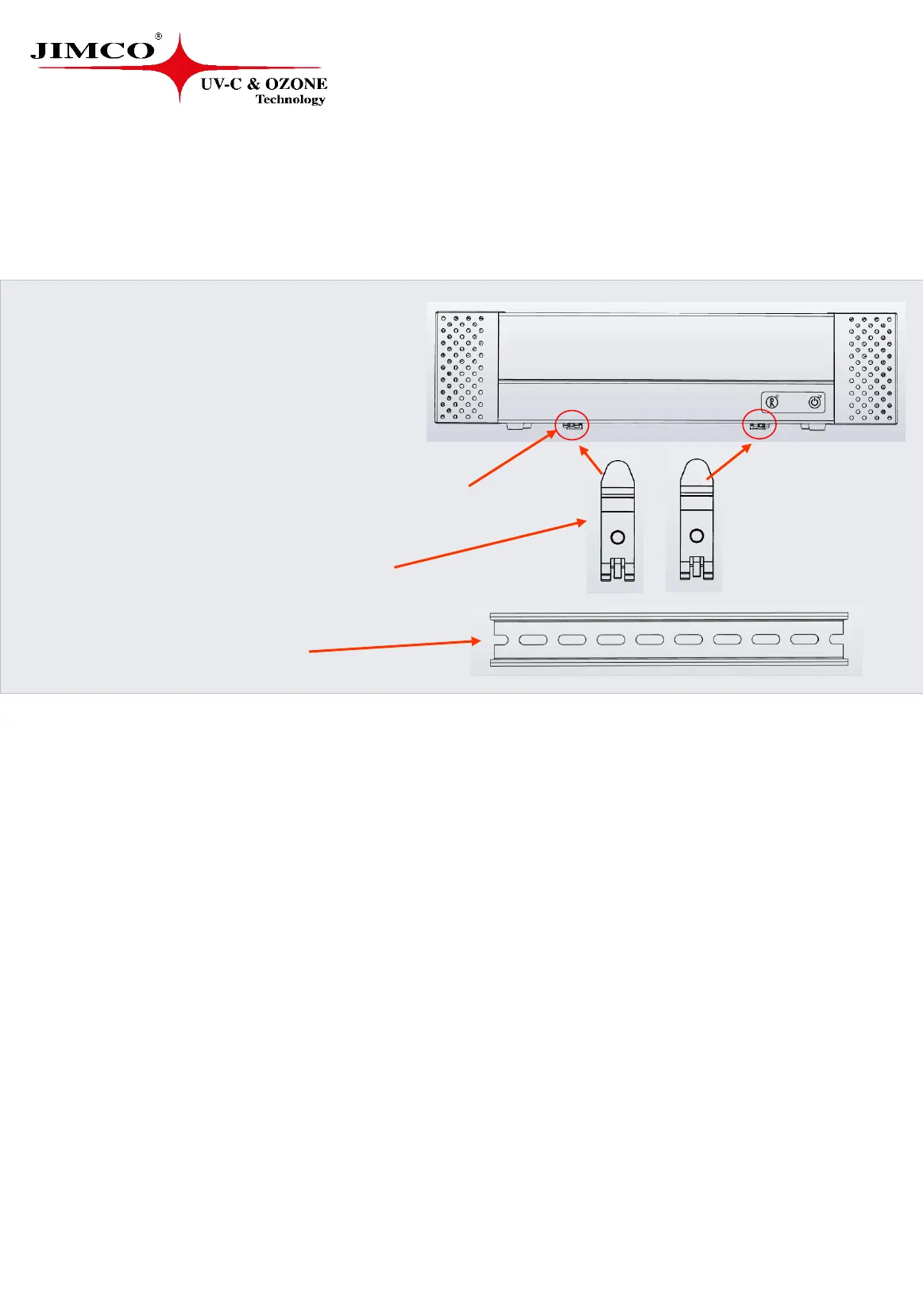
• 1x MAC500s (Multi Air Cleaner)
• 2x Screws (in the bottom of the MAC500s)
• 2x DIN Rail Brackets (in the box)
• 1x DIN Rail (in the box)
MAC500s
Installation instruction
In the package
1. Find a suitable place for your MAC500s
Note: We recommends to place the MAC500s at least 200 mm. away from any side
obstacles on both sides of the MAC500s to ensure inlet and outlet air.
2. Connect the instrument to a suitable plug socket
3. Place the MAC500s on a solid surface e.g. on a shelf
4. To get the best effect we recommend to place the MAC500s as high as possible
- e.g. 5.9 feet
For wall mounting see the mount instruction on page 5-11.
5


 To Next Page