31
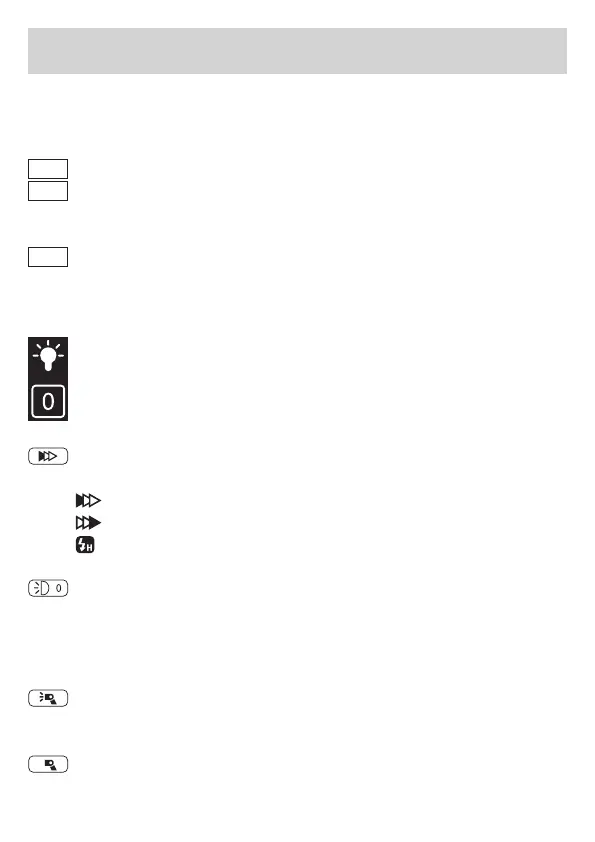
GR: The Group can be chosen between A / B / C / D / E / F.
Flash modes
TTL
Flash compensation adjustment: ± 3.0.
M
Power adjustment range: 1.0 – 9.0, click the screen value sym-
bol to adjust the power in whole f-stops and the up and down
arrows to adjust the power in 0.1 f-stops.
––
The current group is set to off. When the ash is triggered syn-
chronously, the group will not ash.
Modeling lamp
Modeling lamp status symbol: „0“ means off | ”P“ means that
the brightness of the modeling light is automatically adjusted
in proportion to the ash output | ”1 / 2 / 3“ means manual ad-
justment of 3-level brightness of modeling lamp.
Synchronization modes
Tap the symbol to set the ash synchronization mode
Front curtain synchronization
Rear curtain synchronization
High speed synchronization
Zoom of ash head
Tap the symbol, tap again or tap the up and down symbol to
set the zoom position of the ash head: „AO“ means auto zoom,
manual zoom means „0“ / „1“ / „2“ / „3“ / „4“ / „5“.
Master ash ashes: When this symbol is visible, the built-in
ash res in master mode.
Master ash does not ash: When this symbol is visible, the
built-in ash does not re in master mode.
Function Description


 To Next Page