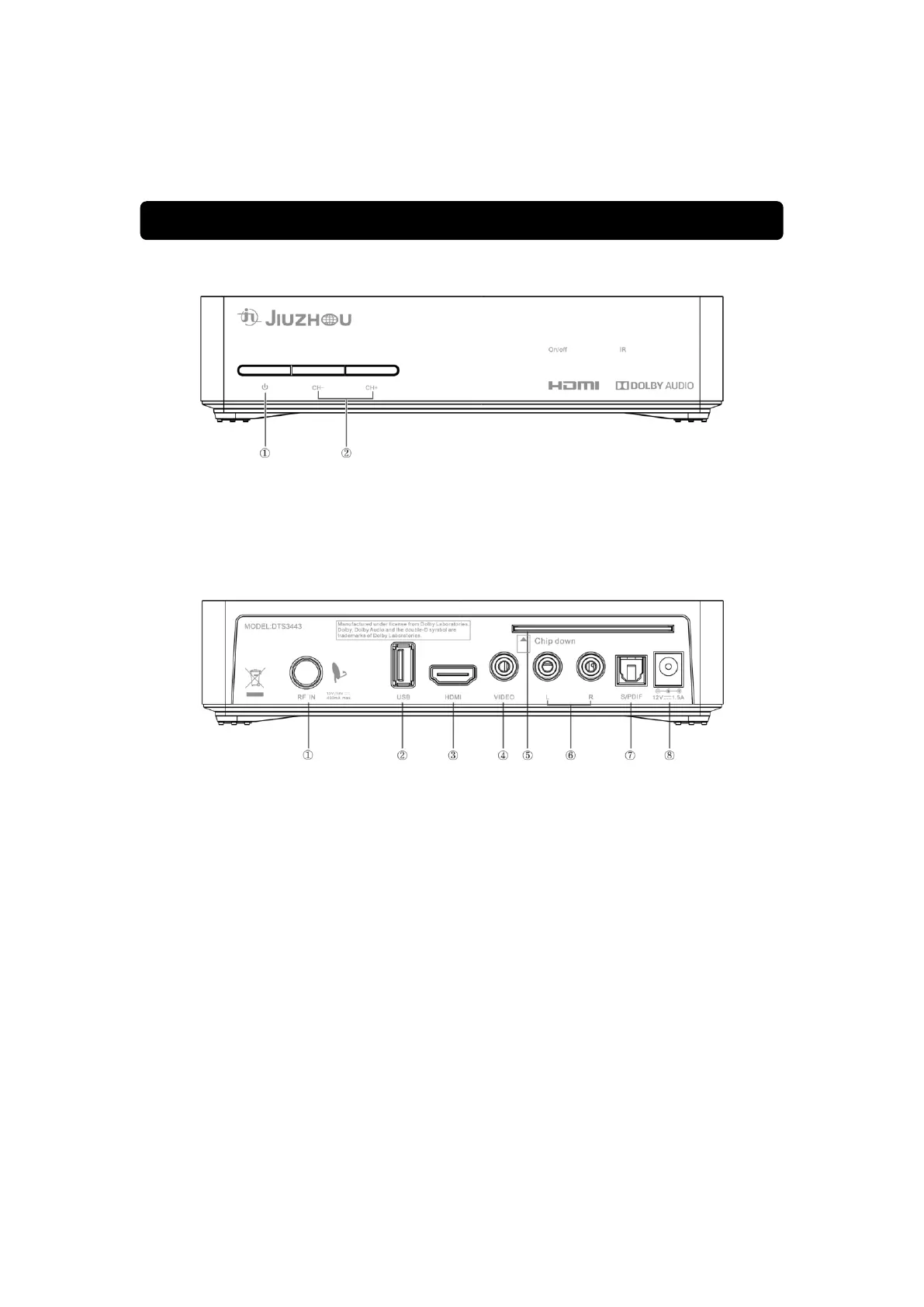
1) Front Panel
1.Power button
Switch between power mode and standby mode.
2.CH- / CH+ button
Changes the current channel to the previous or next channel in the menuless state.
2) Rear Panel
1. RF IN
Digital signal input door coming in from the antenna.
2. USB
Use connector to connect the receiver to your external hard drive, for recording and
repring
3. HDMI
HDMI digital audio and video output.
4. VIDEO
This connector has a constant video signal for additional VCR connections.
5. Smartcard slot
Slot to insert the service card



 To Next Page