JK Smart BMS JK-B1A8S20P/JK-B2A8S20P User Manual
5.3.2 Battery status view
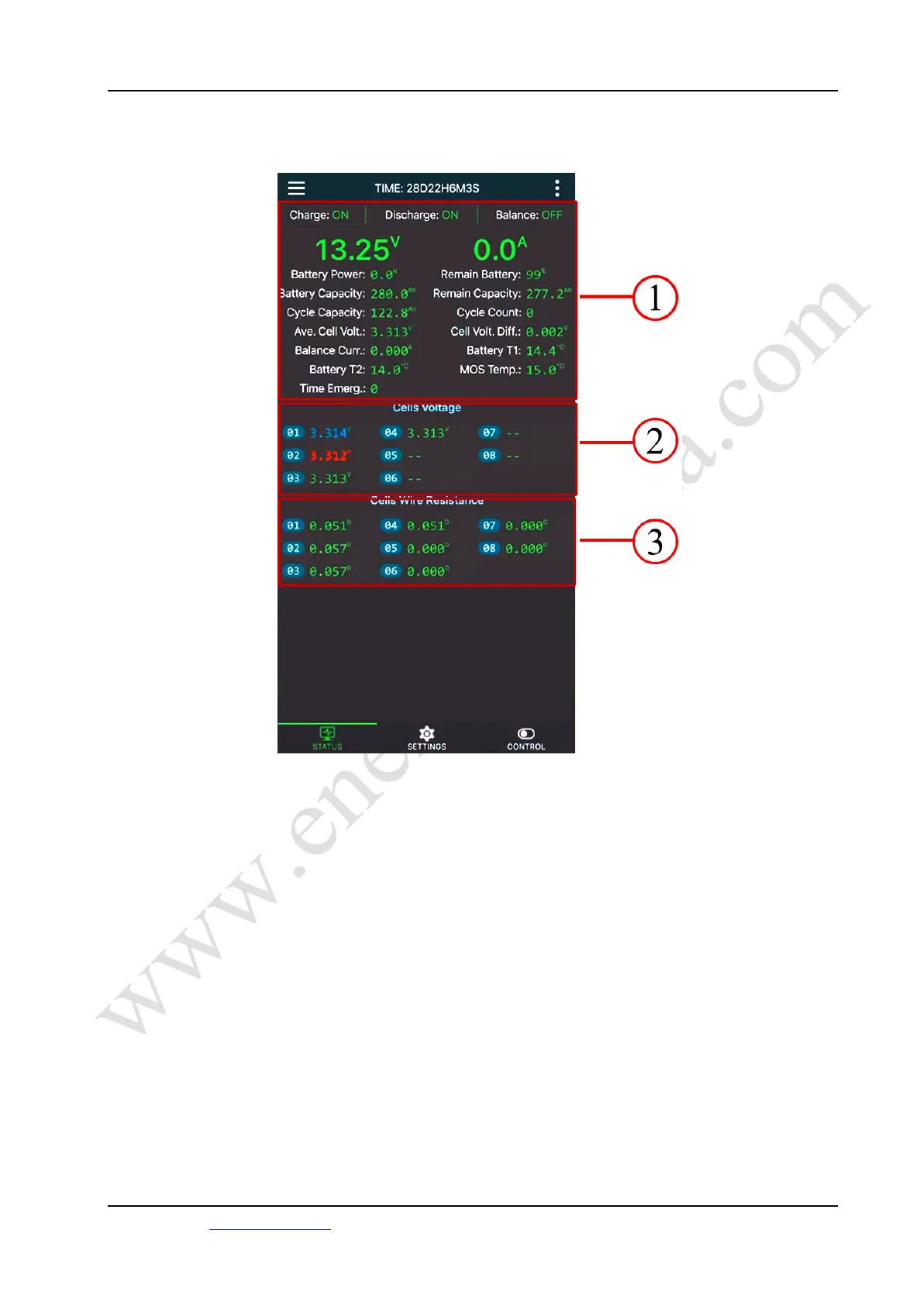
The real-time status screen is shown in Figure 11.
Figure 11 Real-time status screen
Zone 1 in the figure is the comprehensive information column of the battery. The parameters of
each parameter are explained as follows.
a) Runtime
The total runtime from when the BMS was first powered on until now.
b) Charge
It’s the status of BMS charging MOS. When "On" is displayed, it means the current
BMS charging MOS is on and the battery is allowed to be charged; when "Off" is
displayed, it means the current BMS charging MOS is off and the battery is not allowed
to be charged。
13 /22
Energiepanda.com, providing you with quality accessories for DIY batteries.



 To Next Page