5
Turn-On Mode
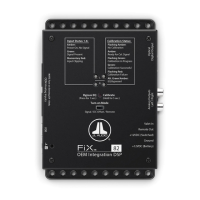
The FiX™ 82 is designed to perform as a turn-on and turn-off controller for the
aftermarket components in your system. There are three options to control its
method of turn-on, which can be selected via the “Turn-on Mode” switch located
on the top of the FiX™ 82. Refer to the table below for detailed info and decide
which option is best suited for your specific system.
Setting Mode Function
+12VDC
(Switched)
Connection
Note
Remote
Conventional
(Preferred)
Controlled by your
source unit for turn-
on and turn-o
control.
Connect to your
source unit’s
+12V remote
turn-on output.
If your source unit
does not have a
dedicated remote
turn-on output, use
the DC Oset or Sig-
nal setting below.
DC
Oset
DC Oset
Sensing
(Auto)*
Automatically
turns on and o
by detecting the
presence of small
DC signal in OEM
audio outputs.
Connect to a
positive (+12V)
source. This can
be to the same
connection
point as the FiX™
82’s +12VDC
(Battery)
connection or to
a positive (+12V)
accessory circuit
that is controlled
by the vehicle’s
ignition switch.
If your source unit
is controlled by
a RAP (Retained
Accessory Power)
circuit, connect the
+12VDC (Switched)
connection to a
positive (+12V)
accessory circuit
that is controlled by
the vehicle’s ignition
switch. This will
maintain the RAP
functionality.
Signal
Signal
Sensing
(Auto)*
Automatically turns
on by detecting
full-range OEM
audio signals and
turns o after signal
is removed (varies,
depending on input
signal levels).
*When using DC Oset or Signal Sensing Modes, make sure Ch. 1 & 2 inputs of the OEM
Analog Inputs contain midrange signals.
6
Bypass EQ / Calibrate Button
The Bypass EQ/Calibrate button located on top of the unit is used to initiate
the calibration procedure or to deactivate the FiX™ 82’s equalization functions.
Refer to the following info and table at right for specific instructions.
Bypass EQ: The Bypass EQ mode can be used to defeat the equalization
effects of the FiX™ 82, allowing you to hear the raw response of the OEM
audio source. Pressing the Bypass EQ button for 1 second will activate the
Bypass EQ mode. As a visual confirmation, the Calibration Status LEDs will
alternate green/amber. The Bypass EQ mode will remain engaged for 5
minutes or until you press the button again.


 To Next Page
 Loading...