EasyManua.ls Logo

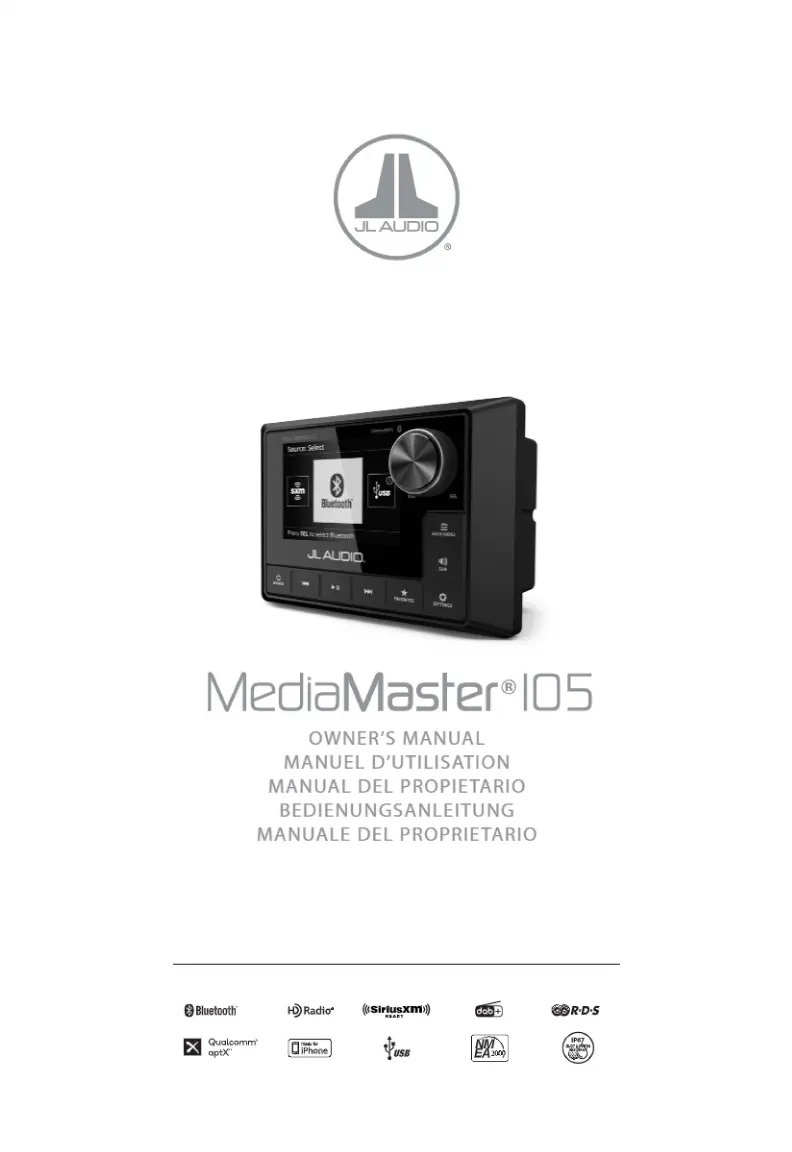
JL Audio MediaMaster 105 - User Manual

JL Audio MediaMaster 105
22 pages
Print Icon
To Next Page IconTo Next Page
Loading...
MediaMaster®l05
OWNER'S
MANUAL
MANUEL
D'UTILISATION
MANUAL
DEL PROPIETARIO
BEDIENUNGSANLEITUNG
MANUALE
DEL PROPRIETARIO
0Bl
uetoot
h" ~Radio" (l<Slr!!!~.
xm
d3
ffi

Questions and Answers

  • S
    Susan SanchezAug 16, 2025
    What to do if my JL Audio Car Stereo System says 'No Signal'?
    • M
      markrichmondAug 16, 2025
      If your JL Audio Car Stereo System displays a 'No Signal' message, it means the SiriusXM Connect Vehicle Tuner isn't getting a satellite signal. First, make sure your vehicle is outside with a clear view of the sky. Also, ensure the SiriusXM antenna is mounted on the exterior and free from obstructions. Inspect the antenna cable for any damage or kinks.
  • T
    twrightAug 19, 2025
    What does 'Check Antenna' mean on my JL Audio MediaMaster 105, and how to fix it?
    • B
      berrycameronAug 19, 2025
      If your JL Audio Car Stereo System displays a 'Check Antenna' error, the antenna cable might be disconnected or damaged. Verify that the antenna cable is connected securely to the SiriusXM Connect Vehicle Tuner. Inspect the antenna cable for any damage or kinks. If damaged, consider replacing the antenna.
  • R
    ryan57Aug 22, 2025
    What does 'Check Tuner' mean on my JL Audio Car Stereo System, and how do I resolve it?
    • A
      Anthony OrtizAug 22, 2025
      If your JL Audio Car Stereo System shows 'Check Tuner', the tuner itself might be disconnected or damaged. Verify that the SiriusXM Connect Vehicle Tuner cable is securely connected to the radio.
  • S
    Scott WashingtonAug 25, 2025
    What does 'Subscription Updated' mean on my JL Audio MediaMaster 105, and how do I clear it?
    • A
      andrea75Aug 26, 2025
      If your JL Audio Car Stereo System displays 'Subscription Updated', press the VOL/SEL button to clear the message.
  • B
    brian87Aug 28, 2025
    What to do if my JL Audio MediaMaster 105 Car Stereo System displays 'No Content'?
    • J
      julie86Aug 28, 2025
      If your JL Audio Car Stereo System displays 'No Content', try the operation with another preset channel.
  • C
    Christopher Michael DDSAug 31, 2025
    What to do if my JL Audio Marine Audio says 'No Signal'?
    • A
      Adrian BassAug 31, 2025
      If your JL Audio Marine Audio displays a 'No Signal' message, it means the SiriusXM Connect Vehicle Tuner is struggling to receive the SiriusXM satellite signal. First, make sure your vehicle/vessel is outdoors and has a clear view of the sky. Ensure the SiriusXM antenna is mounted on the exterior and free from obstructions. Also, check the antenna cable for any damage or kinks.
  • K
    Kimberly DillonSep 3, 2025
    Why does my JL Audio Marine Audio say 'Channel Unavailable'?
    • J
      Jennifer DavisSep 3, 2025
      If your JL Audio Marine Audio displays 'Channel Unavailable', it means the channel you're trying to access is either not a valid SiriusXM channel or the channel is no longer available. Visit www.siriusxm.com for the SiriusXM channel lineup.
  • T
    Tracy ChapmanSep 6, 2025
    What does 'Channel Unsubscribed' mean on my JL Audio Marine Audio?
    • S
      Stephanie HoustonSep 6, 2025
      The 'Channel Unsubscribed' message on your JL Audio Marine Audio indicates that the channel you're trying to access isn't included in your current SiriusXM subscription package. To subscribe, in the USA, visit www.siriusxm.com or call 1-866-635-2349. In Canada, visit www.siriusxm.ca or call 1-877-438-9677.
  • J
    jenniferhamiltonSep 9, 2025
    How to fix 'Check Antenna' on JL Audio Marine Audio?
    • S
      Samantha BallSep 9, 2025
      If your JL Audio Marine Audio displays a 'Check Antenna' error, it could be due to a disconnected or damaged antenna cable. Verify that the antenna cable is securely connected to the SiriusXM Connect Vehicle Tuner. Inspect the antenna cable for any damage or kinks, and replace the antenna if the cable is damaged.
  • G
    Glenda BrownSep 12, 2025
    How to resolve 'Check Tuner' error on JL Audio Marine Audio?
    • B
      Beth CookSep 12, 2025
      If your JL Audio Marine Audio shows a 'Check Tuner' error, the tuner might be disconnected or damaged. Ensure that the SiriusXM Connect Vehicle Tuner cable is securely connected to the radio.

Summary

FCC Compliance and Safety Considerations

Safety Considerations

Essential safety guidelines for product use and installation.

Installation Considerations

Professional installation advice and water resistance details.

General Mounting and Connections

General Mounting

Instructions for physically installing the device.

General Connections

Diagram and description of all input and output connections.

Control and System Operations

Control Panel Overview

Identification and layout of the device's control interface.

General Control Functions

Explanation of how to use the device's basic controls.

System Menu Settings

Configuration options available within the system's main menu.

Audio Zone Menu Settings

Settings for configuring audio output zones and levels.

Connectivity Features

Bluetooth Audio

Instructions for wirelessly streaming audio via Bluetooth.

Bluetooth Menu Settings

Settings for managing Bluetooth audio streaming and devices.

USB Connections

Details on connecting USB devices for audio playback.

USB Menu Settings

Settings for managing USB audio playback and device connection.

Important USB Usage Notes

Critical usage notes for iPhone and USB connections.

SiriusXM Satellite Radio

Activating SiriusXM Subscription

Steps to activate the SiriusXM subscription for the device.

Parental Controls

Information on enabling and managing parental controls for SiriusXM.

Changing SiriusXM Lock Code

Instructions for modifying the parental control lock code.

SiriusXM Main Menu

Navigation and options within the SiriusXM main menu.

SiriusXM Album Art

Information about displaying album art for SiriusXM channels.

Resetting SiriusXM Settings

Steps to reset SiriusXM settings to factory defaults.

SiriusXM Troubleshooting

Guidance for resolving common SiriusXM advisory messages.

Specifications and Auxiliary Controls

Product Specifications

Technical details and performance characteristics of the device.

Auxiliary Control Options

Options for adding external control capabilities.

NMEA 2000 Connection

Details on connecting to NMEA 2000 networks.

Remote Connection

Information about connecting wired remote controllers.

NMEA 2000 MFD Control

Control capabilities via NMEA 2000 Multi-Function Displays.

Warranty Information

USA Limited Warranty

Terms and conditions of the limited warranty in the USA.

Service for JL Audio Products

Instructions for obtaining warranty service for JL Audio products.

Original Equipment Warranty

Warranty coverage for products installed as original equipment.

International Warranty

Details on international warranty coverage and distributor information.

JL Audio MediaMaster 105 Specifications

General IconGeneral
Number of Channels4
Built-in AmplifierYes
Built-in CrossoverYes
Signal-to-Noise Ratio> 90 dB
Frequency Response20 Hz - 20 kHz
Input Voltage12V DC
BluetoothYes
Water ResistanceIP66
Display TypeLCD
Display Size3.5 inches
Preamp Voltage4V
USBYes
SiriusXM ReadyYes
Pandora ControlYes
Spotify ControlYes
Tidal ControlNo
TunerAM/FM
Peak Power Output4 x 100 Watts
InputsUSB
OutputsRCA

Related product manuals