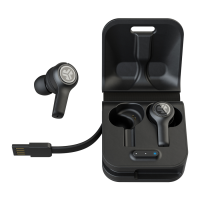
EPIC ANC
EARBUDS
S
A
T
I
S
F
A
C
T
I
O
N
G
U
A
R
A
N
T
E
E
30
DAY
C
U
S
T
O
M
E
R
S
U
P
P
O
R
T
U
.
S
.
B
A
S
E
D
We love that you are rocking JLab Audio!
We take pride in our products and fully stand behind them.
FIRST TIME SETUP: BLUETOOTH PAIRING
32
1
WARNING
YOUR SATISFACTION IS GUARANTEED
You may exchange or return merchandise within 30 days of the purchase date.
Learn more at jlabaudio.com/guarantee
YOUR WARRANTY
You may register your product at jlabaudio.com/register. All warranty claims are subject to JLab Audio
authorization and at our sole discretion. Retain your proof of purchase to ensure warranty coverage.
CONTACT US
Reach out to us at support@jlabaudio.com or visit jlabaudio.com/contact
L
I
M
I
T
E
D
T
W
O
Y
E
A
R
Bluetooth
Settings
Bluetooth
Settings
JLab Epic ANC
Select “JLab Epic ANC” in your device
settings to connect.
When the headphones are paired, voice
prompts “You are connected” and blue
light will flash slowly.
Turn on the Bluetooth
in your device settings.
Press and hold button
for 8 seconds.
Release.
Lights will
flash blue/red.
RECURRING USE
Once JLab Epic ANC has initially paired to your device, the earbuds will auto-connect to your Bluetooth device when powered back ON.
(Follow BUTTON FUNCTIONS instructions)
Before charging, JLab Epic ANC
earbuds need to be fully dry.
If there is any exposure
to moisture, the internal
components may become
damaged.
It is best practice to air dry
before charging.
Make sure USB door
is closed and fastened.
This will protect against
sweat and water damage.

 Need help?
 General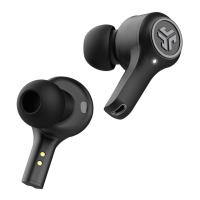



 To Next Page