Need help?
Do you have a question about the JLab GO WORK and is the answer not in the manual?
Instructions on how to pair the headset with a device via Bluetooth, including turning on Bluetooth and selecting the device.
Guide for connecting the headset to two devices simultaneously, involving sequential pairing and reconnection.
Detailed breakdown of button presses for volume control, track navigation, call handling, voice assistant activation, and EQ switching.
Information on how to charge the headset and its capability to function as a wired headset using an AUX cable.
Important warnings regarding moisture, temperature extremes, physical handling, earwax buildup, and user discomfort.
The JLab GO Work Headset is a versatile audio device designed for both work and leisure, offering a blend of wireless freedom and wired connectivity. It prioritizes ease of use, robust features, and user comfort, backed by JLab's commitment to product quality and support.
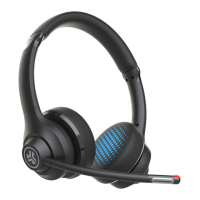
The JLab GO Work Headset serves as a personal audio device for listening to music, making calls, and participating in online meetings. It supports wireless Bluetooth connectivity, allowing users to move freely without being tethered to their device. A key feature is its multipoint capability, enabling simultaneous connection to two devices, such as a computer and a smartphone, for seamless switching between audio sources. This is particularly useful for professionals who need to manage calls on their phone while working on their computer. The headset also includes a boom microphone, which can be rotated to either the left or right side, ensuring clear voice pickup during calls. For situations where wireless is not preferred or battery is low, the headset can be used as a wired device via an AUX cable.
To initiate Bluetooth pairing, users first need to turn on Bluetooth in their device settings. On the JLab GO Work Headset, the main button should be pressed and held for 8 seconds until the lights flash blue/red, indicating it's in pairing mode. Once in pairing mode, users can select "JLab GO Work" from their device's Bluetooth settings to establish a connection.
For multipoint use, the process involves connecting the first device, then turning off its Bluetooth. This automatically puts the GO Work headset back into Bluetooth pairing mode. Users can then connect their second device by entering its Bluetooth settings and selecting "JLab GO Work." To re-establish the connection with the first device, users simply turn its Bluetooth back on and reconnect to "JLab GO Work." This allows for simultaneous connection to two devices, such as a laptop and a smartphone.
The headset features intuitive button controls for various functions:
The JLab GO Work Headset can be charged by connecting it to a computer or a USB 5V 1A (or less) output device using the provided USB cable. A notable feature is its ability to charge simultaneously while Bluetooth is connected, meaning users can continue using the headset even while it's powering up. After charging, users should power on the headset and connect it to their device.
For wired use, the headset can be connected to an audio source using an AUX cable. It's important to note that even in wired mode, the headset will still draw a limited amount of battery power to operate the microphones, ensuring consistent call quality.
JLab offers a limited two-year warranty on the GO Work Headset. All warranty claims are subject to JLab authorization and discretion. Users are advised to retain their proof of purchase to ensure warranty coverage. For support, users can reach out to JLab via email at support@jlab.com or visit jlab.com/contact. JLab also encourages users to register their product at jlab.com/register for product updates, how-to tips, FAQs, and more.
To ensure the longevity and optimal performance of the JLab GO Work Headset, users should adhere to several cautions:
JLab also provides resources for product alerts and a "Burn-in Tool" through the JLab Store app, which can be downloaded from the App Store or Google Play, to help optimize the sound performance of the headphones over time.
 General
| USB connector | USB Type-C |
|---|---|
| Wireless range | 9.144 m |
| USB connectivity | Yes |
| Bluetooth version | 5.0 |
| Bluetooth profiles | A2DP, AVRCP, HFP, HSP |
| Connectivity technology | Wired & Wireless |
| Battery type | Built-in battery |
| Standby time | 470 h |
| Fast charging | No |
| Charging source | USB |
| Battery capacity | 500 mAh |
| Battery recharge time | 2 h |
| Input voltage (charging case) | 5 V |
| Continuous audio playback time | 45 h |
| Microphone type | Boom |
| Cable color | Aqua |
| Cable length | 1.5 m |
| Headset type | Binaural |
| Product type | Headset |
| Product color | Black, Blue |
| Wearing style | Head-band |
| Operating keys | Answer/end call, Bluetooth pairing, Mute, Play/pause, Volume + |
| Country of origin | China |
| Recommended usage | Calls/Music |
| Number of paired devices remembered | 10 |
| Number of simultaneously connected devices (max) | 2 |
| Impedance | 32 Ω |
| Driver unit | 40 mm |
| Magnet type | Neodymium |
| Ear coupling | Supraaural |
| Headphone frequency | 20 - 20000 Hz |
| Headphone sensitivity | 117 dB |
| Packaging content | INCLUDES: GO Work Wireless On-Ear Headset, Type-C Charging Cable, Type-C to 3.5mm AUX Cable for Wired Use, JLab Two Year Warranty. |
| Package depth | 190 mm |
| Package width | 71 mm |
| Package height | 165 mm |
| Harmonized System (HS) code | 85183000 |
 Weight and Dimensions
| Depth | 189.992 mm |
|---|---|
| Width | 67.818 mm |
| Height | 176.022 mm |
| Weight | 156.5 g |

 To Next Page