· 8 ·
REF. 53794
INSTRUCTION MANUAL
EN
PRODUCT’S PRESENTATION
This Infrared Thermometer is a non-sterile, reusable,
handheld device. It can be used by consumers in ho-
mecare environment and doctors in clinics in order to
measure the human body temperature of people aged
three months and above by detecting infrared heat
from the center of the forehead.
• The clinical thermometer is an adjusted mode
clinical thermometer.
• The patient can use and maintenance the device
as an operator.
• For safe and proper use of this product, be sure
to read and fully understand Safety Precautions
contained in this user manual.
• Keep this manual with you for a convenient re-
ference.
• Keep this manual in a proper way and avoid any
loss.
• If you need other information, please contact the
manufacturer.
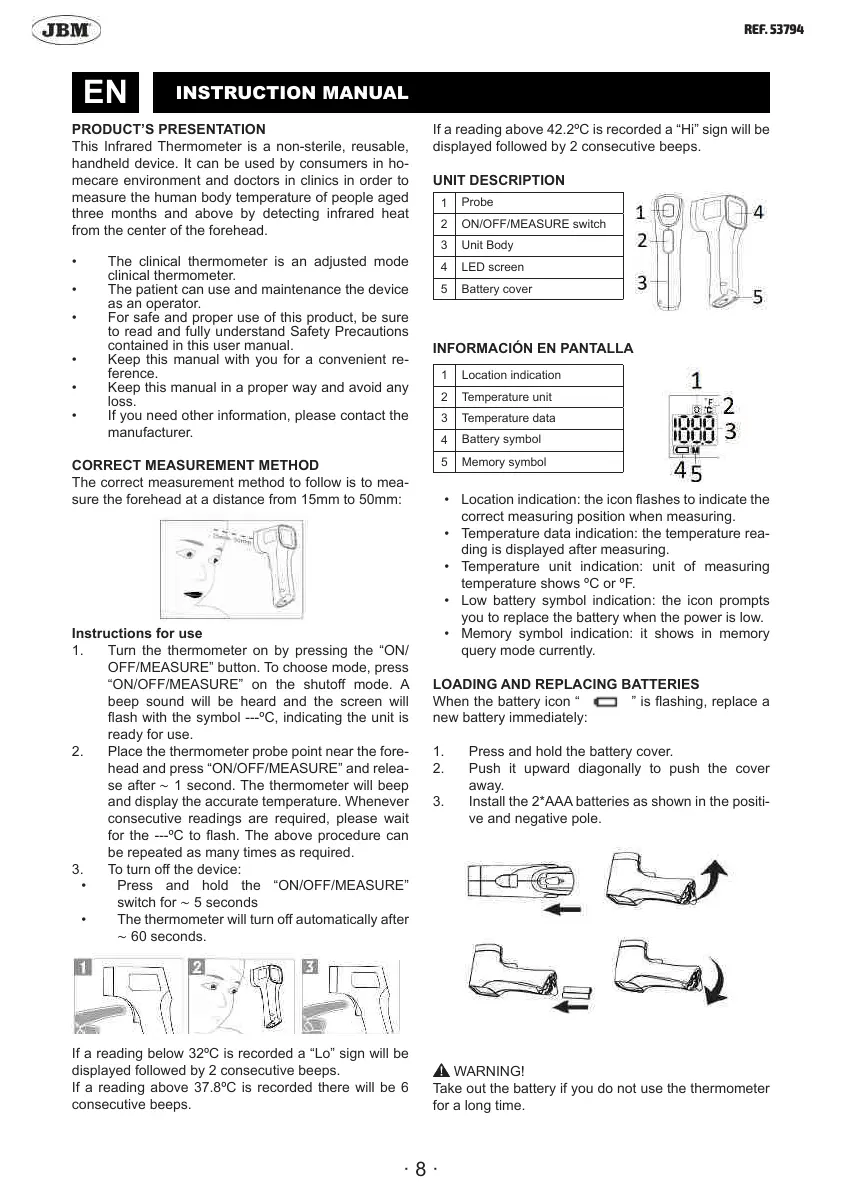
CORRECT MEASUREMENT METHOD
The correct measurement method to follow is to mea-
sure the forehead at a distance from 15mm to 50mm:
Instructions for use
1. Turn the thermometer on by pressing the “ON/
OFF/MEASURE” button. To choose mode, press
“ON/OFF/MEASURE” on the shuto mode. A
beep sound will be heard and the screen will
ash with the symbol ---ºC, indicating the unit is
ready for use.
2. Place the thermometer probe point near the fore-
head and press “ON/OFF/MEASURE” and relea-
se after ∼ 1 second. The thermometer will beep
and display the accurate temperature. Whenever
consecutive readings are required, please wait
for the ---ºC to ash. The above procedure can
be repeated as many times as required.
3. To turn o the device:
• Press and hold the “ON/OFF/MEASURE”
switch for ∼ 5 seconds
• The thermometer will turn o automatically after
∼ 60 seconds.
If a reading below 32ºC is recorded a “Lo” sign will be
displayed followed by 2 consecutive beeps.
If a reading above 37.8ºC is recorded there will be 6
consecutive beeps.
If a reading above 42.2ºC is recorded a “Hi” sign will be
displayed followed by 2 consecutive beeps.
UNIT DESCRIPTION
INFORMACIÓN EN PANTALLA
• Location indication: the icon ashes to indicate the
correct measuring position when measuring.
• Temperature data indication: the temperature rea-
ding is displayed after measuring.
• Temperature unit indication: unit of measuring
temperature shows ºC or ºF.
• Low battery symbol indication: the icon prompts
you to replace the battery when the power is low.
• Memory symbol indication: it shows in memory
query mode currently.
LOADING AND REPLACING BATTERIES
When the battery icon “
” is ashing, replace a
new battery immediately:
1. Press and hold the battery cover.
2. Push it upward diagonally to push the cover
away.
3. Install the 2*AAA batteries as shown in the positi-
ve and negative pole.
WARNING!
Take out the battery if you do not use the thermometer
for a long time.
1
Probe
2 ON/OFF/MEASURE switch
3 Unit Body
4
LED screen
5 Battery cover
1
Location indication
2 Temperature unit
3 Temperature data
4
Battery symbol
5 Memory symbol


 To Next Page