EasyManua.ls Logo

JMC F-2000 - Page 6

Default Icon
20 pages
Print Icon
To Next Page IconTo Next Page
To Previous Page IconTo Previous Page
Loading...
F_2000
To
Administrator
of F-2000
_
2/2
<
Password
hotectilg
the
Menu
S€ttings
2/2
>
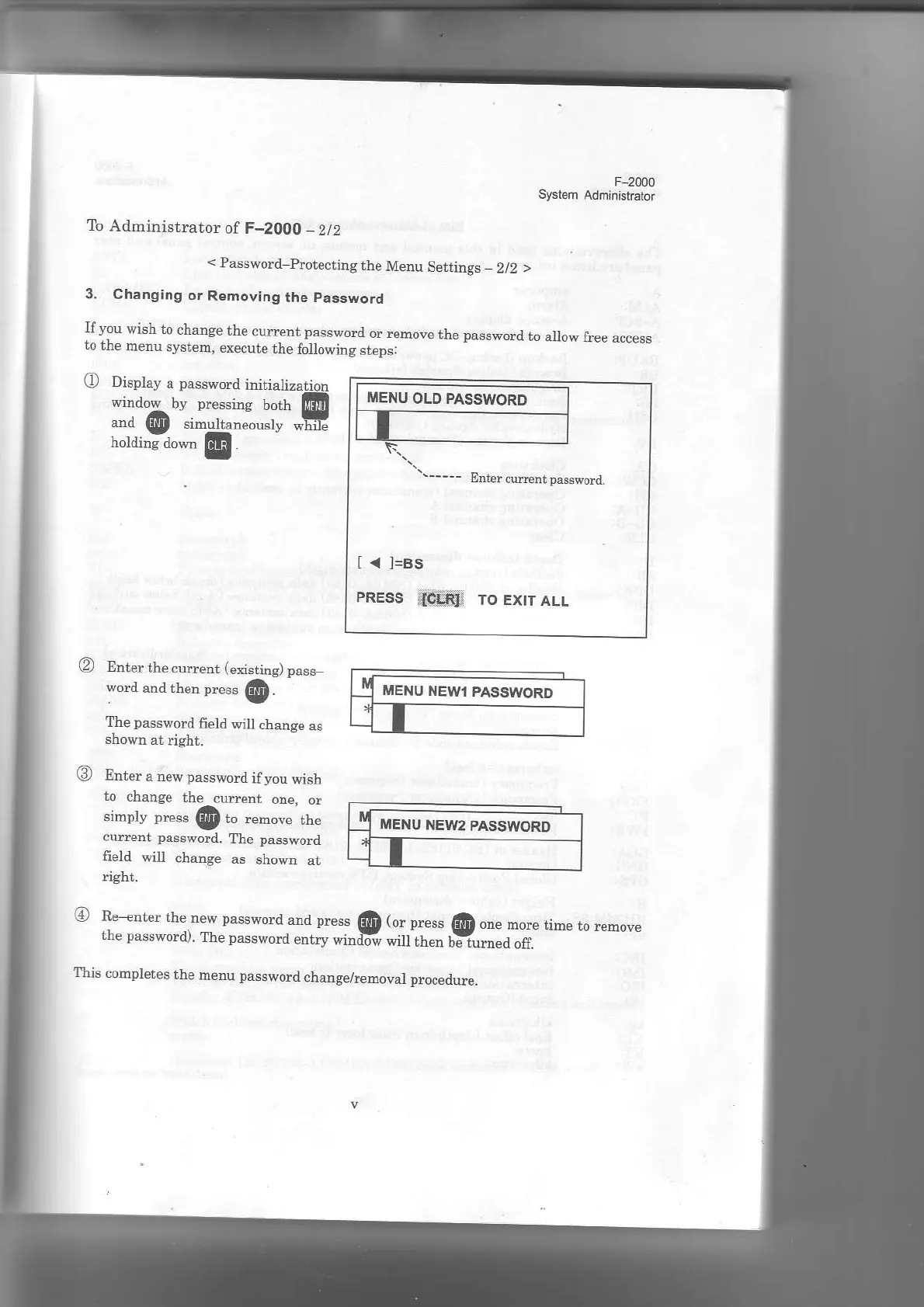
3.
Changing
or
Removing
the
password
Ifyou
wish to
chanse
the
cuEent passwod
or
rcmove
the
passwod
tn
allow free
access
ro
rrr€
menu
system,
execut€
the
folowing
steps:
(!
Display
a
password
irdtialization
;:*"6."::ffi-_-"1iil's
@
Enter
the cu$ent
(enstins)
pass-
wod
and then pres6
@.
The
password
field wil
chanse
as
Ent€r
a new
password
ifyou
wish
to
chane€
the
currenr
one.
or
simply
press
@
t '"'o.,"
tr.
curent
password.
the
passwo.d
field
win
chanse
as
shown
at
ght.
'
ffi:*il;:x"T::Hl'"'"'.ilffi
E l^h,ress
@
onenore,im',o
remove
This
completes
the
menu
password
chansehemoval
Droceitue.
t <
l=Bs
PREss
i8txti ro Extr
ALL
E
{U ltEwl
PAsswoRD
MENU
NEU'2
PASSWORI)