Need help?
Do you have a question about the JMGO Smart Theater and is the answer not in the manual?
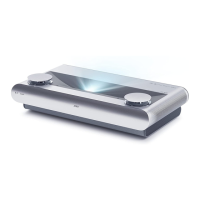
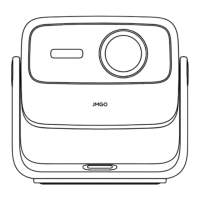
Details the projector's external features, ports, and controls for operation.
Explains the touch-sensitive power button and status indicator lights on the projector.
Describes the automatic electric lens slide for lens protection and operation.
Guides users on optimal projection distances and resulting screen sizes.
Outlines the functions and buttons of the projector's remote control.
Explains automatic and manual focus adjustment methods for clear picture quality.
Details how to connect the projector as a Bluetooth speaker to other devices.
Describes how to correct image distortion for a standard square projection.
Guides on setting up and playing 3D films via the projector.
Explains wired and wireless network connection options for the projector.
Shows how to check the projector's current software version and hardware details.
Details procedures for online and local system software upgrades.
Explains how to select different video inputs like HDMI or AV.
Guides on setting up wireless screen mirroring from mobile devices.
Illustrates how to connect external devices like game consoles and computers.
Explains using a mobile app for projector control via scanning a QR code.
Provides a table on hazardous substances in product components according to RoHS.
Details warranty terms, limitations, and the return authorization process.
Specifies the duration and coverage of the product's limited warranty.
Provides manufacturer details, website, and after-sale service center address.
 General
| Display Technology | DLP |
|---|---|
| Contrast Ratio | 3000:1 |
| Throw Ratio | 1.2:1 |
| Light Source | LED |
| Lamp Life | 30, 000 hours |
| RAM | 2GB |
| ROM | 16GB |
| USB Ports | 1 |
| Built-in Speakers | Yes |
| Native Resolution | 1920x1080 (1080P) |
| Operating System | Android |
| Speakers | 2x 5W |
| Interfaces | HDMI, USB, Audio Output |
| Audio Output | 3.5mm jack |


 To Next Page