9
EN
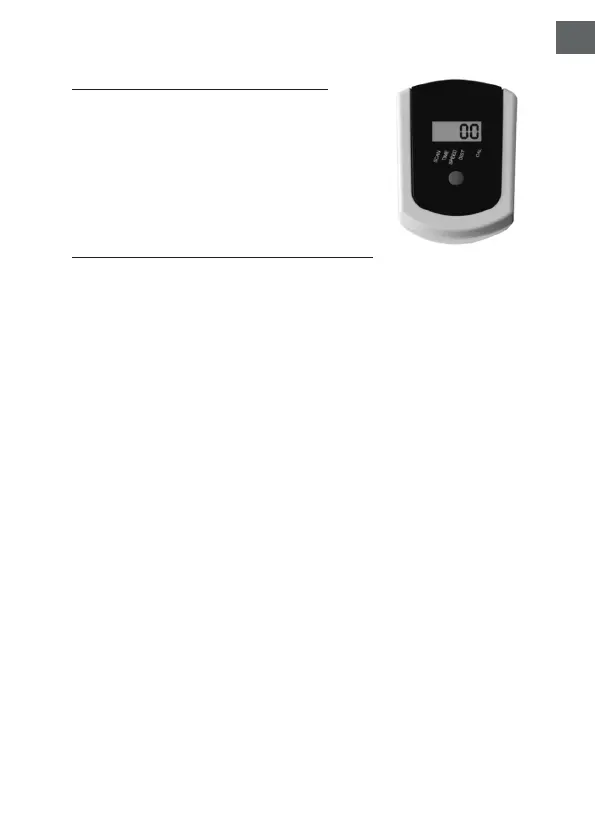
COMPUTER INSTRUCTIONS
1. SCAN: Auto scan
2. TIME: Time of exercise
3. SPEED: Speed
4. DIST: Total distance
5. CAL: Calorie
FUNCTIONS AND OPERATIONS:
-Press green button to check all functions.
-If press green button for about 3 seconds, data
display of each function will return to zero again.
TIME:
Press the green button until the arrow points to
TIME. Monitor will count your riding time.
SPEED:
Press the green button until the arrow points to
SPEED. Monitor will display the current speed.
DISTANCE:
Press green button until the arrow points to DIST.
Monitor will display the trip distance you are
traveling.
CALORIE:
Press the green button until the arrow points
to CAL. Monitor will accumulate the calorie
consumption.
SCAN:
Press the green button until the monitor display
SCAN. Monitor will automatically rotate display
TIME, SPEED, DIST, & CAL.


 To Next Page