PREPARING THE APPLIANCE
1. Make sure the hand-held vacuum cleaner has
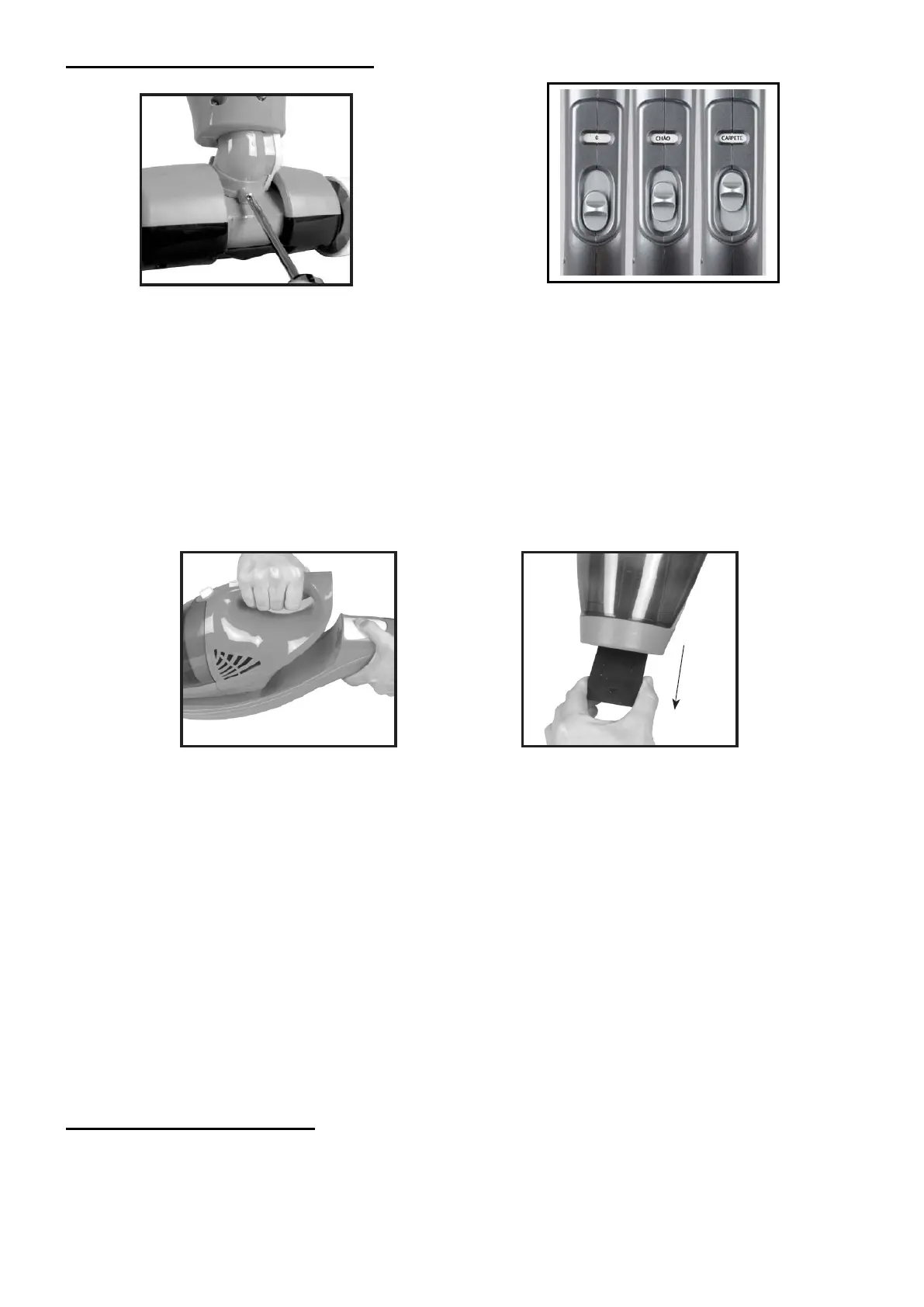
been correctly fi tted to the appliance.
2. Attached the fl oor nozzle by inserting the
connector into the terminal at the point of the
appliance and screwing the mounting screw into
the connector on the fl oor nozzle.
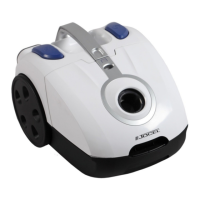
3. Turn on the appliance by pushing the on/off
button on the foldable handle forward. The
appliance has two
settings:
• CHÃO (FLOOR) - Is for cleaning hard surfaces
• CARPETE (CARPET) - Is for cleaning carpets
and rugs.
4. Push the on/off button backward to the “O”
OFF position to switch off the appliance.
1. Detach the hand-held vacuum cleaner from
the appliance by pressing the release button
whilst simultaneously pulling the hand-held
vacuum cleaner upwards.
2. Push the on/off button forward to switch on
the appliance and backward to switch it off.
3. The crevice nozzle is fitted to the handheld
vacuum cleaner and can be extended from
the nozzle tip when cleaning difficult to reach
spots.
4. Attach the hand-held vacuum into the hollow
on the appliance until you hear a click, once
you have finished using it.
NOTE:
• If the appliance loses suction power during use, the battery may need to be recharged.
• Lack of suction power may also be caused by the filter being blocked and needing cleaning.
• If the appliance still does not have full suction power after cleaning or replacing the filter, the nozzle tip
or the nozzle may be blocked.
• We recommend that you empty the dust container after each vacuuming.
For safety reasons, the battery is only partially charged when the appliance leaves the factory.
Therefore, you must always start by charging the battery fully. Charge the appliance for at least 20 hours
before first use.
USING THE APPLIANCE
-19-


 To Next Page