Need help?
Do you have a question about the Joemeek Pro Channel VC3Q and is the answer not in the manual?
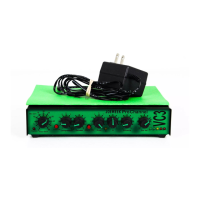
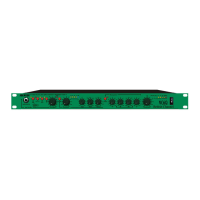
Describes the VC3Q as an input conditioner bridging musicians and studios.
Discusses design for flat low frequencies for a big sound.
Explains the importance of high overload margins for sound quality.
Details the function and features of the input amplifier stage.
Introduces the compressor section and its character-defining role.
Introduces the equalizer section and its tonal modification capabilities.
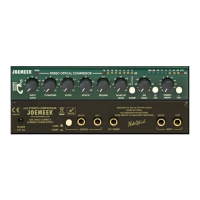
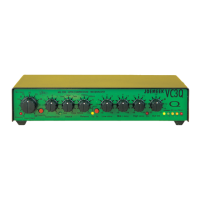
Explains how the input gain control adjusts audio amplification.
Describes how the compression control affects the signal and its threshold.
Details the function of the attack control for compressor response time.
Explains the release control for the time gain returns to normal.
Describes the Low Frequency shelving EQ control.
Describes the Mid Frequency peaking EQ control centered at 1.8KHz.
Describes the High Frequency shelving EQ control.
Explains the output volume control's function and placement.
Details the phantom power switch and its purpose for condenser mics.
Guides on connecting the VC3Q for various applications.
Provides a typical setup configuration for mixing desk/hard disk recording.
Describes the XLR microphone input and connection details.
Details the 1/4 inch jack input for instruments or line level signals.
Explains the function of the insert point for external processing.
Describes the auxiliary line input for mixing sources.
Explains the characteristics of the two 1/4 inch jack output connections.
Crucial information regarding the 12V AC power supply requirements.
Provides recommended settings for recording vocals.
Provides recommended settings for miking acoustic guitar.
Provides recommended settings for electric guitar.
Provides recommended settings for bass and drums.
Provides recommended settings for cymbals.
Troubleshooting steps when the microphone input is not functioning.
Addresses issues where signal is present but compression is not active.
Explains potential causes of noise and how to reduce it.
Troubleshooting steps for distortion issues in the unit.
Tips for achieving subtle or gentle compression effects.
Tips for achieving significant compression effects.
Details the technical specifications of the input stage, including noise and headroom.
Details the technical specifications of the output stage, including impedance and noise.
Technical description of the compressor's optical design and operation.
Technical description of the phase correcting equalizer and its bands.
Explains the function of the input meter LEDs and their levels.
Describes the separate overload indicator for the input amplifier.
Summarizes overall performance metrics like frequency response and distortion.
 General
| Type | Channel Strip |
|---|---|
| Channels | 1 |
| Compressor | Yes |
| Phantom Power | 48V |
| Frequency Response | 20 Hz - 20 kHz |
| Outputs | XLR, 1/4" |
| Power Supply | External PSU |
| Microphone Preamp | Yes |
| Equalizer | 3-band |
| Output Impedance | 100 Ω |
| Inputs | XLR |
| Gain Range | 0 dB to +60 dB |

 To Next Page