Do you have a question about the Johnson & Johnson Sterrad 100NX and is the answer not in the manual?
| Brand | Johnson & Johnson |
|---|---|
| Model | Sterrad 100NX |
| Category | Laboratory Equipment |
| Language | English |
Provides guidance on how to use the STERRAD® 100NX® Sterilizer operator's guide.
Describes the general purpose and application of the STERRAD® 100NX® Sterilization System.
Explains the STERRAD® 100NX® sterilizer's process using hydrogen peroxide vapor and plasma.
Provides contact information for questions regarding the STERRAD® 100NX® Sterilizer.
Details personal safety measures and first aid procedures for handling hydrogen peroxide.
Specifies the required personal protective equipment for operating the sterilizer.
Outlines safety precautions related to the medical devices being sterilized.
Explains the meaning of warning, caution, and note symbols used in the guide.
Defines various safety symbols used throughout the STERRAD® 100NX® User's Guide.
Specifies the maximum load weight allowed for each sterilization cycle type.
Details the types of medical devices that can be processed in the STANDARD cycle.
Information on processing flexible endoscopes and accessories in the DUO cycle.
Lists medical devices suitable for sterilization using the EXPRESS cycle.
Details processing of flexible endoscopes and other devices in the FLEX cycle.
Lists materials commonly found in medical devices that can be sterilized.
Identifies items and materials that should not be processed in the STERRAD® sterilizer.
Provides essential guidelines for preparing instruments and devices before sterilization.
Details the critical steps of cleaning, rinsing, and drying medical devices.
Instructions on proper packaging and loading of instruments into the sterilizer.
Guidelines for correctly loading items into the sterilizer chamber.
Specific instructions for preparing and processing flexible endoscopes.
Key actions to take before initiating sterilizer operation.
Procedure for turning on the sterilizer and its warm-up process.
Information on using biological indicators to confirm sterilization effectiveness.
Details the operator login procedure for accessing the sterilizer.
Instructions for entering details about the items being sterilized.
Step-by-step guide on how to properly load items into the sterilizer chamber.
Procedure for selecting and initiating a sterilization cycle.
Instructions for correctly inserting a new STERRAD® 100NX® cassette.
Describes the display and status updates during an active sterilization cycle.
Explains how to safely cancel an ongoing sterilization cycle.
Information on the 'Cycle Completed' screen and next steps.
Steps for removing and processing sterilized loads from the chamber.
Guide on initiating diagnostic tests to resolve sterilizer issues.
A table listing system messages and recommended actions.
Specific messages related to temperature issues and required actions.
Guidance for handling system messages not listed in the main table.
Overview of the different sterilization cycles available on the STERRAD® 100NX®.
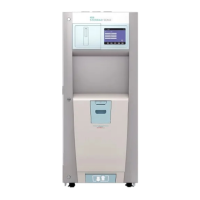
Description of the physical components and features of the STERRAD® 100NX® Sterilizer.
Information about the hydrogen peroxide cassette and its function.
Details on the cassette disposal box and its replacement.
Explanation of the sterilizer's touch screen interface and audio feedback.
Description of the sterilizer's chamber, shelves, and electrode.
Information about the integrated printer for cycle reports.
How to use the touch screen for data input and interaction.
Description of common function buttons used on the sterilizer interface.
Details on automatically performed maintenance tasks by the sterilizer software.
Explanation of the automatic adjustment process for the UV lamp.
Lists maintenance procedures performed by the user.
Instructions for safely disposing of used STERRAD® cassettes.
Procedure for removing and replacing the cassette disposal box.
Step-by-step guide for replacing the printer paper roll.
Guidelines for cleaning the external surfaces of the sterilizer.
Procedure for cleaning the lens of the hydrogen peroxide monitor.
Instructions for safely handling and replacing the PCMCIA card.
How to transfer cycle data to a computer using a USB memory stick.
Procedure for rebooting the STERRAD® 100NX® sterilizer system.
Information and requirements for the disposal of the sterilizer unit.
Overview of the types of reports that can be displayed and printed from the sterilizer.
Details on how cycle history data is stored and accessed in the sterilizer's memory.
Explanation of the different formats for printed cycle completion reports.
Description of the short-format report for cycle identification and record keeping.
Details the parametric report format, available with an external printer.
Information on the long-format report for detailed quality control and diagnostics.
Introduces supervisor-level privileges and restricted sterilizer functions.
Describes the three user access levels: Operator, Supervisor, and Service.
Overview of the Additional Utilities Menu for supervisor configuration tasks.
How to set the date, time, time zone, and display formats on the sterilizer.
Settings for alarm volume, language, access control, and network features.
Manage user accounts, passwords, and access levels for sterilizer operation.
Configuration options for connecting the sterilizer to a network.
Initiating diagnostic tests to help resolve system messages and errors.
Accessing and displaying calibration and diagnostic report files.
Details the electrical power requirements for the STERRAD® 100NX® Sterilizer.
Physical dimensions of the STERRAD® 100NX® Sterilizer.
Required clearances around the sterilizer for proper operation and ventilation.
Specifies the weight of the STERRAD® 100NX® Sterilizer system.
Volume specifications for the sterilizer's internal chamber.
Details about the sterilizer's chamber shelves, including capacity.
Operating and storage temperature ranges for the STERRAD® 100NX® Sterilizer.
Specifications for operating and storage humidity levels.
Operational altitude and atmospheric pressure limits for the sterilizer.
The temperature range maintained during sterilization cycles.
Average cycle times for STANDARD, DUO, EXPRESS, and FLEX cycles.
Details on the network and USB connectors available on the sterilizer.
Specifications for the main power cable and plug type.
Information regarding the mobility features of the sterilizer (on wheels).
Specifies if any special venting requirements are needed for the sterilizer.
Indicates if any gas tank requirements are necessary for the sterilizer.
Information on the heat generated by the sterilizer during idle and operation.
Notes potential effects of RF communications equipment on medical devices.
Lists relevant medical device directives and safety standards.
Identifies regulatory agencies related to medical devices.
Lists consumable products, their codes, and descriptions.
Lists additional parts available for the STERRAD® 100NX® Sterilizer.
Introduction to the digital transfer interface for network connectivity.
Required items for establishing a digital transfer interface network connection.
Important security considerations for connecting the sterilizer to a hospital network.
Recommendations for healthcare facilities regarding network security and device evaluation.
Contact information for questions related to the STERRAD® 100NX® network setup.
Describes the network settings screen for configuring the sterilizer's connection.
Explains selecting Auto (DHCP) or Manual (static) configuration modes.
Guidance on setting the sterilizer's hostname for network identification.
Information on assigning a unique IP address to the sterilizer.
Explains the role and format of the subnet mask in network configuration.
Details on configuring the gateway IP address for network routing.
How to set the primary DNS server address for domain name resolution.
Information on configuring an optional secondary DNS server.
Guidance on entering or leaving the domain name field blank.
Instructions for entering the user account name for PC/Server login.
How to enter and manage the password for PC/Server login.
Specifying the shared folder name on the remote PC or Server.
Entering the name or IP address of the computer server.
Steps to configure network settings on the sterilizer for PC communication.
Steps to prepare the remote computer for network connectivity testing.
Instructions for disabling Windows security features for testing.
Procedure for executing a ping test from the STERRAD® 100NX® sterilizer.
Steps to reset LAN network properties on a laptop after testing.
Procedure to reset the sterilizer's network settings to default.