14 ©2013 Johnson Level & Tool - Rev. 1
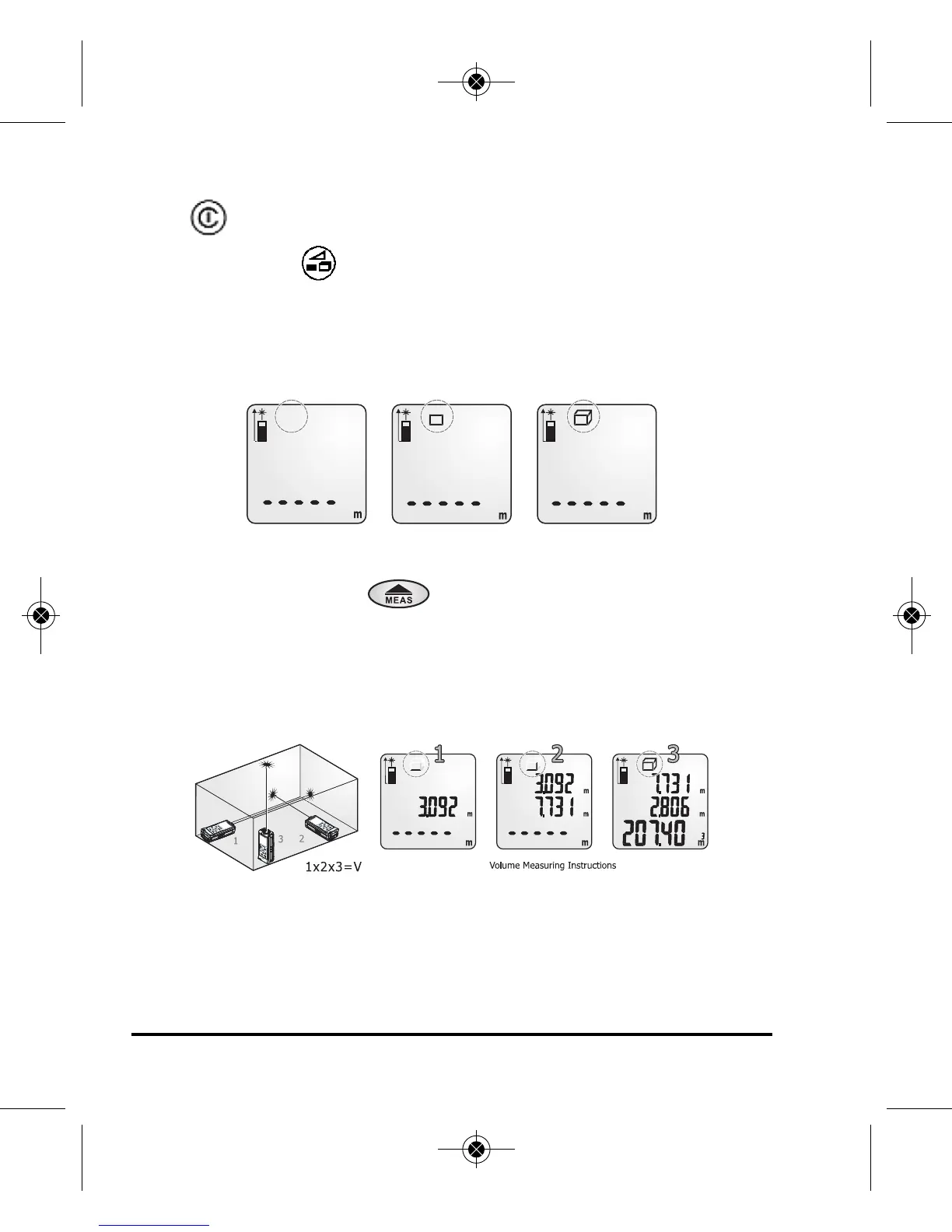
Volume Measurement (Cube
3
)
Press Power Button to turn power on.
Press and release button two times.
A 3- dimensional rectangle icon will appear on the upper left side of
screen. Observe flashing line for each required measurement (Length,
Height & Width).
Follow flashing line instructions on screen to measure length, width &
height. Press and release button to record measurements.
Volume calculation will be presented in sub value position at top of
screen.
Note: Unit of measure for cube calculation will be displayed in decimal
form in cubic feet or cubic meters on main screen.
To tally (or sum) the Volume calculations of multiple rooms use
the following steps:
Suggestions:
Be sure you have the desired unit of measure selected.
6833H-English_Manuals 4/2/13 1:26 PM Page 14



 To Next Page