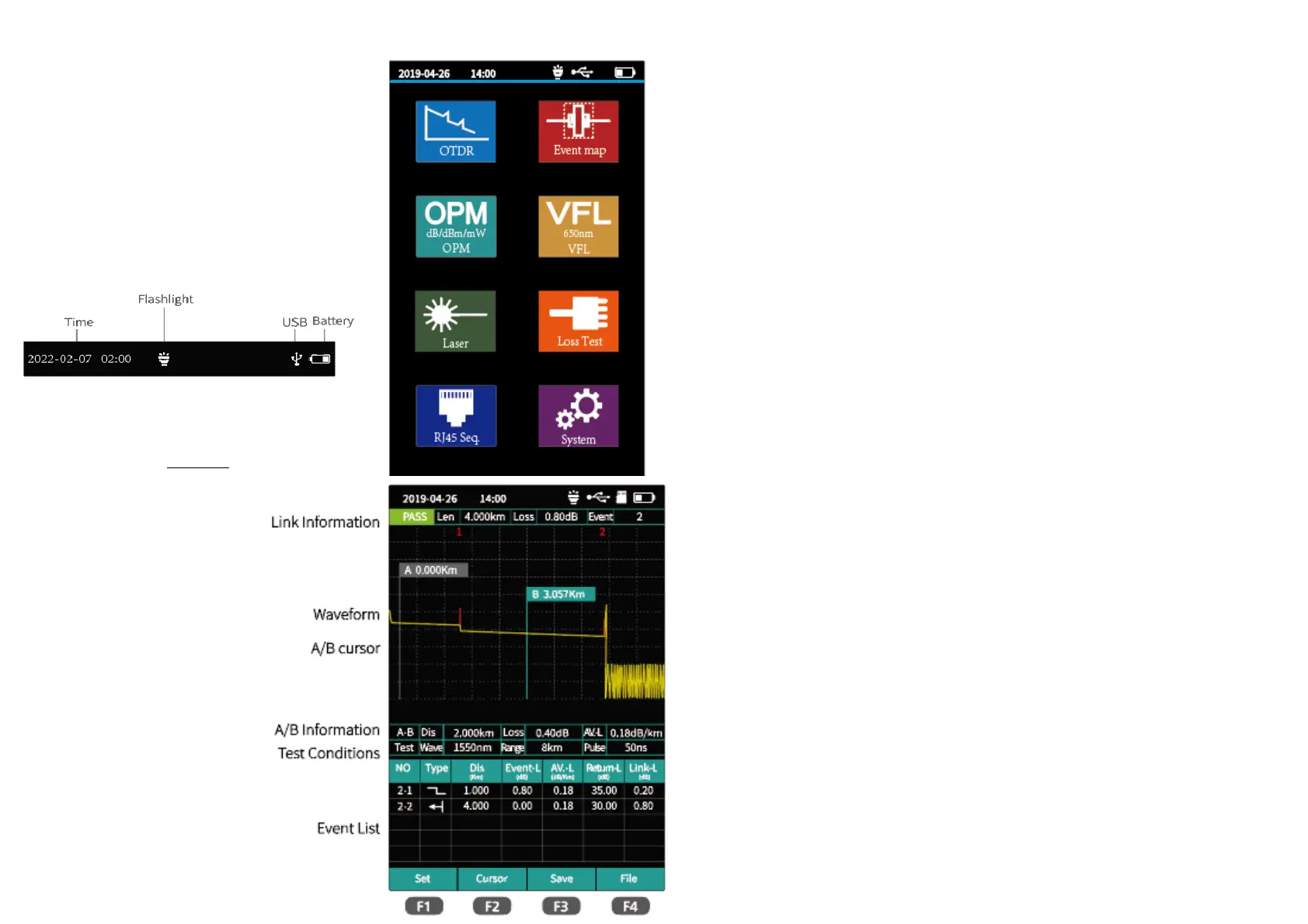
Turn on and enter the main menu.
There are eight functional modules.
Select the module by pressing the direction keys, and then press the “OK” key to enter the
corresponding functional interface.
OTDR
F1:Enter the parameter setting interface
F2: Switching A/B cursor
F3: Enter the save interface
F4: File or Folder operation
Attention
This function pls don't make live fiber testing.



 To Next Page