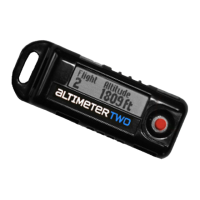
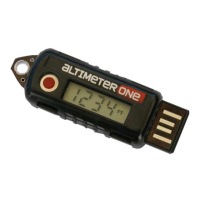
Recharging Connector
Plugs into standard USB ports to recharge.
Push Button
• Quick press for ON/OFF
• Or hold the button to see more options.
Release the button when you see the option you want:
Clear and reset for next ight
Switch between displaying feet or meters
Enter special temporary “Current Altitude Mode”
Reboot and reset
jolly logic
Display
Displays the peak altitude after each ight.
Be sure to clear it to “0” before each ight.
Altitudes higher than 9,999 feet are shown in
thousands of feet
, and are
indicated with a decimal point in the display.
jolly logic
3
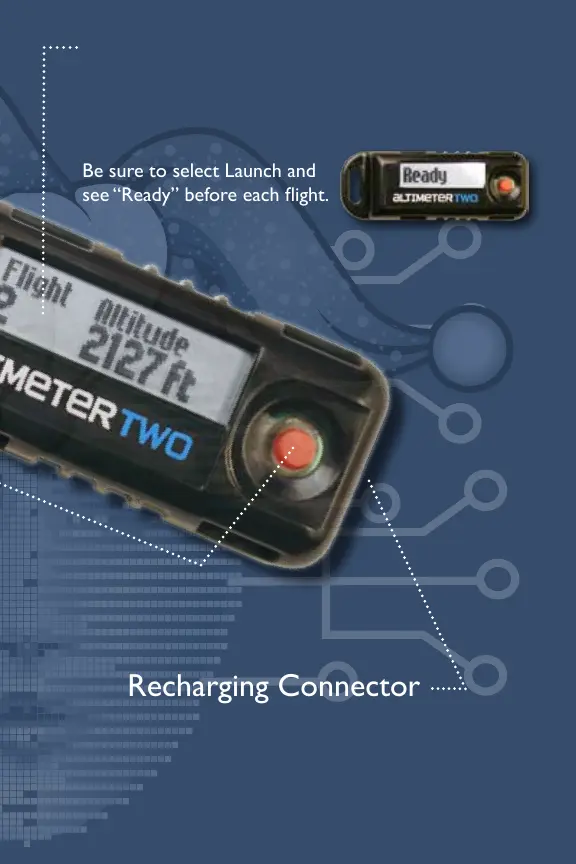
Recharging Connector
This is a USB Micro-B port. Plug the included
cable into standard USB ports to recharge.
See the Recharging section for more info.
Push Button
• Quick press for ON/OFF
• Hold the button to see more options.
Release the button when you see the option you want:
Begin next ight
Show last 500 ights, most recent rst
Switch between feet and meters
Erase all ights from memory
Leave menu, do nothing
jolly logic
Display
Displays ight statistics after each ight,
and the current battery charge level.
Be sure to select Launch and
see “Ready” before each ight.
jolly logic
5


 To Next Page
 Loading...