
 Need help?
Do you have a question about the JollyLine JL43702 and is the answer not in the manual?
Essential safety guidelines for operating and maintaining the receiver.
List of supported standards, resolutions, channel capacity, and media playback features.
Explanation of each button's function on the remote control unit.
Guide to installing batteries and important usage precautions for the remote control.
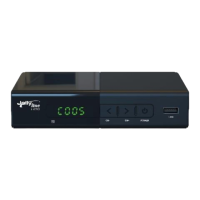
Identification and description of all external connections and display elements on the receiver.
Instructions for connecting the receiver to a TV and other peripheral devices.
Step-by-step guide for initial setup and automatic channel scanning.
How to enter and navigate the main menu for system settings.
Manage programs, sort channels, and set preferences like locking or favorites.
Adjust video aspect ratio and resolution for optimal viewing quality.
Configure automatic or manual scanning for TV and radio channels.
Set time offset, time zone, and auto-shut off (sleep) timer for the receiver.
Customize OSD language, subtitle language, and audio language preferences.
Set parental guidance, change password, restore factory defaults, and view system information.
Instructions for updating the receiver's firmware via a USB drive.
Configure network connection type and IP settings for the receiver.
Manage multimedia files (music, photo, movie) and network applications (weather, IPTV).
Using INFO key for banner display and AUDIO L/R key for audio language selection.
Selecting subtitles and managing TV/Radio channel lists.
Adding, viewing, and removing favorite TV or Radio channels.
Editing programs, skipping channels, and using the multimedia player.
Table of common faults, their possible causes, and solutions for the receiver.
Detailed technical data of the receiver, including input/output, decoding, and power.
Manufacturer's declaration of compliance with EU directives and standards.

 To Next Page
 General