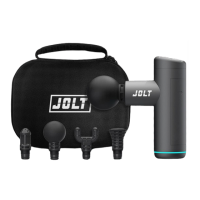
1. Turn on the device using the ON/OFF button on the bottom of the battery (under the
handle),
2. Press the power button on the digital display to start the gun.
3. Use the « + « and « - « buttons to adjust the speed from 1 to 20.
4. The LED on the handle will turn red when the battery level is less than 20%. If the battery
level is less than 10%, the display will show «E1», the unit will not operate and you should
recharge it.
5. The display goes from 01 to 10 successively while charging. The battery is fully charged
when it reaches 10, and the indicator light at the bottom of the handle will turn green.
6. The unit features a stopwatch function and will automatically shut o aer 15 minutes
of continuous operation (for safety reasons to avoid overheating)
7. When the massage head is pressed too hard, the unit will start its automatic protection
function and stop. «E4» will display and it can be used normally aer powering on.
CHARGING
The charging port is on the bottom of the massage gun (Micro USB cable) Fully charge the
battery for the first use and turn it o while it is charging.
1. Connect the power cable to the gun (Micro USB). The indicator will flash to show that
the device is charging. Do not move the massage gun while it is charging.
2. When the indicator turns green, it means the battery is full.
36



 To Next Page