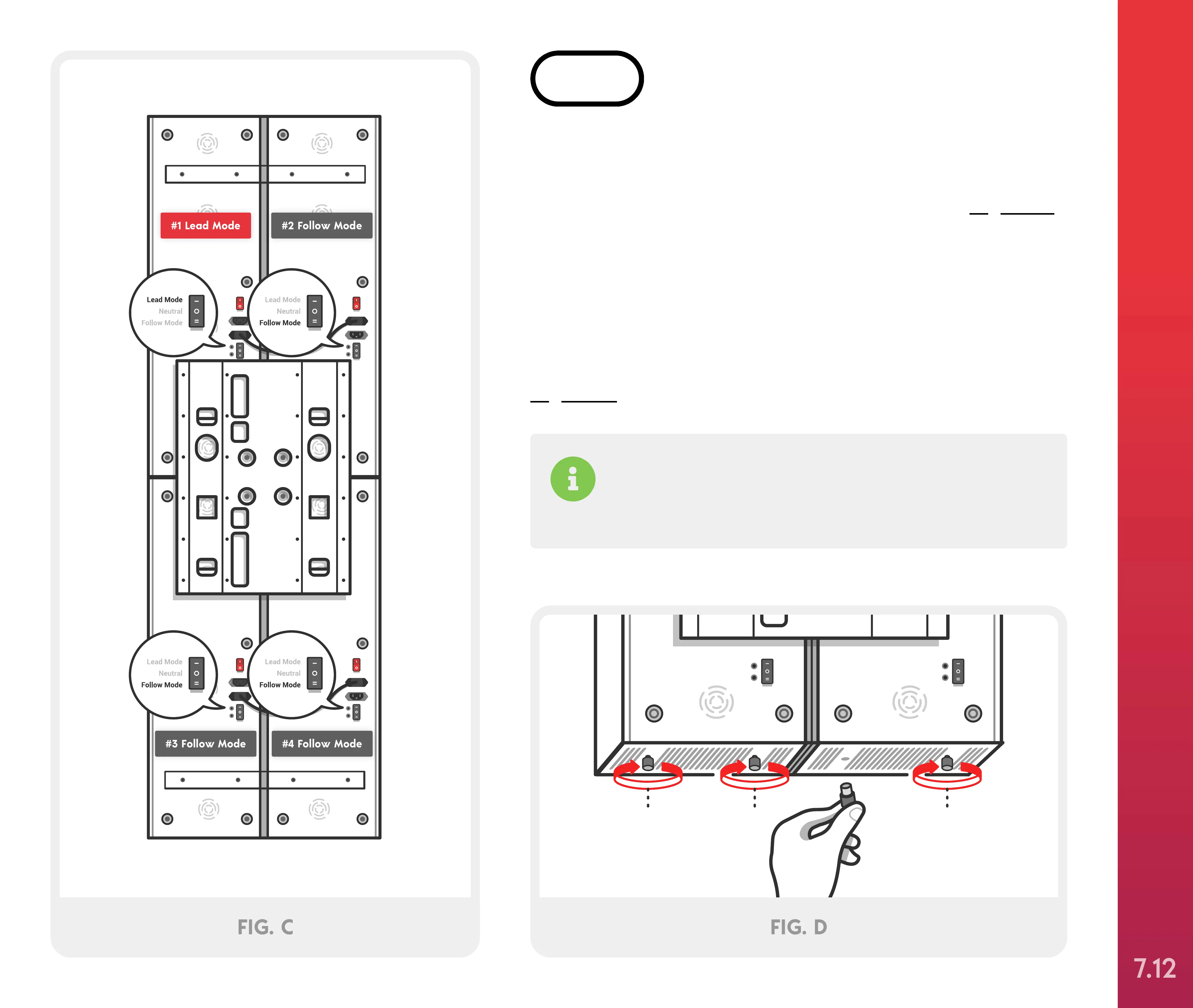
Locate the pairing switch on each Solo. Turn the
switch to “Lead Mode” on #1 Solo and “Follow
Mode” on Solos #2, #3 and #4, as shown in Figure C.
Next, locate the four black rubber floor bumpers and
attach by inserting the adjustable nut into the
bottom slots of Solos #3 and #4. Once inserted slide
the nut forward and pull down and tighten by
screwing clockwise until hand tight, as shown in
Figure D.
STEP 6
If you don’t wish to connect your devices via
Bluetooth, follow the instructions included with the
Hardwire Pairing kit.
#1 Lead Mode #2 Follow Mode
#4 Follow Mode#3 Follow Mode
FIG. C
Optional Mounting Systems
(2 people required)
SETTING UP YOUR JOOVV QUAD
7.12



 To Next Page