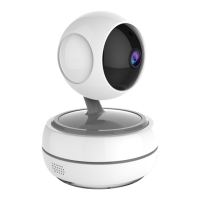
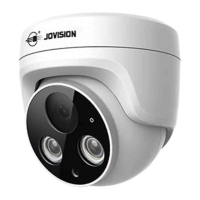
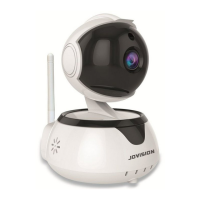
This document serves as a Quick Start Guide for the Jovision Wireless IP Camera, model JVS-N95-X3, providing instructions for its setup, operation, and maintenance.
Function Description
The Jovision JVS-N95-X3 is a wireless IP camera designed for surveillance purposes. It allows users to monitor designated areas remotely via a smartphone application, CloudSEE Int'l App, available on both iOS and Android platforms. The camera supports various recording modes, including All Day Recording, Disconnect Recording, Timing Recording, and Alarm Recording, with options to adjust video quality (HD or SD) and footage length (5, 10, 20, or 30 minutes). Key functionalities include live video streaming, audio capture, snapshot taking, video recording, two-way talk, Pan-Tilt-Zoom (PTZ) control, and playback of recorded footage from an SD card. The device also features alarm settings with customizable sound alarms, motion detection, and a light alarm that flashes white LEDs when triggered. For enhanced security, the camera prompts users to change the default password upon first access.
Important Technical Specifications
- Model: JVS-N95-X3
- Power Supply: 12V DC operation only. Requires NRTL approved Class 2 or LPS power supplies. Multiple-output PSUs can be used if outputs are isolated and protected (2A max).
- Wireless Connectivity: Wi-Fi (specific standards not detailed, but supports AP configuration).
- Storage: Supports SD card for local recording.
- Alarm Features: Motion detection with adjustable sensitivity (default 60), customizable alarm sound (five pre-defined sounds, plus option to record custom audio), and light alarm (flashing white LEDs).
- Video Quality: HD or SD recording options.
- Video Footage Length: 5, 10, 20, or 30 minutes.
- Operating Temperature: Not explicitly stated, but designed for general surveillance use.
- Radiation Exposure: Complies with FCC radiation exposure limits, requiring a minimum distance of 20cm between the radiator and the user's body.
- EU Conformity: Marked with "CE," complying with Low Voltage Directive 2014/35/EU, EMC Directive 2014/30/EU, RED Directive 2014/53/EU, and RoHS Directive 2011/65/EU.
- Open Source Software: Contains software licensed under GNU General Public License (GPLv2, GPLv3) and/or other open-source licenses. Source code is available upon written request.
Usage Features
- Easy Setup: The camera can be configured via the CloudSEE Int'l App. Initial setup involves powering on the camera, installing the app, registering an account, and then using the "AP Configuration" feature.
- AP Configuration: Users press and hold the Reset Button until "Waiting for Configuration" is heard, then connect their phone to the camera's Wi-Fi SSID (e.g., "IPC-T-XXXXXXXX") using the default password "12345678." After connecting, the app guides the user to select their home Wi-Fi network and input its password.
- Remote Access: Once configured, the camera can be accessed remotely through the CloudSEE Int'l App, allowing for live viewing, playback, and control.
- Device Management: The app provides a device list where users can add multiple cameras.
- Interactive Controls: During live viewing, users can enable/disable audio, take snapshots, record video, change video streaming quality, engage in two-way talk, control PTZ functions, and access playback.
- Customizable Settings:
- Device Name: Users can modify the name of the device for easy identification.
- Date & Time: The device syncs time with the internet by default, but manual adjustment is possible by disabling network correction.
- Alarm Settings: Comprehensive alarm customization including:
- Alarm Sound: Selection from pre-defined sounds or recording custom audio.
- Alarm Mode: Motion Detection is the primary alarm mode.
- Alarm Area: Up to four motion detection regions can be defined and resized.
- Alarm Sensitivity: Adjustable sensitivity for motion detection (default 60).
- Defence Time: Allows scheduling of alarm and motion detection times.
- Sounding Alarm: Enables the device to emit an audible alarm when triggered.
- Lighting Alarm: Enables the device to flash white LEDs when triggered.
- Device Information: Provides details on recording mode, channel, video file length, memory card status (capacity, state, usage), and allows for SD card formatting.
- Playback: Automatically plays back video footage recorded on the SD card when the camera is connected via the app.
Maintenance Features
- Password Management: Users are strongly recommended to change the default password to a strong, complex password (minimum 8 characters, including upper case, lower case, numbers, and special characters) to prevent unauthorized access and enhance security.
- SD Card Management: The device information section allows users to monitor SD card status and format the card if needed.
- Firmware Updates: While not explicitly detailed as a user-initiated feature, the availability of open-source software suggests potential for updates or community support.
- Technical Support: Jovision provides technical support via email (support@jovision.com) for troubleshooting and welcomes feedback for product improvement.
- Regulatory Compliance: Adherence to FCC and EU directives ensures the product meets safety and environmental standards.
- Proper Installation: Warnings emphasize that installation and servicing should be performed by qualified and experienced technicians to comply with local codes and maintain warranty validity.
- Power Supply Precautions: Users are warned to use only 12V DC power and NRTL approved Class 2 or LPS power supplies, and to use separate PSUs for each camera to prevent ground loop issues, or a multiple-output PSU with isolated and protected outputs (2A max).
- LED Safety: While the near-infrared LEDs are not considered a risk to the unshielded human eye, users are advised to avoid staring directly into the beam or viewing LEDs with optical instruments at close range.
- Disposal: The product is marked with the WEEE directive symbol, indicating it should not be disposed of as unsorted municipal waste in the European Union. Proper recycling through local suppliers or designated collection points is encouraged.

 Need help?
 General

 To Next Page