Ausgabe 18.01.2017 Copyright by Joy-IT 25
3
Arcade-GameStaon
6. Assembly instrucons
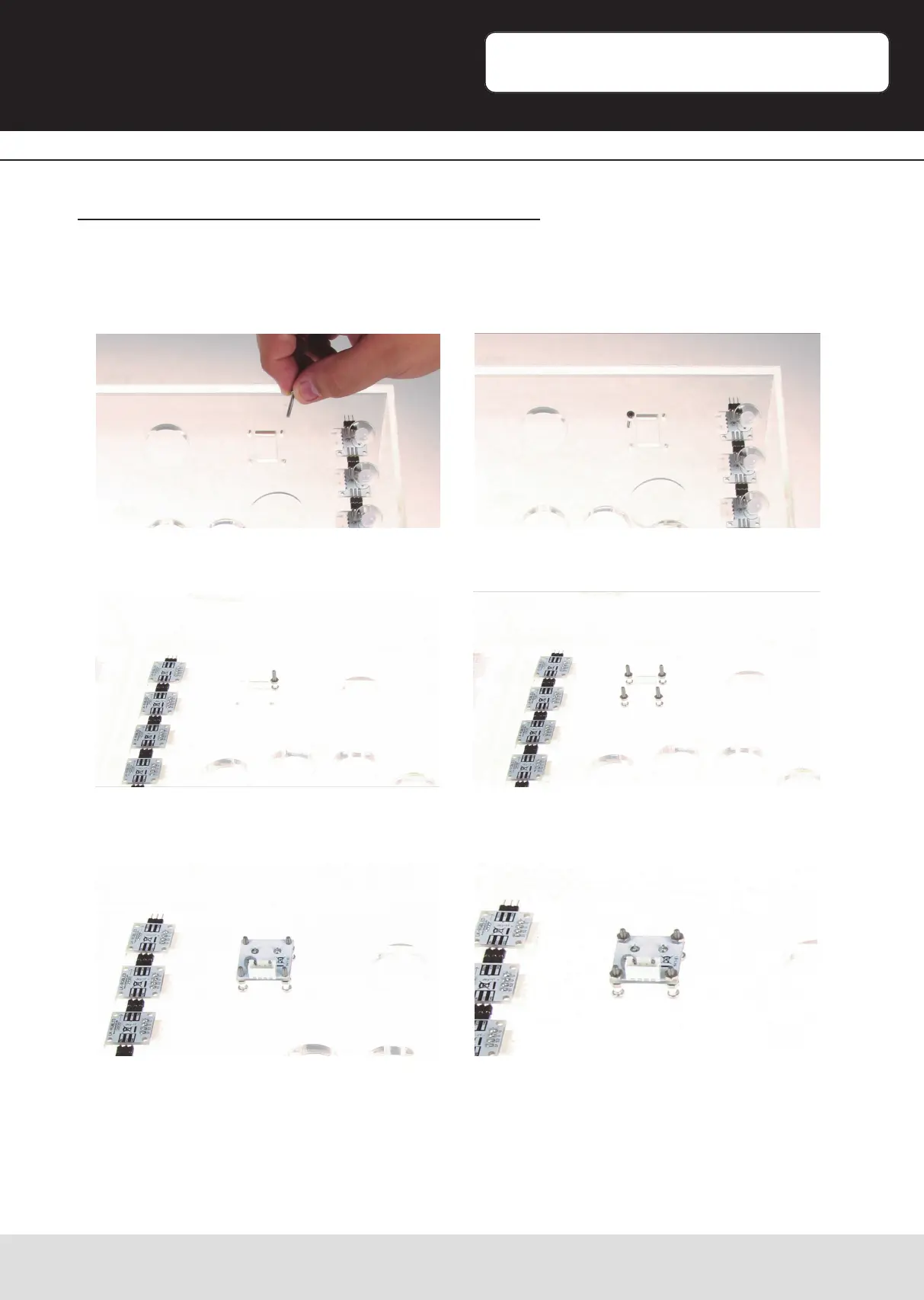
Step 1 | Installing the potenometer for color-control
Start the assembling process with the installaon of the rotary-potenometer.
To mount the potenometer, take a screw [B] and a nut [G]. Sck the screw [B] through
the hole.
On the other side, screw down the nut [G] and repeat this step with the other three
screws.
Next, place the potenometer on the screws and mount it with four nuts [G].


 To Next Page