Ausgabe 18.01.2017 Copyright by Joy-IT 42
3
Arcade-GameStaon
6. Assembly instrucons
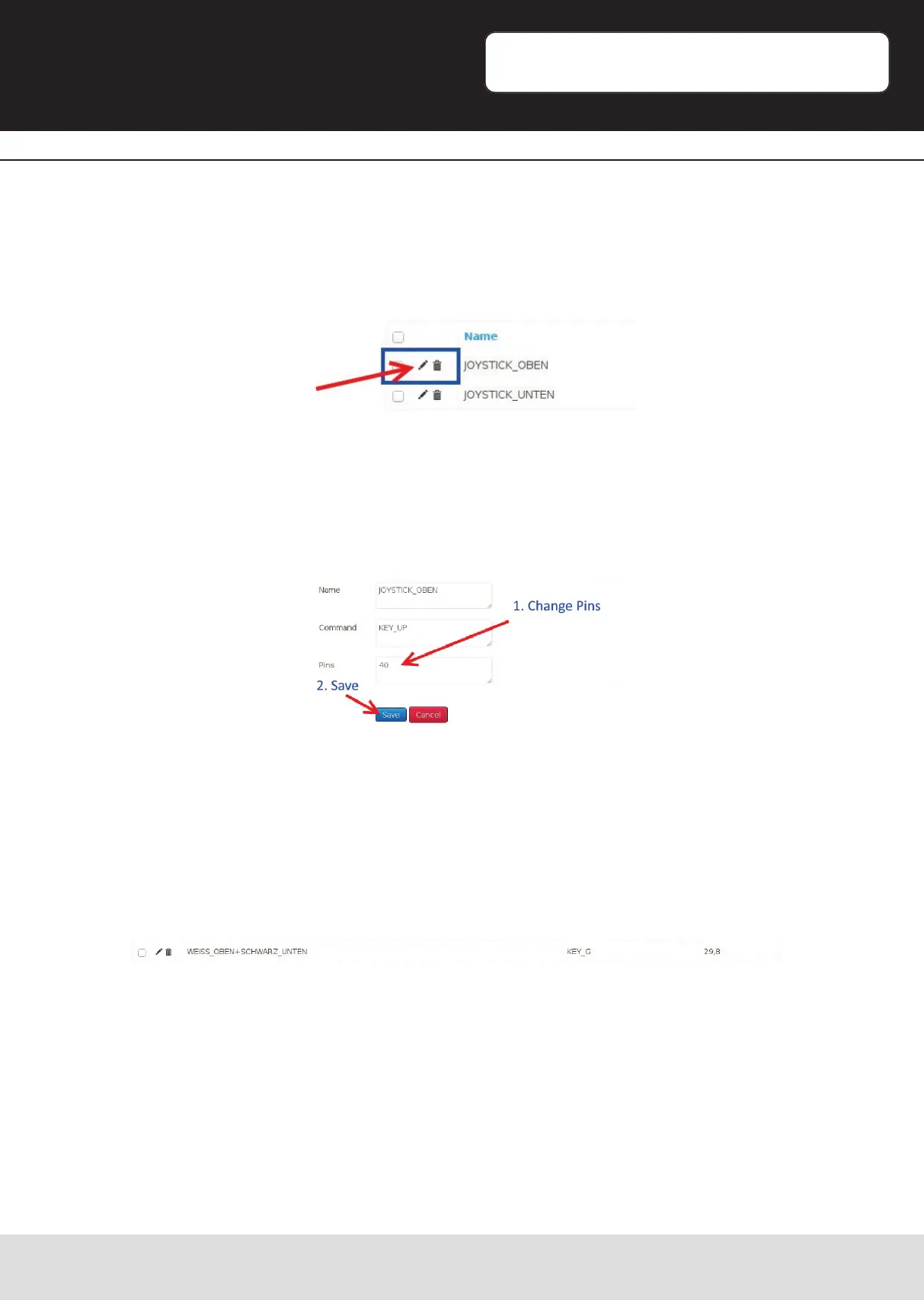
Here you can see a list of every buon-assignment with the specic PIN-number of the
Raspberry Pi. By clicking the pen-symbol on the le side, you can enter the
conguraon menu of the specic buon.
Here you can change the PIN-number, if the assigned PIN is not matching with your
notes from the previous step. Save your changes when you are done.
Also watch the combinaon-buons (e.g.: whiteAchten Sie auch auf die
Kombinaonstasten.
They also might need to be adjusted.
Aerwars, click on the „Menu“-Buon and choose „Shutdown -> Reboot“.
Aer restarng, the assembly is nished and your Arcade-Gamestaon is ready.


 To Next Page