2.3 Connection to a device
First, plug the power supply into the display. Then, con-
nect the display with the device, which should be used,
using the HDMI cable.
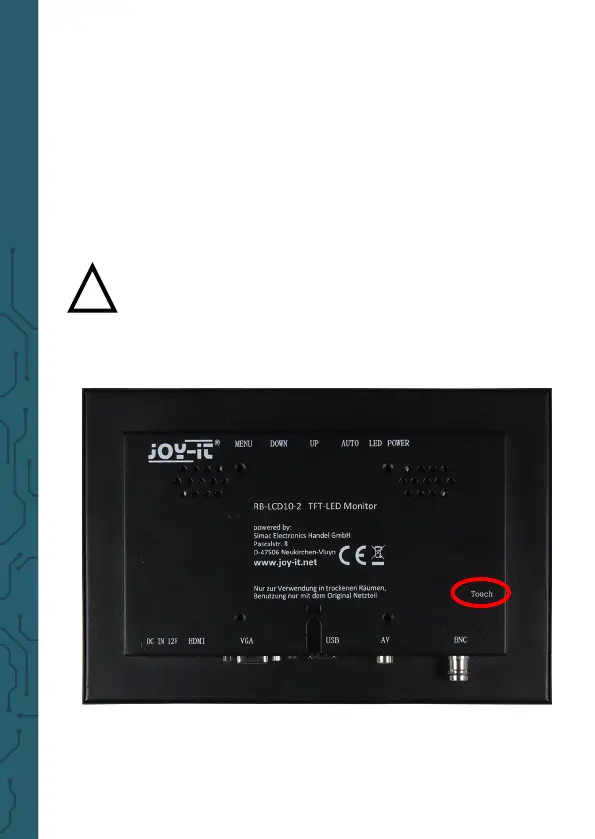
To use the Touch functions as well, the display must also
be connected with the device to be used with the pro-
vided USB cable.
!
Caution! Do not confuse the USB ports! You
have to use the port with the imprint "touch" on
the display to be able to use the touch functions.



 To Next Page