3. USAGE OF THE DISPLAY
3.1 Installation of soware
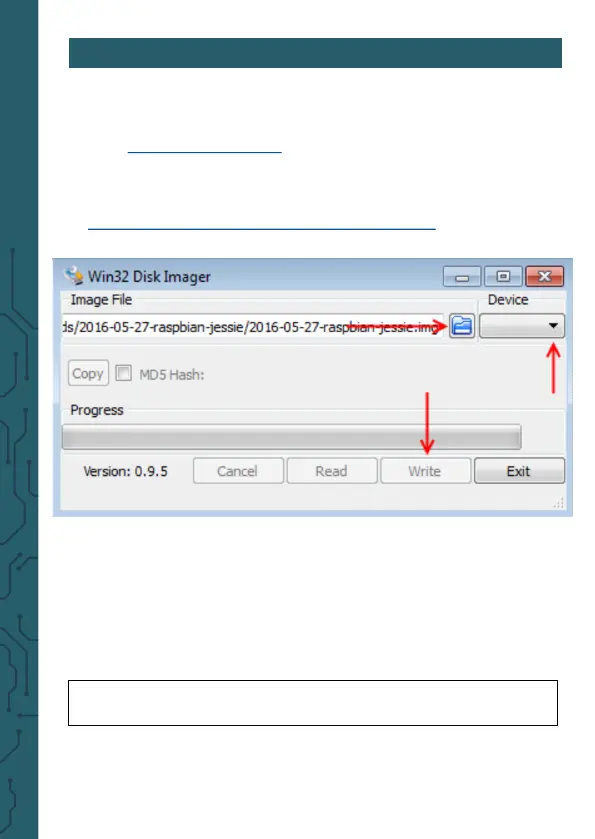
Install the LCD image on your SD card with the help of
the „Win32 Disk Imager“-program, which you can find
as preinstalled Raspbian system for your Raspberry Pi
as download by the following link:
hps://joy-it.net/de/products/RB-LCD10-2
3.2 Manual Installation & Calibration (experienced
user)
-Usage with a Raspberry Pi 4:
For the usage with a Raspberry Pi 4, a setting in „/boot/
config.txt“ must be edited. For this, please enter the
sudo nano /boot/config.txt
1. Choose Image
2. Choose
Device
3. Write SD card with
image



 To Next Page