2 3
vACCESSORIES
We have designed complementary products to accelerate
your vWellness. Visit www.getvfit.com regularly to learn more.
SAFETY AND TECHNICAL SPECIFICATIONS
vFit is not a medical device; it is a vWellness device. It is not intended to treat
or prevent any medical condition. If you are unsure whether or not you should
use vFit, please consult your physician.
Consulting Your Physician
If you are under a doctor’s care for any pelvic floor-related conditions, please
consult your physician before using vFit.
Do not use if you are pregnant or believe you may be pregnant.
Do not use if you are using cancer-fighting drugs, medications, or topical
creams that increase photosensitivity.
vFit FEATURES
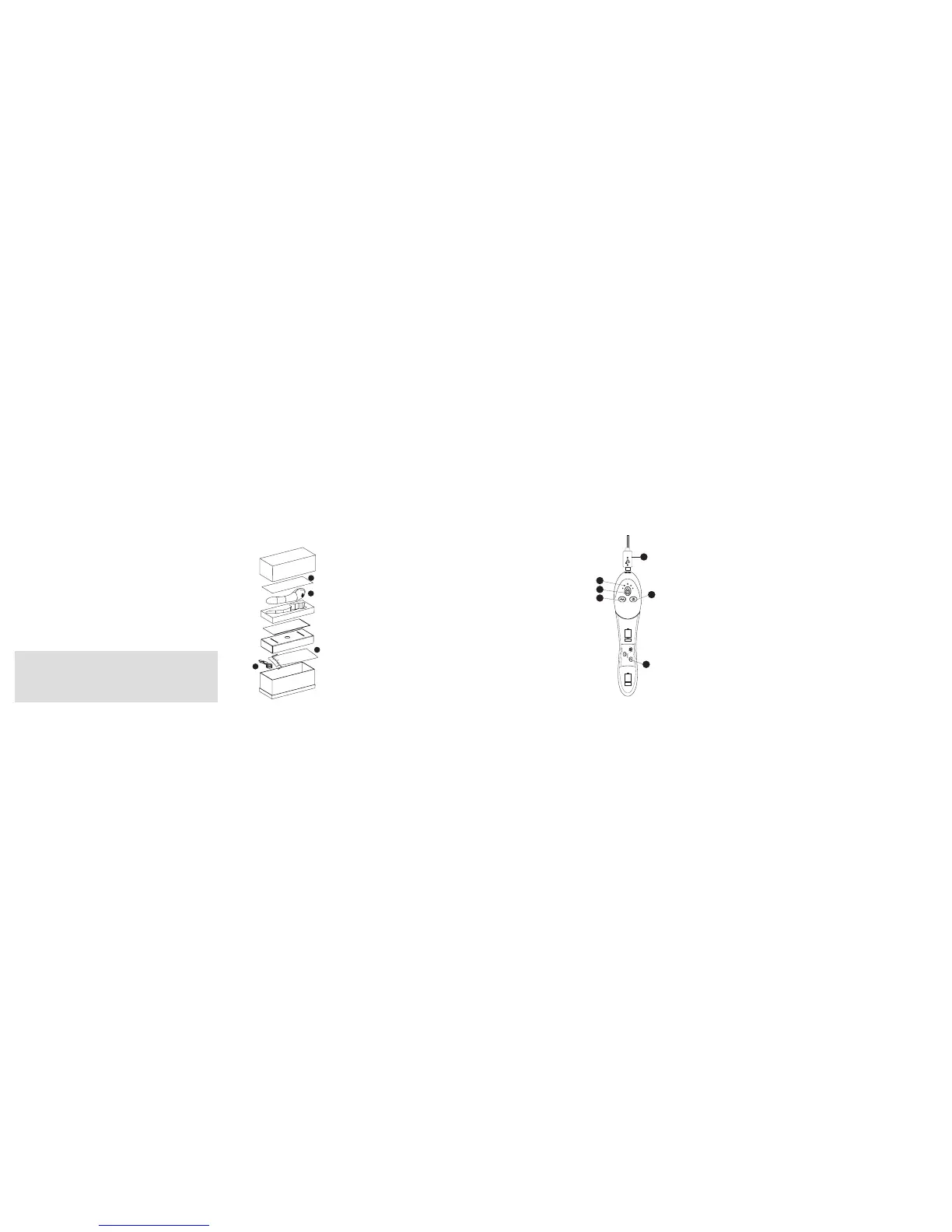
Legend
1. On/off button
2. Light mode button
3. Sonic vibration mode button
4. Indicator lights
5. Red lights
6. USB charger connection
4
2
3
5
1
6
Light Modes
1. 6 minutes
2. 8 minutes
3. 10 minutes
4. 12 minutes*
vFit offers two models, vFit and vFit PLUS. Both
models are represented in this user guide and
features may vary. *12 minute session available
on vFit PLUS
CHARGING vFit
1. Please charge your vFit 12 hours prior to first use to ensure proper
operation and battery life. While the battery lasts 3 uses, we
recommend charging your device after each use.
2. Attach the USB charging cable to the vFit handle and plug into any
universal USB-certified power source that is plugged into an electrical
outlet.
3. vFit will detect power and vibrate 2 times.
4. The center red indicator light will illuminate, letting you know vFit is
charging.
5. Once fully charged, the red indicator light will turn solid green.
Besides renewed confidence, in this box you
will find:
1. vFit device – use to improve your
vWellness
2. USB charging cable – connects to any
USB power supply for charging
3. Storage sachet – stores your vFit and
works great as a travel bag
4. Quick start guide
WHAT’S IN THE BOX
1
2
3
4


 To Next Page