92
Index
HANDBOOK / KIT INTERFACE
4
6 7
5
8
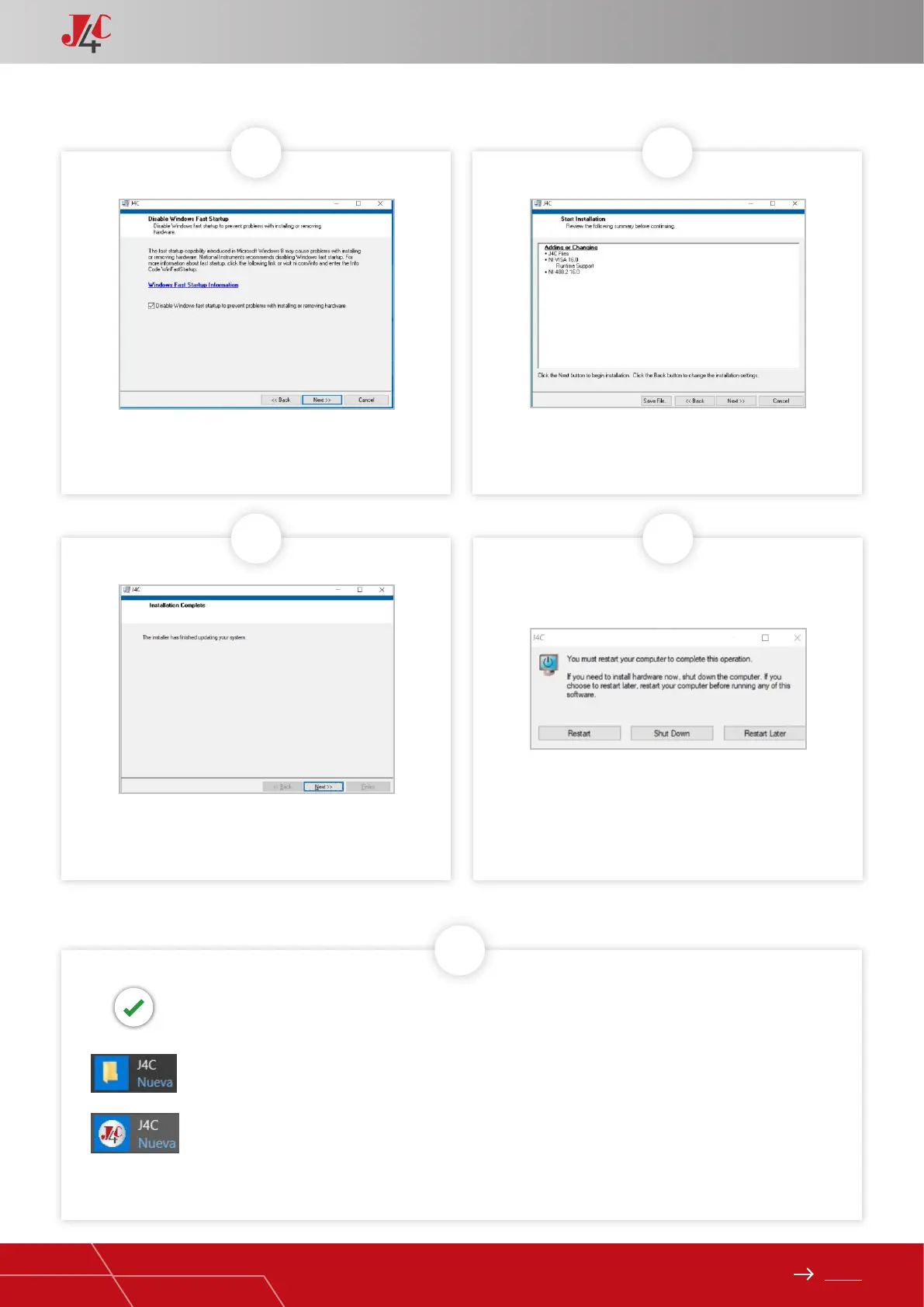
Click on “Next”
Click on “Next” Click on “Restart”
Click on “Next”
› The Program set-up is nished
› Go to “Inicio”, “Todas la aplicaciones” and in le
› Open
› The Program set-up is nished
› Go to “Inicio”, “Todas la aplicaciones” and in le
› Open



 To Next Page