This document describes the Bright Wireless On-Ear Headphones with Cat Ears, model numbers 026371 (Turquoise) and 026372 (White). These headphones feature a playful design with illuminated cat ears and offer wireless connectivity.
Function Description
The headphones are designed for wireless audio playback and hands-free communication. They include several integrated controls for managing audio and calls:
- LED Light Button (A): Quickly press twice to turn the LED cat ear lights on or off.
- Volume Down (B): Press to decrease volume. Press and hold to play the previous track.
- Power Switch (C): Press to switch the product on/off, pause/play music, answer/end calls.
- Volume Up (D): Press to increase volume. Press and hold to play the next track.
- USB-C Port (E): Used for charging the headphones.
- Status Light (F): An indicator lamp that shows the device's status (e.g., charging, connected).
- 3.5 mm Audio Port (G): Allows for wired connection to audio devices using a 3.5 mm audio cable.
- TF Card Slot (H): Enables playback of music directly from a TF (microSD) card.
Important Technical Specifications
The headphones offer robust performance and connectivity:
- Pairing Name: 026371 (Turquoise), 026372 (White)
- Range: 10 meters
- Speaker Diameter: 40 mm
- Frequency Response: 2402 to 2480 MHz
- Battery Capacity (Earphones): 400 mAh
- Input Voltage: 5 V
- Battery Life Standby (Earphones): 200 hours
- Battery Life Playback (Earphones): 5 hours
- Charging Port: USB-C
Usage Features
Starting Up:
- Charge the headphone batteries before first use.
- Press and hold the power switch for 3 seconds until an audio prompt is heard.
- Locate the name of the headphones (026371 or 026372) in your smartphone's Bluetooth list and connect to it.
Switching Off:
Press and hold the power switch.
Wearing the Headphones:
Place the product over your head with the earcups over your ears. Ensure the product is turned the right way and fits firmly in place. If the product is worn incorrectly, the sound quality will be reduced, and the microphone may not work as well during phone calls.
Safety Instructions
To ensure safe and prolonged use of the headphones, adhere to the following safety guidelines:
- Read these instructions carefully before use and keep them for future reference.
- Do not dismantle the product or attempt to modify or repair it.
- Do not place the product near sources of heat.
- Do not store the product in a damp area.
- Ensure that no water or any other liquid gets into the product, as this can damage it.
- Do not store or use the product in extreme temperatures.
- Do not subject the product to knocks and blows.
- Do not use strong detergent or solvent to clean the product.
- Charge the product with a USB charger with an output voltage of 5 VDC.
- Do not expose the product to temperatures over 60°C. Do not burn the product.
- Only use batteries of the type recommended by the manufacturer. The use of other batteries can result in a risk of explosion, fire, and/or serious personal injury.
Maintenance Features
The product requires minimal maintenance beyond careful handling and charging.
- Cleaning: Do not use strong detergents or solvents. Use a soft, dry cloth for cleaning.
- Charging: Charge the product via its USB-C port using a 5V DC USB charger. The status light will indicate charging status.
- Storage: Store the headphones in a dry place, away from extreme temperatures and direct heat sources.
Symbols
The manual includes the following symbols:
- Read the instructions: Indicates the importance of reading the user manual.
- CE Mark: Approved in accordance with relevant directives, signifying compliance with European safety, health, and environmental protection requirements.
- Waste Bin with Cross: Recycle discarded product in accordance with local regulations, indicating that the product should not be disposed of with general household waste.
This comprehensive description covers the key aspects of the Bright Wireless On-Ear Headphones with Cat Ears, providing users with essential information for safe and effective operation.

 Need help?
 General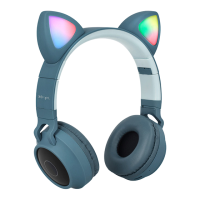

 To Next Page