ERASING LEARNED FUNCTION
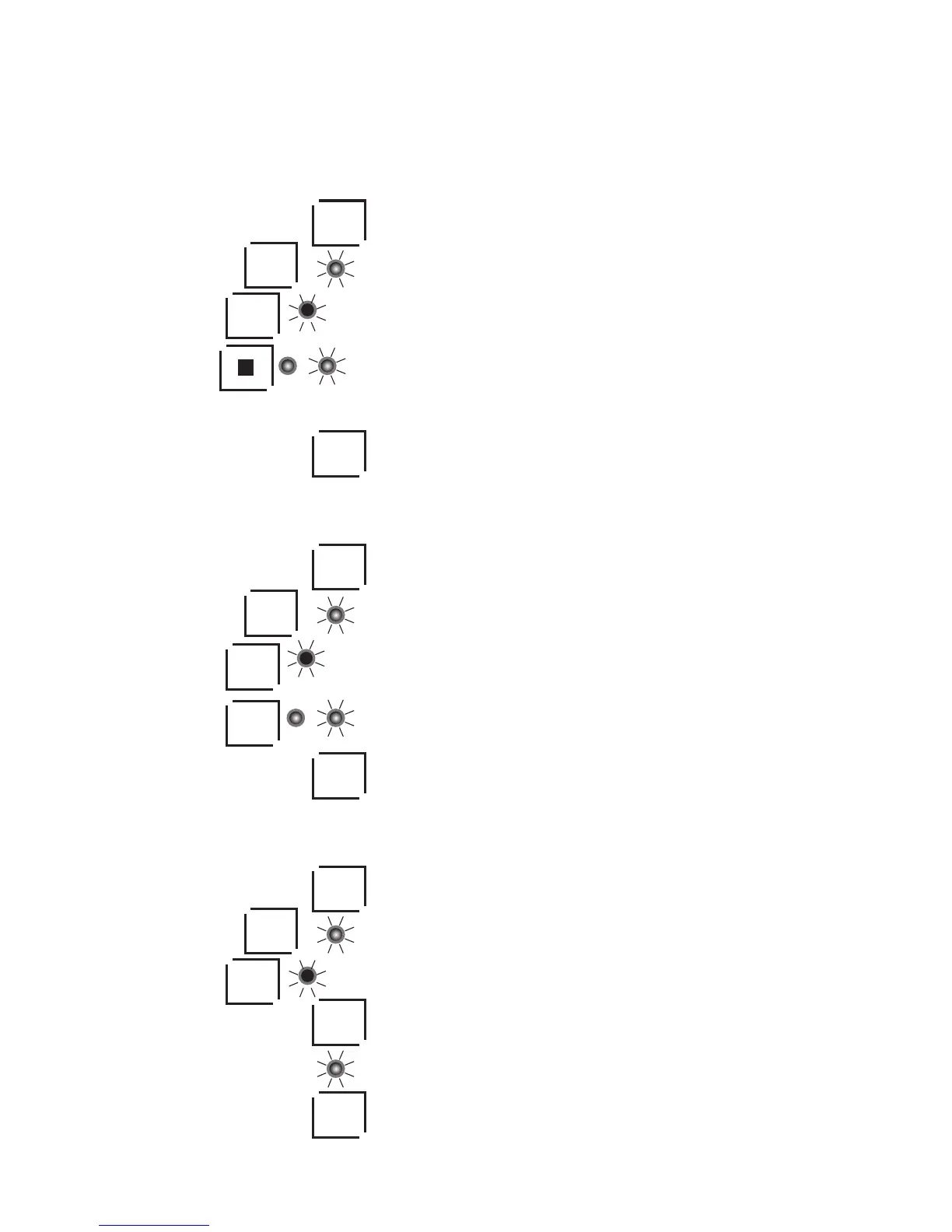
Erasing function of a single button.
1. Press the device button (e.g. AUX1).
2. Press and hold the LEARN button until the LED flashes.
3. Press the device button again until the LED turns solid red.
4. Press the programmed button, the LED will turn off for 0.5 seconds and turn back on again.
This indicates the function of this button has been erased.
5. Repeat step 4 to continue erasing other buttons.
6. Press the LEARN button to exit.
ERASING ALL LEARNED FUNCTIONS ON A SINGLE BUTTON
1. Press the device button (e.g. AUX1).
2. Press and hold the LEARN button until the LED flashes.
3. Press the device button until the LED turns solid red.
4. Press the device button (e.g. AUX1) again to erase all learned functions. The LED will
turn off for 0.5 seconds and turn back on again. This indicates the function of this
device has been erased.
5. Press LEARN to exit.
ERASING ALL LEARNED FUNCTIONS ON ALL BUTTONS.
1. Press the device button (e.g. AUX1).
2. Press and hold LEARN the LED flashes.
3. Press the device button (e.g. AUX1) until the LED turns solid red.
4. Press and hold LEARN for three seconds to erase all learned functions for all
devices.
5. The LED will flash twice and turn off.
6. Press LEARN to exit.
AUX1
AUX1
LEARN
LEARN
LEARN
LEARN
AUX1
AUX1
AUX1
LEARN
AUX1
AUX1
LEARN
LEARN
6



 To Next Page