7
INTERNAL LIGHT
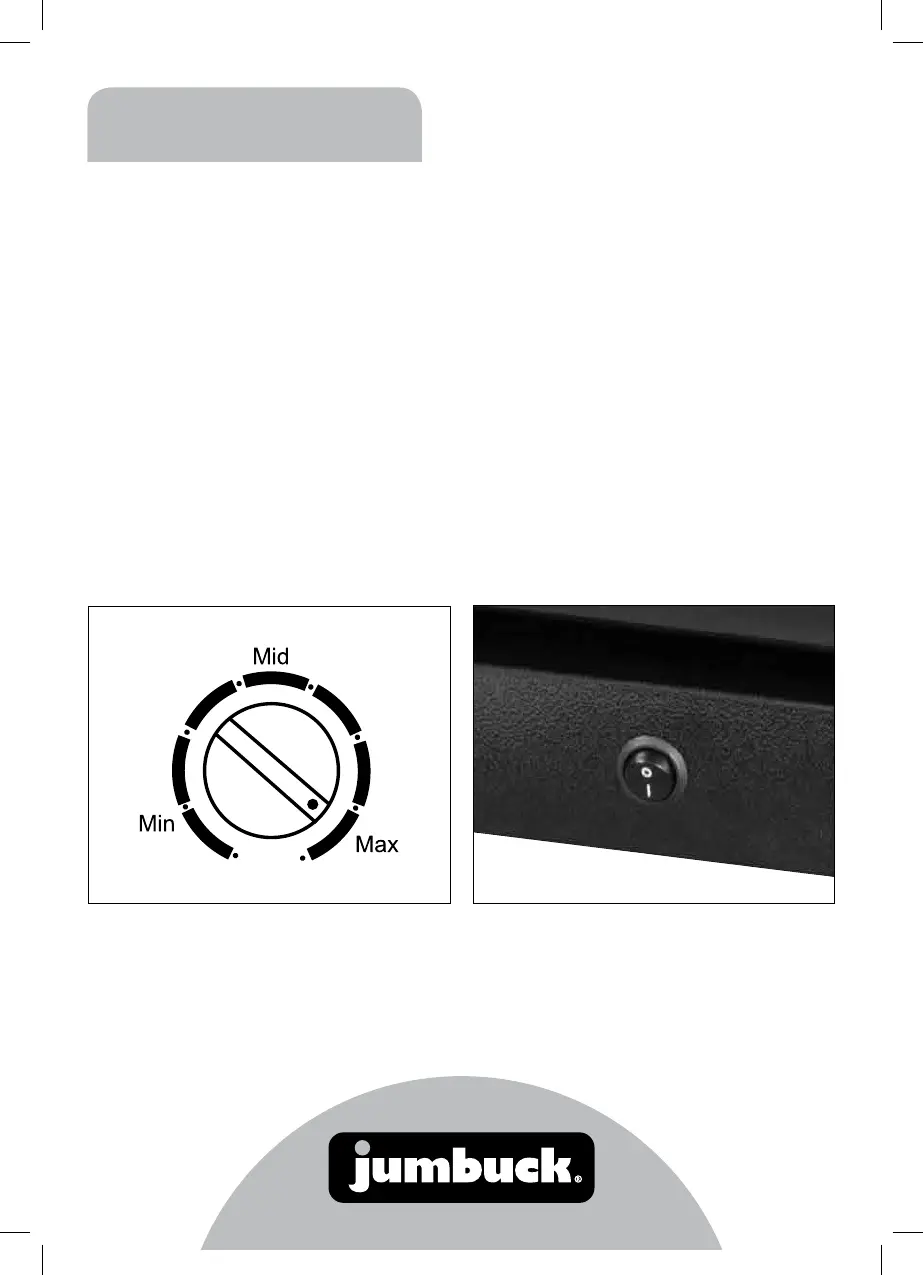
To turn light on use switch, located on bottom kick
panel I for on and O for off. It is recommended
that the switch be turned on only when required.
Using Your Refrigerator
TEMPERATURE CONTROL
• The first time you turn the unit on, set the
temperature control to position “Max”.
• The settings of the temperature control are “Min,
Mid, Max”. After 6 hours you can adjust the
temperature control setting to suit the types of
drinks being cooled.
• To turn the refrigerator off, turn the temperature
control to “Min”.
Note
• Turning the temperature control to “Min” position
stops the cooling cycle, but does not shut off the
power to the refrigerator.
• If the unit is unplugged, turned off or power is
lost you must wait 3 to 5 minutes before
restarting the unit. If you attempt to restart
without waiting the refrigerator will not start and
may damage the compressor.


 To Next Page