EasyManua.ls Logo

Jumper JPD-HA120 - User Manual

Jumper JPD-HA120
24 pages
Print Icon
To Next Page IconTo Next Page
Loading...
Version: 2.2
Revision Date: 2022.04
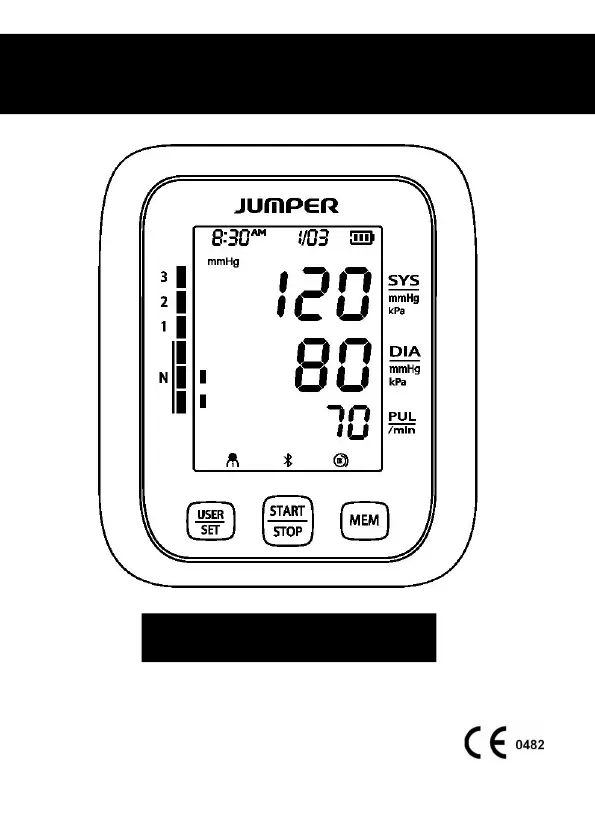
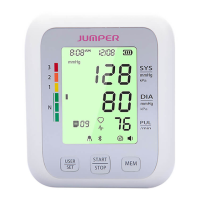
Electronic Blood Pressure Monitor
JPD-HA120 User Manual

Questions and Answers

  • T
    Tyler BentleyJul 29, 2025
    Why does my Jumper JPD-HA120 Blood Pressure Monitor display “Err 6”?
    • K
      Kelsey WilliamsJul 29, 2025
      The “Err 6” error on your Jumper Blood Pressure Monitor indicates signal interference. To resolve this, remove any potential sources of interference, such as mobile phones or magnets, from the vicinity of the monitor.
  • J
    julia84Aug 4, 2025
    What to do if my Jumper Blood Pressure Monitor shows no display when I press the power button?
    • P
      Pamela Henson DDSAug 4, 2025
      If your Jumper Blood Pressure Monitor's screen doesn't turn on when you press the power button, the batteries might be low. Try replacing them with new ones or use the USB for power supply. Also, check that the batteries are installed with the correct polarities.
  • A
    Allison GibbsAug 10, 2025
    What does “Err 5” mean on my Jumper Blood Pressure Monitor and how to fix it?
    • N
      Nicholas Kramer Jr.Aug 11, 2025
      If your Jumper Blood Pressure Monitor displays “Err 5”, it means the air tube is detected to be obstructed. Before measuring, check the air tube to ensure it is not clogged or folded. Then, measure again.
  • C
    Christopher WoodAug 16, 2025
    What does it mean if my Jumper JPD-HA120 displays “Err 7”?
    • L
      Lori WeeksAug 16, 2025
      The “Err 7” error on your Jumper Blood Pressure Monitor means the pressure value exceeds the limit. Make sure not to touch the cuff or fold the air tube during the measurement.
  • T
    Tracy GrantAug 22, 2025
    What to do if Jumper JPD-HA120 is not pressurizing?
    • K
      Katie FergusonAug 23, 2025
      If your Jumper Blood Pressure Monitor isn't pressurizing, it might be due to a loosely installed air plug. Ensure the air plug is securely inserted into the main unit. Another possible reason is a broken or leaky air tube, in that case, you should purchase a new cuff.

Summary

Safety Precautions

Legend, Mark and Meaning

Explains symbols and their meanings for safe operation of the device.

Quick Start Guide

Monitor Overview

Monitor Components

Details the physical components and interfaces of the blood pressure monitor.

Display Details

Device Preparation

Battery Installation

Instructions for installing batteries into the device.

Battery Power and Replacement

Explains how to check battery level and replace batteries.

USB Power Supply

Information on using the device with a USB power source.

Cuff Specifications

Function Settings

User Profile Selection

How to switch between User 1 and User 2 profiles.

Date and Time Configuration

Guide to setting the year, month, date, and time.

Additional Settings

Voice Output Settings

How to configure voice output settings for the device.

Measurement Unit Selection

Instructions for selecting measurement units (mmHg or kPa).

Usage Instructions

Cuff Placement and Use

Step-by-step guide on how to properly wear the blood pressure cuff.

Initiating Measurement

Steps for initiating a blood pressure measurement.

Memory and Data Handling

Memory Function Usage

How to access, view, and manage stored measurement data.

Data Clearing

Instructions for deleting all stored measurement records.

Product Features

Bluetooth Functionality

Guidance on utilizing the Bluetooth connectivity feature.

Blood Pressure Standards

Provides a chart for classifying blood pressure levels.

Safety Guidelines

Important User Warnings

Important safety warnings and advice for users.

Operational Safety Precautions

Important precautions to follow for safe operation and maintenance.

Troubleshooting Guide

Error Codes and Resolutions

Explains common error messages and their resolutions.

Technical Specifications

Service and Environment Details

After-Sale Service Information

Contact information and details for customer support.

Authorized European Representative

Information about the EU representative for the product.

Jumper JPD-HA120 Specifications

General IconGeneral
BrandJumper
ModelJPD-HA120
CategoryBlood Pressure Monitor
LanguageEnglish

Related product manuals