4948
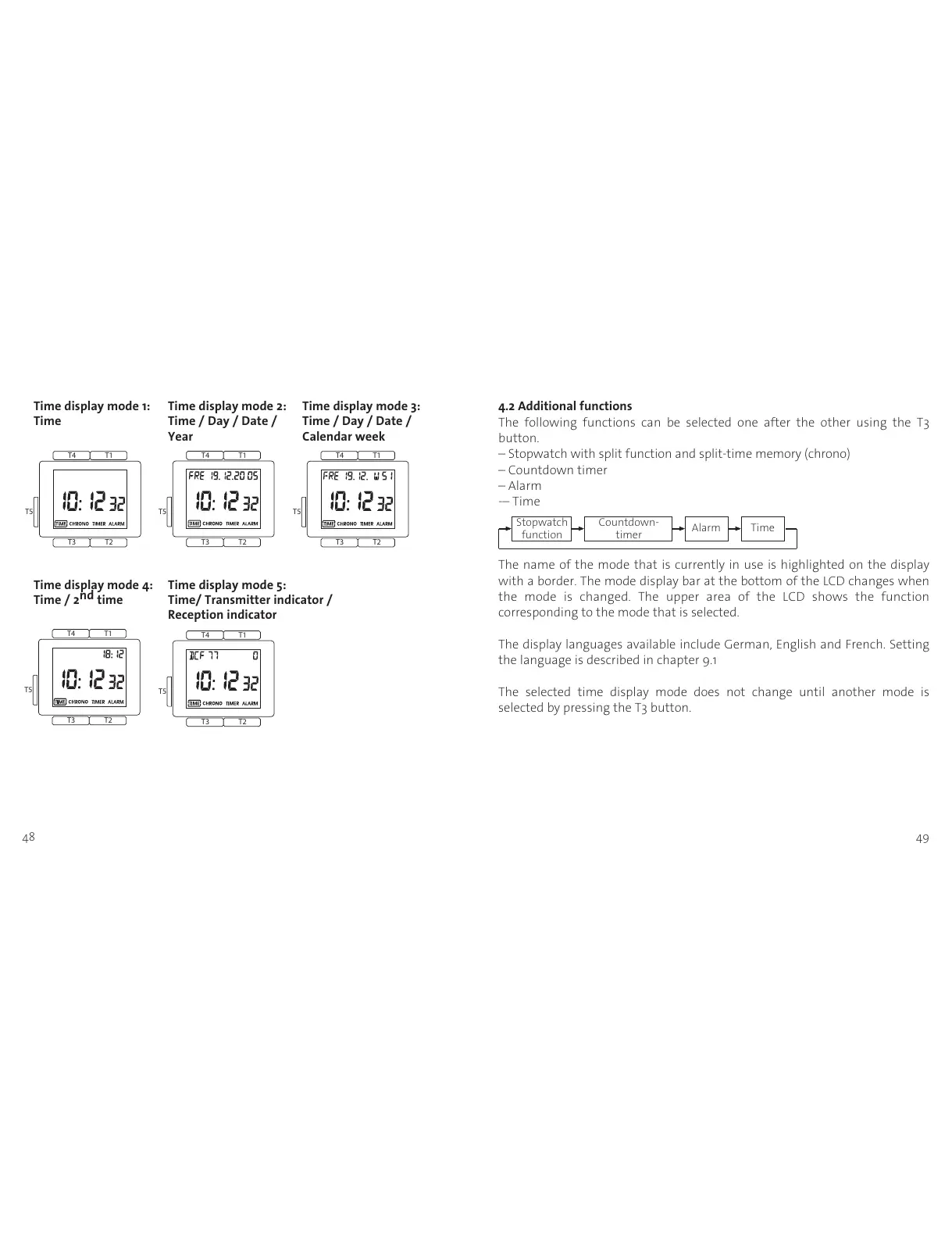
Time display mode 1: Time display mode 2: Time display mode 3:
Time Time / Day / Date / Time / Day / Date /
Year Calendar week
Time display mode 4: Time display mode 5:
Time / 2
nd
time Time/ Transmitter indicator /
Reception indicator
4.2 Additional functions
The following functions can be selected one after the other using the T3
button.
– Stopwatch with split function and split-time memory (chrono)
– Countdown timer
– Alarm
-– Time
The name of the mode that is currently in use is highlighted on the display
with a border. The mode display bar at the bottom of the LCD changes when
the mode is changed. The upper area of the LCD shows the function
corresponding to the mode that is selected.
The display languages available include German, English and French. Setting
the language is described in chapter 9.1
The selected time display mode does not change until another mode is
selected by pressing the T3 button.
Countdown-
timer
Stopwatch
function
TimeAlarm












 To Next Page