EasyManua.ls Logo

JUNSD JS-702 - Control Buttons; MODE Button; RECALL Button; ST.;SP. Button

JUNSD JS-702
6 pages
Print Icon
To Next Page IconTo Next Page
To Previous Page IconTo Previous Page
Loading...
JS-702
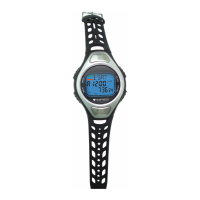
Pulse Watch
with Conductive
Pads
Thanks
for
your
purchasing
pulse
watch
with
conductive
pads.It
can
measure
your heart rate when
two
fingers
from one
hand
place
on
the two sensors
on
the top of
the watch
attached
to
your
opposite
arm.
This
creats
a loop
across
your
body,then can
read
your
heart
rate,showing
heart rate
percentage
based
on
different
age
with
three level
indications.
Meanwhile,
you
can
set
the highest
or
lowest heart
rate limitto
remind
you
doing
exercise
within
the
preset
training
zone. Such
design
will efficiently
monitor
your heart rate,
help
to improve
exercise
and
avoid any
accident
death.
NOTE:
It
is not recommended
as medical equipment.
Please
conduct
your
doctor
for any
medical
advice.
I
CONTROLBUTTONS
1.MODE
Switch
among Clock,
Stopwatch
and
Heart Rate
Monitor
2.RECALL
--Recall the record
--Hold it
down
for 2 seconds
to enter setting
--Turn
on/off
alarm
3.ST./SP.
--Start/
Stop counting
--switch display
in CLOCK
mode
--Switch
to next
setting
in setting
mode
-1-
4.SPLIT
---Split
/ Reset
chronometer
---Increase
value when
do the
setting
---Turn
on
EL
backlight
I
OPNN.TTING
MODES
Refer to Fig
I to
change
from
one mode
to another.
Fig. I
/ffi
I
t !
ilyeT
['"le'co9
t
crock
mm
ls800[IcsHfl
0
-l
l,-o'oFgry
L-q,
I
I
Stopwatch
Heart Rate Monitorl
M.DE
I
Fig. I
HOW
TO
USE THE
BACKLIGHT
Press
SPLIT
to turn
on the
backlight
which
can
last
for
five
seconds
except
in
setting
mode.
CALENDARO
CLOCK AND
ALARM
I.CLOCK (TIME
display)
Two
clock mode:
CLOCK/CALENDAR,
or
CLOCK/ALARM
Press
ST./SP.
to
switch
display in
CLOCK
mode.
The
dynamic
dial
of circle round
stands for
the
second. Refer
to Fig
2.