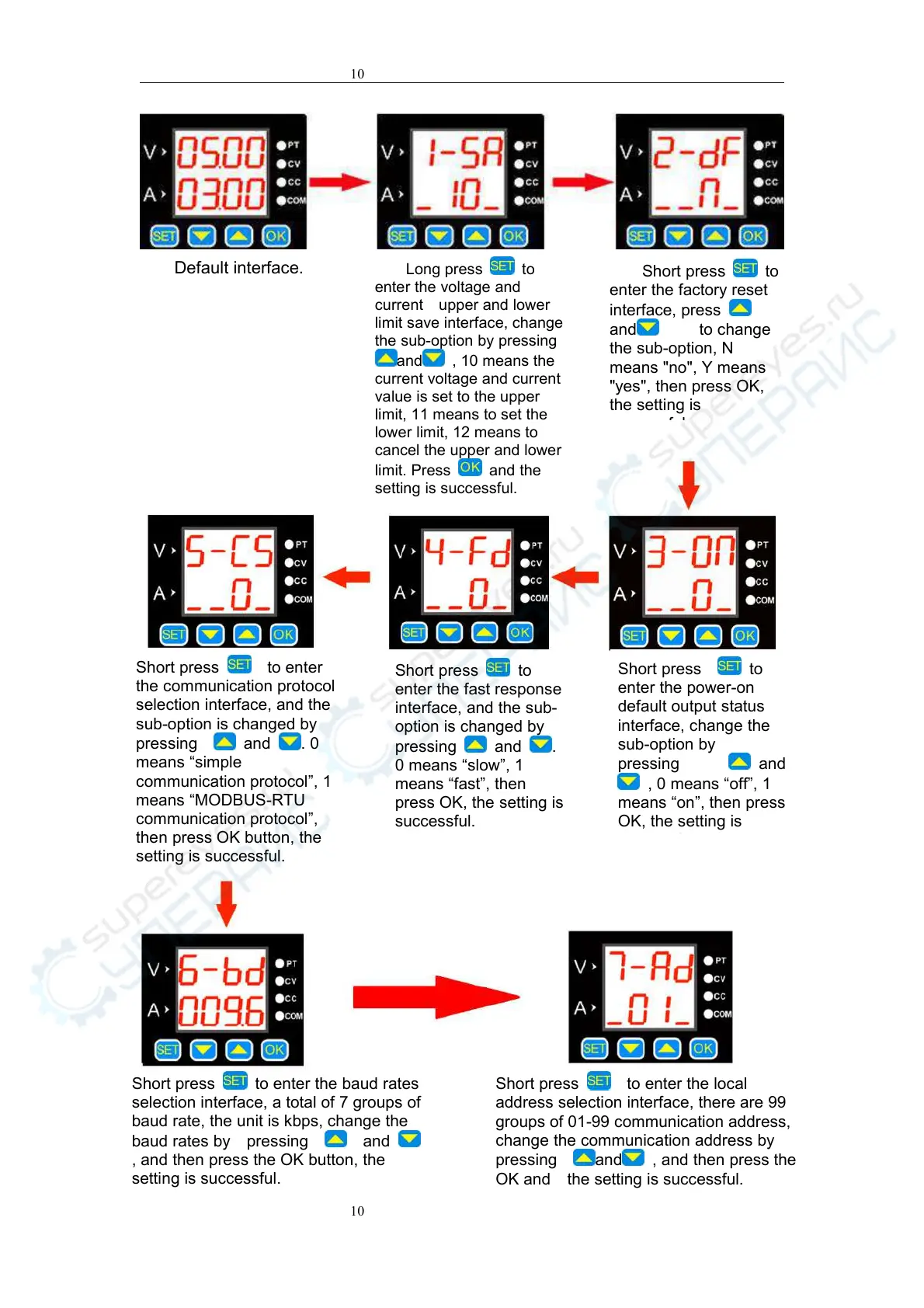
Long press to
enter the voltage and
current upper and lower
limit save interface, change
the sub-option by pressing
and , 10 means the
current voltage and current
value is set to the upper
limit, 11 means to set the
lower limit, 12 means to
cancel the upper and lower
limit. Press
and the
setting is successful.
Short press to
enter the factory reset
interface, press
and to change
the sub-option, N
means "no", Y means
"yes", then press OK,
the setting is
successful.
Short press to
enter the power-on
default output status
interface, change the
sub-option by
pressing
and
, 0 means “off”, 1
means “on”, then press
OK, the setting is
successful.
Short press to
enter the fast response
interface, and the sub-
option is changed by
pressing
and .
0 means “slow”, 1
means “fast”, then
press OK, the setting is
successful.
Short press to enter
the communication protocol
selection interface, and the
sub-option is changed by
pressing
and . 0
means “simple
communication protocol”, 1
means “MODBUS-RTU
communication protocol”,
then press OK button, the
setting is successful.
Short press to enter the baud rates
selection interface, a total of 7 groups of
baud rate, the unit is kbps, change the
baud rates by pressing
and
, and then press the OK button, the
setting is successful.
Short press to enter the local
address selection interface, there are 99
groups of 01-99 communication address,
change the communication address by
pressing
and , and then press the
OK and the setting is successful.


 To Next Page
 Loading...