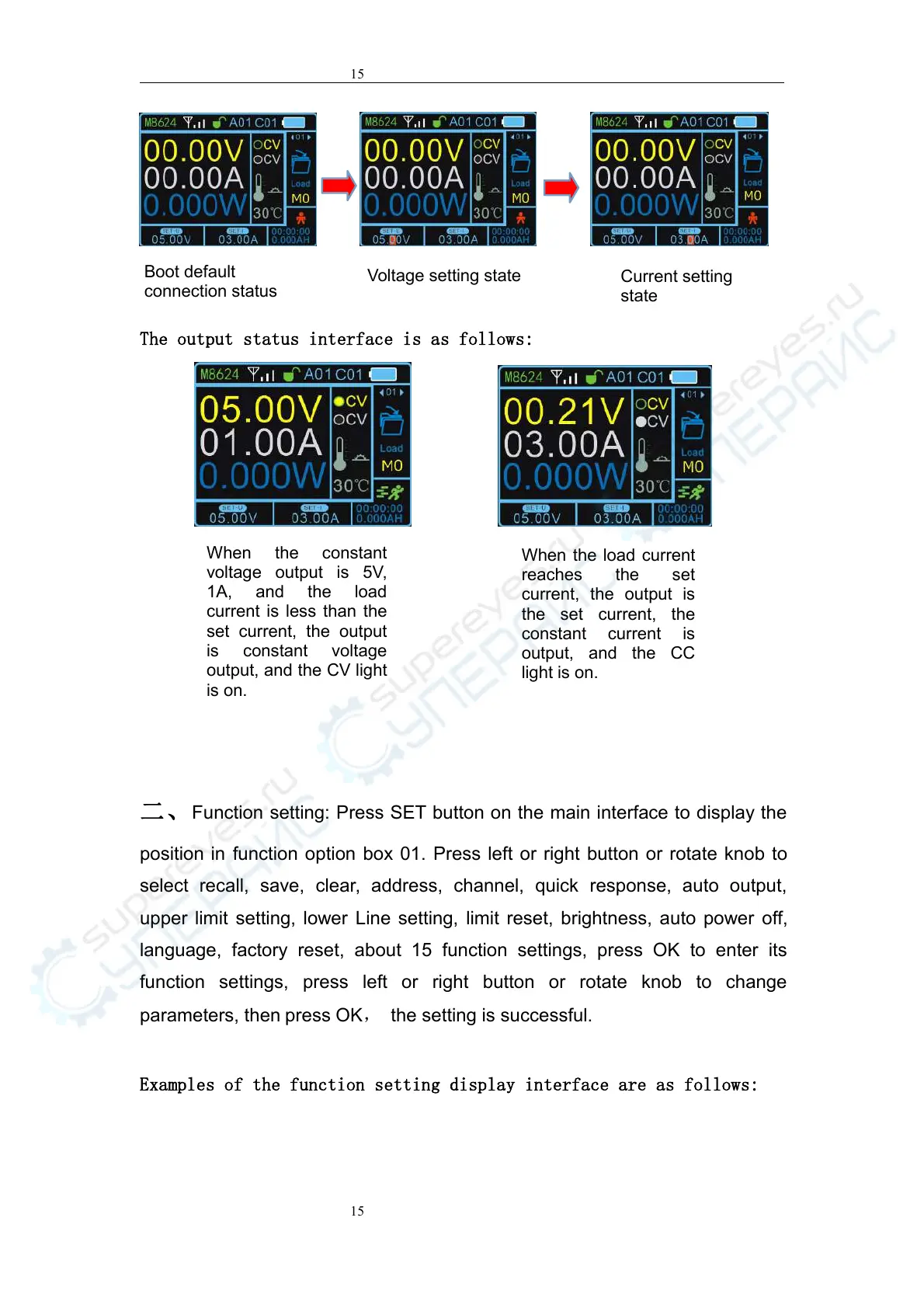
The output status interface is as follows:
二、
Function setting: Press SET button on the main interface to display the
position in function option box 01. Press left or right button or rotate knob to
select recall, save, clear, address, channel, quick response, auto output,
upper limit setting, lower Line setting, limit reset, brightness, auto power off,
language, factory reset, about 15 function settings, press OK to enter its
function settings, press left or right button or rotate knob to change
parameters, then press OK, the setting is successful.
Examples of the function setting display interface are as follows:
Boot default
connection status
When the constant
voltage output is 5V,
1A, and the load
current is less than the
set current, the output
is constant voltage
output, and the CV light
is on.
When the load current
reaches the set
current, the output is
the set current, the
constant current is
output, and the CC
light is on.



 To Next Page