Page 8 For technical questions, please call 1-888-866-5797. Item 63428
Operating Instructions
1. Plug 120 VAC device(s) into the receptacles.
Switch all devices off. The devices must not use
more than the rated wattage during continuous
operation, otherwise they may overload the Inverter.
2. Turn the Inverter’s Switch on.
NOTE: Some rechargeable devices may
damage the Inverter or the device(s).
When first using a rechargeable device,
check the Inverter’s temperature for the first ten minutes.
If it becomes abnormally hot,
do not use the device with the Inverter.
3. Turn the device(s) on, one at a time.
If the alarm sounds, turn off the device(s).
Unplug the device(s) from the Inverter.
Check the wattage of the devices, if there were
multiple devices plugged in, discontinue use of
one or more. If a single device set the alarm off,
it is not appropriate for use with the Inverter.
4. Inverter will consume some power while on, even
without loads attached. Turn Inverter off after use.
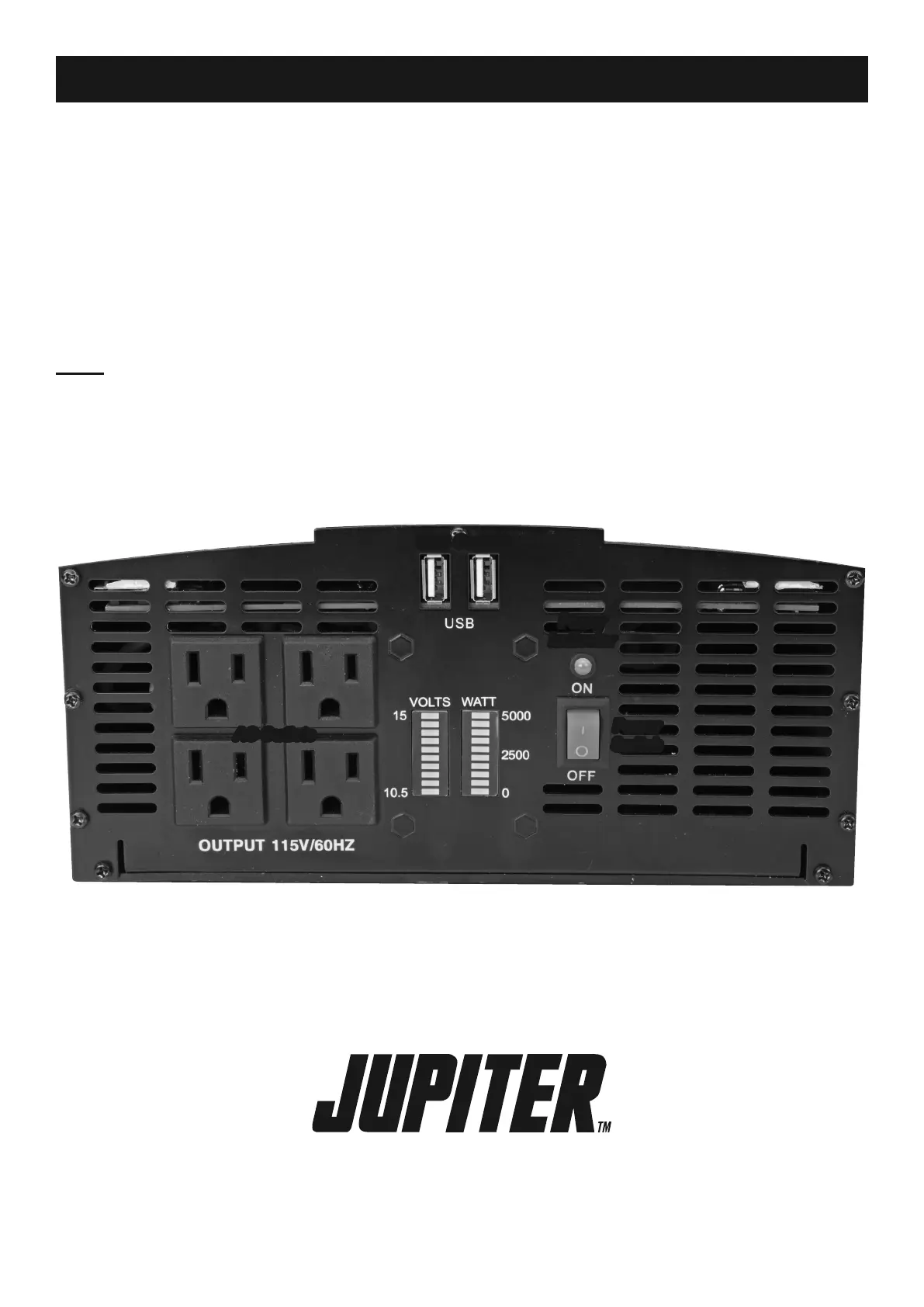
AC Outlets
USB Outlets
Input
(Battery)
Voltage
Output
Wattage
Power
Switch
Power
Indicator
Figure B: Control Panel Components


 To Next Page