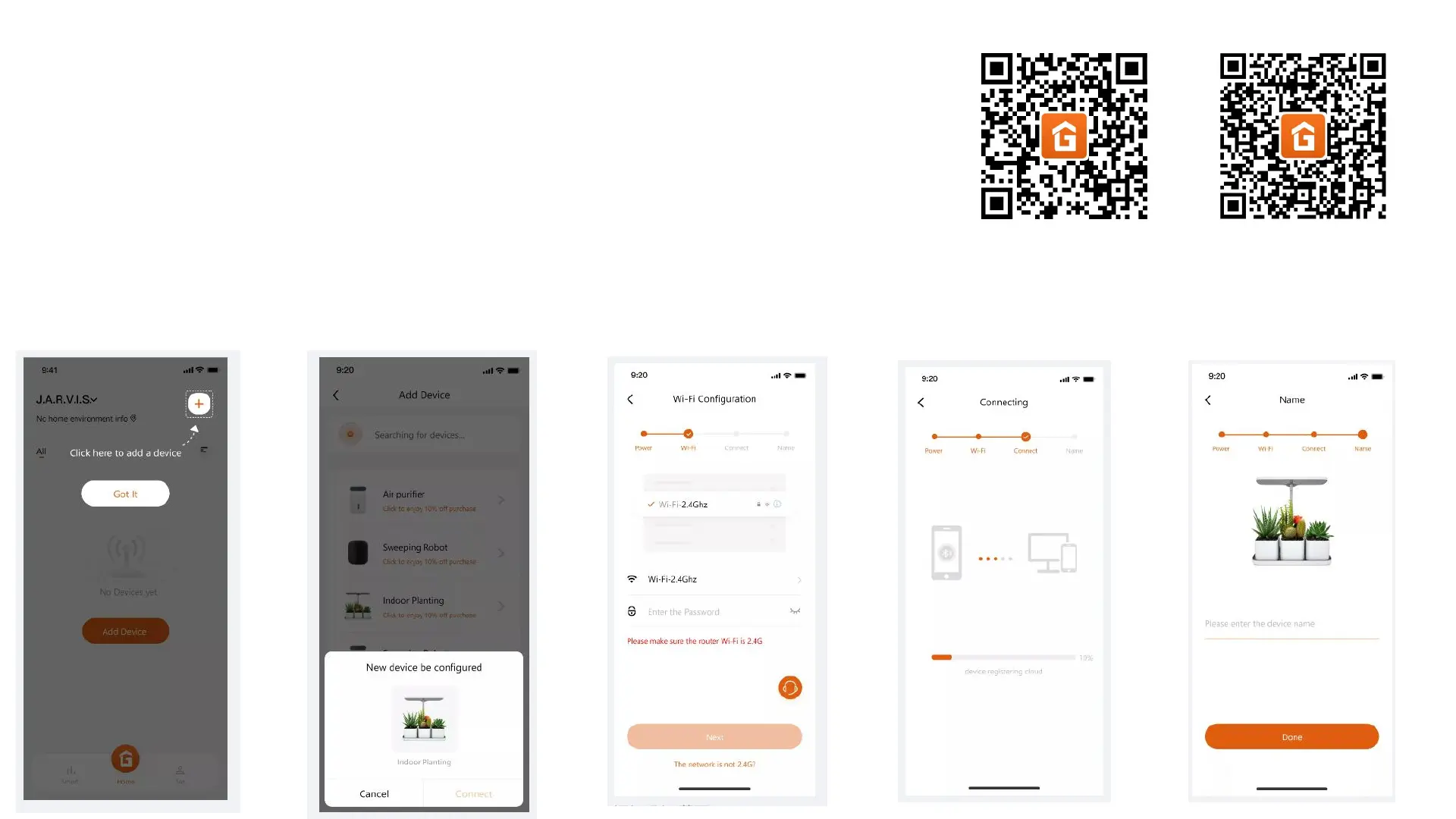
Wi-Fi Pairing(Except GS1 Lite)
1. Download and open the APP
2. Turn on the mobile phone Wifi, Bluetooth, and Location. (Wifi needs to be connected to 2.4G network)
3. After connecting the power supply, press the Power button to turn on the device.
4. Press the water pump button for 3S to enter the Wifi pairing mode. (The Wifi icon flash)
5. Enter the automatic device search page, search and add devices
Add Device
Search device Fill in Wifi password
Connecting
Device naming
IOS Android


 To Next Page