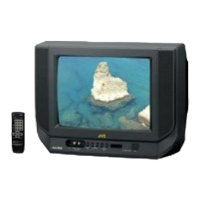
V28WT5EKS AV24WT5EKS
27
Item
Measuring
instrument
Test point Adjustment part Description
5.COLOUR
(PAL
~
~~
~
NTSC)
[Method of adjustment without measuring instrument]
PAL COLOUR (PAL COLOUR)
1. Receive PAL broadcast.
2. Select 2.V/C from the SERVICE MENU.
3. Select 5.COLOUR with the FUNCTION UP/DOWN key.
4. Set the initial setting value for PAL COLOUR with the
FUNCTION - or + key.
5. If the colour is not the best with the initial set value, make
fine adjustment until you get the best colour.
6. Press the MENU key and memorize the set value.
SECAM COLOUR
Only
AV28WT5EPS
AV24WT5EPS
(SECAM COLOUR)
1. Receive a SECAM broadcast.
2. Make fine adjustment of SECAM COLOUR in the same
manner as for above.
(NTSC 3.58 COLOUR)
1. Input a NTSC 3.58MHz COMPOSITE VIDEO signal from the
EXT terminal.
2. Make similar fine adjustment of NTSC 3.58 COLOUR in the
same manner as for above.
Adjustment
of SUB
COLOUR
Ⅰ
ⅠⅠ
Ⅰ
Remote
control unit
NTSC COLOUR
(NTSC 4.43 COLOUR)
1. When NTSC 3.58 is set, NTSC 4.43 will be automatically set at
the respective values.


 To Next Page