Teletext function
17
Hold
You can hold a teletext page on the screen for
as long as you want, even while several other
teletext pages are being received.
Press the N button
To cancel the Hold function:
Press the N button again.
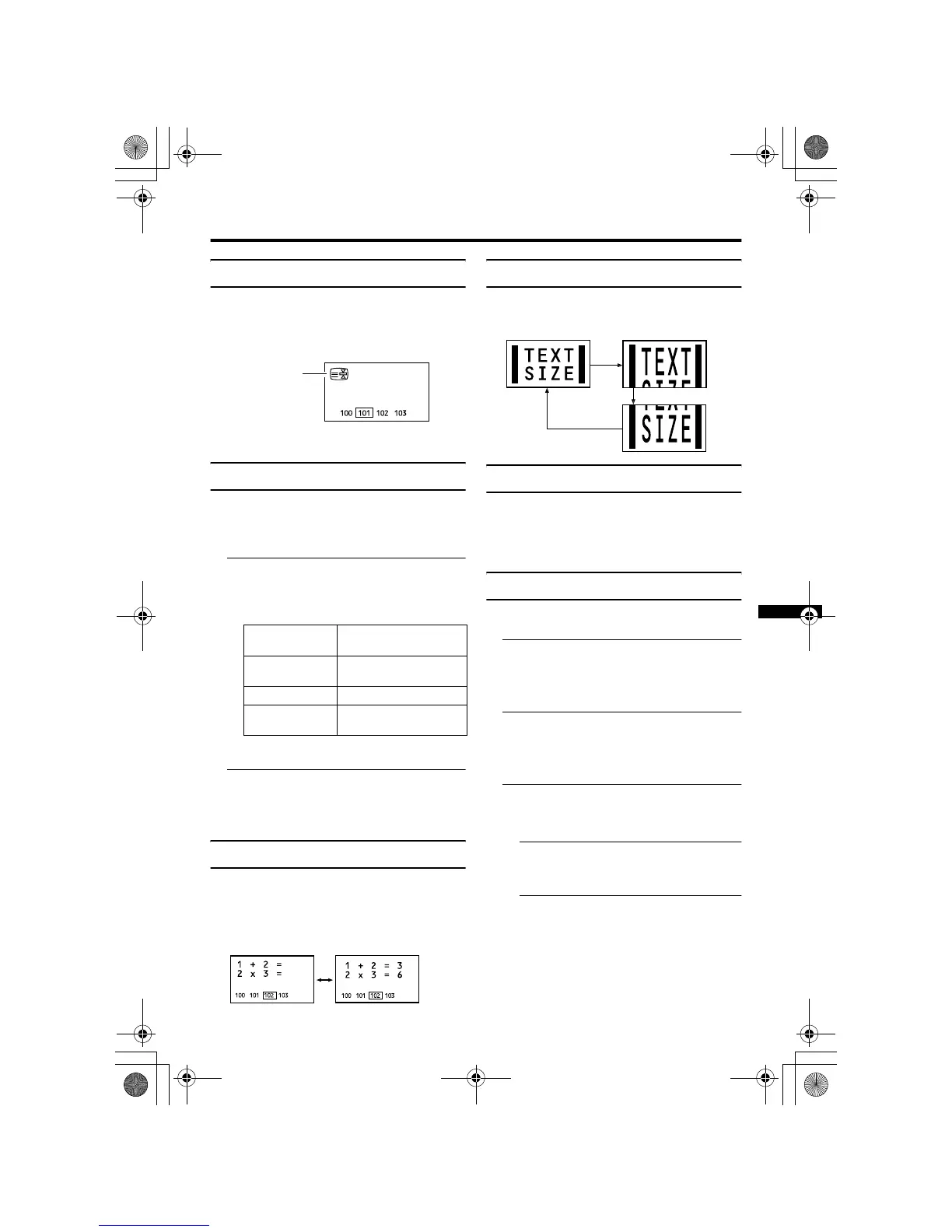
Sub-page
Some teletext pages include sub-pages that
are automatically displayed.
You can hold any sub-page, or view it at any
time.
1 Press the O button to
operate the sub-page function
Sub-page numbers are displayed at the
left of the screen.
*: Background colour of the sub-page
number.
2 Press the 6 buttons to choose a
sub-page number
To cancel the sub-page function:
Press the O button again.
Reveal
Some teletext pages include hidden text
(such as the answers to a quiz).
You can display the hidden text.
Each time you press the Q
button, text is hidden or revealed
Size
You can double the height of the teletext display.
Press the R button
Index
You can return to the index page instantly.
Press the T button
Returns to page 100 or a previously specified
page.
Cancel
You can search for a teletext page while
watching TV.
1 Press the number button to enter a
page number, or press a colour
button
The TV searches for a teletext page.
2 Press the S button
The TV programme appears. When the TV
finds the teletext page, its page number
appears in the upper left of the screen.
3 Press the S button to return
to a teletext page when the page
number is on the screen
• The TV mode cannot be resumed by
pressing the S button. To
return to the TV mode press b.
Colour* Meaning of sub-page
number
Yellow Currently being
displayed.
White Can be displayed.
Blue or Red Cannot be displayed and
it is not sent.
!
AV32&28X25EKS&EIS.fm Page 17 Friday, April 12, 2002 1:38 PM











 To Next Page