EasyManua.ls Logo

JVC AV 27320 - User Manual

JVC AV 27320
104 pages
Print Icon
To Next Page IconTo Next Page
Loading...
COLOR TELEVISION
USER'S GUIDE
For models:
AV-27D303
AV-27D203
AV-20D303
AV-27330
AV-27320
AV-27S33
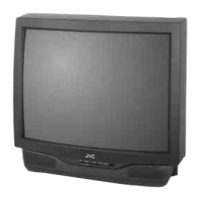
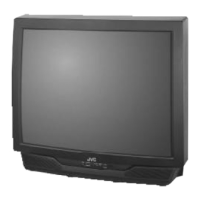
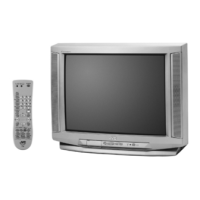
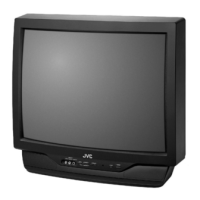
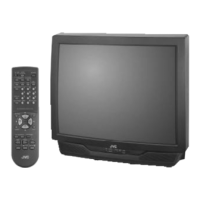
Illustration of AV-27D303 and RM-C252
IMPORTANT NOTE TO THE CUSTOMER
In the spaces below, enter the model and serial number of your television (located at the
rear of the television cabinet). Staple your sales receipt or invoice to the inside cover of this
guide. Keep this user's guide in a convenient place for future reference. Keep the carton and
original packaging for future use.
Model Number
Serial Number
LCT1145-001A-A
0302-TN-FAA-JIM
FE English 5/13/02 8:52 AM Page 1

Table of Contents

Other manuals for JVC AV 27320

Questions and Answers

  • E
    Edward SmithJul 29, 2025
    Why is my JVC AV 27320 remote control not operating?
    • N
      Nicole BallJul 29, 2025
      There are several reasons why the remote control might not be working properly. First, ensure that the batteries are working and correctly installed. Second, make sure there's a clear path between the remote and the TV. Third, check that the TV/CATV switch is in the correct position. Finally, make sure you are within 23 feet (7 meters) of the TV.
  • R
    Robert LewisAug 4, 2025
    What to do if my JVC AV 27320 CRT TV has no picture or sound?
    • P
      phillipvasquezAug 4, 2025
      If there is no picture or sound on your JVC CRT TV, the antenna might be disconnected, or the input mode could be set improperly. Also, the tuner (Auto Tuner Setup) might be set improperly. The TV station may also be experiencing difficulties; check if other stations are working.
  • C
    carriewilliamsAug 9, 2025
    What to do if my JVC CRT TV power turns off by itself?
    • A
      Andre ClineAug 9, 2025
      If your JVC CRT TV turns off by itself, first, ensure the set did not become unplugged. Second, check if the On/Off Timer is set. Finally, verify whether the Sleep Timer was activated.
  • C
    chaneyrobertAug 13, 2025
    How to fix JVC CRT TV when there is no power?
    • J
      Jason KirbyAug 13, 2025
      If your JVC CRT TV has no power, check if the power cord is unplugged. Also, inspect the fuse or circuit breaker for any issues, and check for a power outage.
  • J
    Juan TylerAug 18, 2025
    Why can't I select a certain channel on my JVC AV 27320 CRT TV?
    • D
      Denise CohenAug 18, 2025
      If you cannot select a certain channel on your JVC CRT TV, ensure that the channels have been programmed. Also, check if the channel is locked.
  • R
    robertgrayAug 25, 2025
    What to do if the clock is wrong on my JVC AV 27320 CRT TV?
    • A
      Angela Christian MDAug 25, 2025
      If the clock is wrong on your JVC CRT TV, it may be because the power was interrupted and the clock was not reset.

Summary

Important Safety Precautions

Important Safeguards

Installation Guidelines

Guidelines for setting up the TV to prevent electrical shock and fire hazards.

Using the Television

Service Requirements

Conditions Requiring Professional Service

Lists situations where professional servicing is necessary, like damaged cords or abnormal operation.

Servicing Safety Precautions

Warns against self-servicing due to dangerous voltages and recommends qualified personnel.

Quick Setup Guide

Remote Control Setup and Operation

Instructions on installing batteries and basic operation of the remote control.

Basic TV Operation

Explains how to use the POWER, channel, and volume buttons for basic TV operation.

Making Basic Connections

Plug In Menu Setup

Connections

Cable and VCR Connections

Explains three types of antenna/cable connections and basic VCR connection.

Connecting to a DVD Player

Details how to connect a DVD player using component video and audio cables.

Remote Control Basics

Remote Programming

Cable Box or Satellite Codes

Instructions and codes for programming the remote to control cable and satellite receivers.

VCR Codes

Lists VCR brands and corresponding codes for remote control programming.

DVD Codes

Provides DVD player brands and codes for programming the remote control.

Onscreen Menu Navigation

Plug In Menu

Plug In Menu Introduction

Explains the purpose of the Plug In Menu for initial TV setup.

Auto Tuner Setup

Guides the automatic scanning and memorization of available TV channels.

Clock Setting Procedures

Auto Clock Set

Instructions for setting the TV's clock automatically using the XDS signal or manually.

Channel Management

V-Chip Parental Controls

V-Chip Overview

Introduces V-Chip technology for parental control and content blocking based on ratings.

V-Chip Rating Systems

US V-Chip Ratings

Explains the U.S. parental rating system (TV Y, TV Y7, G, PG, 14, MA) and content types.

Setting US V-Chip Ratings

Using the V-Chip Button for Ratings

Movie Rating System

Movie Ratings Explained

Details the MPAA movie rating system (NR, G, PG, PG-13, R, NC-17, X) and their content descriptions.

Setting Movie Ratings

Instructions for setting MPAA movie ratings and blocking specific content.

Canadian V-Chip Rating System

Canadian V-Chip Ratings Explained

Explains Canadian parental rating systems (E, C, C8+, G, PG, 14+, 18+) and their guidelines.

Setting Canadian V-Chip Ratings

Guides on setting Canadian V-Chip ratings and blocking content.

Set Lock Code

Picture Settings

Sound Settings

Troubleshooting

Warranty Information

Authorized Service Centers

Locating Service Centers

Provides instructions and contact details for locating authorized JVC service centers.

Search Codes Function

Cable;Satellite Search Function

Instructions for using the search function to find codes for cable or satellite boxes.

VCR Search Function

Guides on using the search function to find VCR codes for remote programming.

DVD Player Search Function

Instructions for using the search function to find codes for DVD players.

JVC AV 27320 Specifications

General IconGeneral
Display TechnologyCRT
Screen Size27 inch
Aspect Ratio4:3
InputsComposite Video, S-Video, Component Video
Power Consumption120 Watts

Related product manuals