36
V-Chip
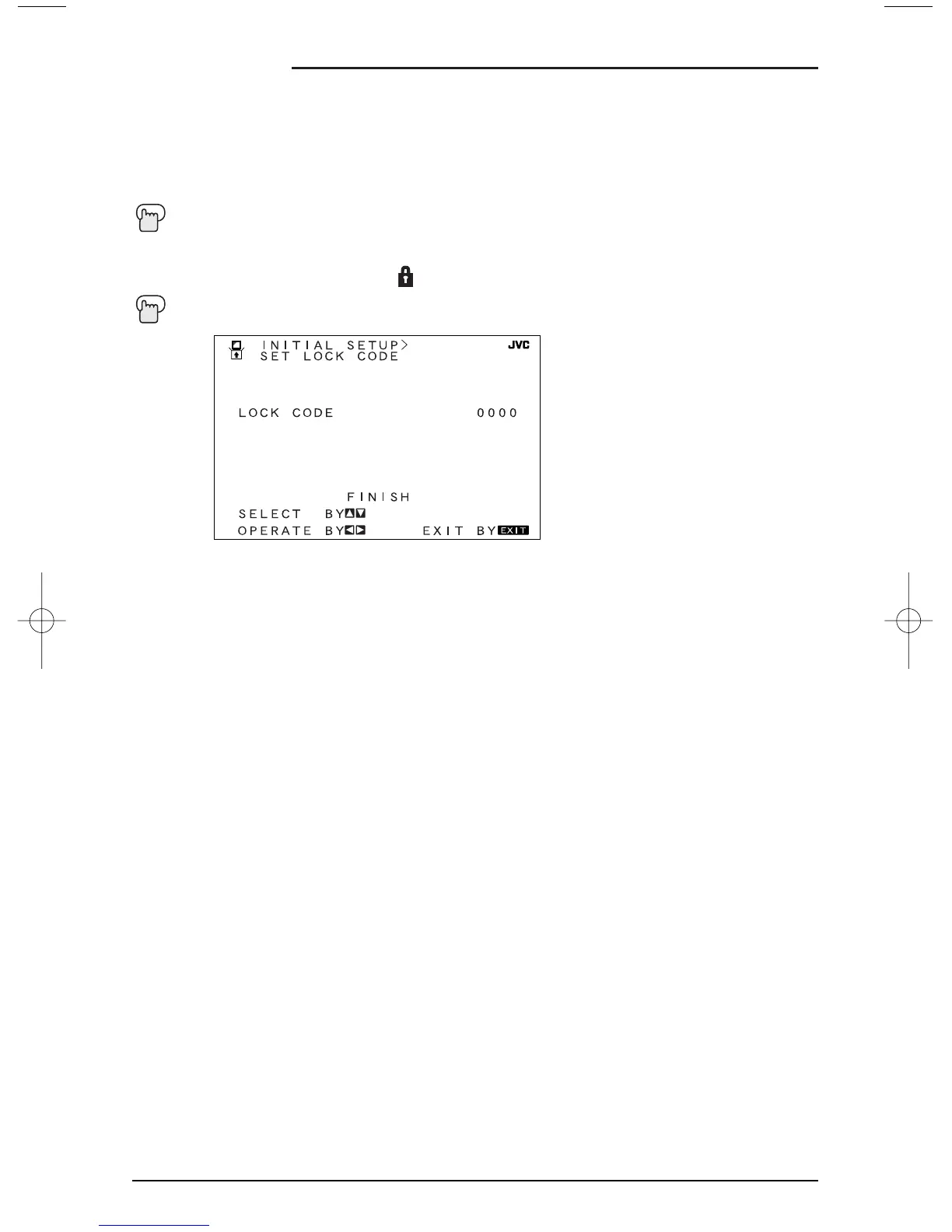
Set Lock Code
Channel Guard and V-Chip settings are protected by a four-digit Lock Code. Your TV comes
pre-set with a Lock Code of "0000". You may change the code to any four-digit number you
wish. To change the Lock Code, follow the steps below.
Press the MENU button
To SET LOCK CODE
¥
To operate (The Lock icon appears)
Press Z
ERO to access the Lock Code
The first digit will be highlighted
¥
To select the number
To move to the next digit
Continue to follow these directions for all four numbers
To FINISH
¥
To save settings and exit
Your Lock Code is now set.
• After a power interruption you must reset the Lock Code.
• Write your Lock Code number down and keep it hidden from potential viewers.
• If you forget the Lock Code, a new code may be set using the steps listed above.
NOTES:





 To Next Page