3: HOoku
If you need more detailed information, see page 6.
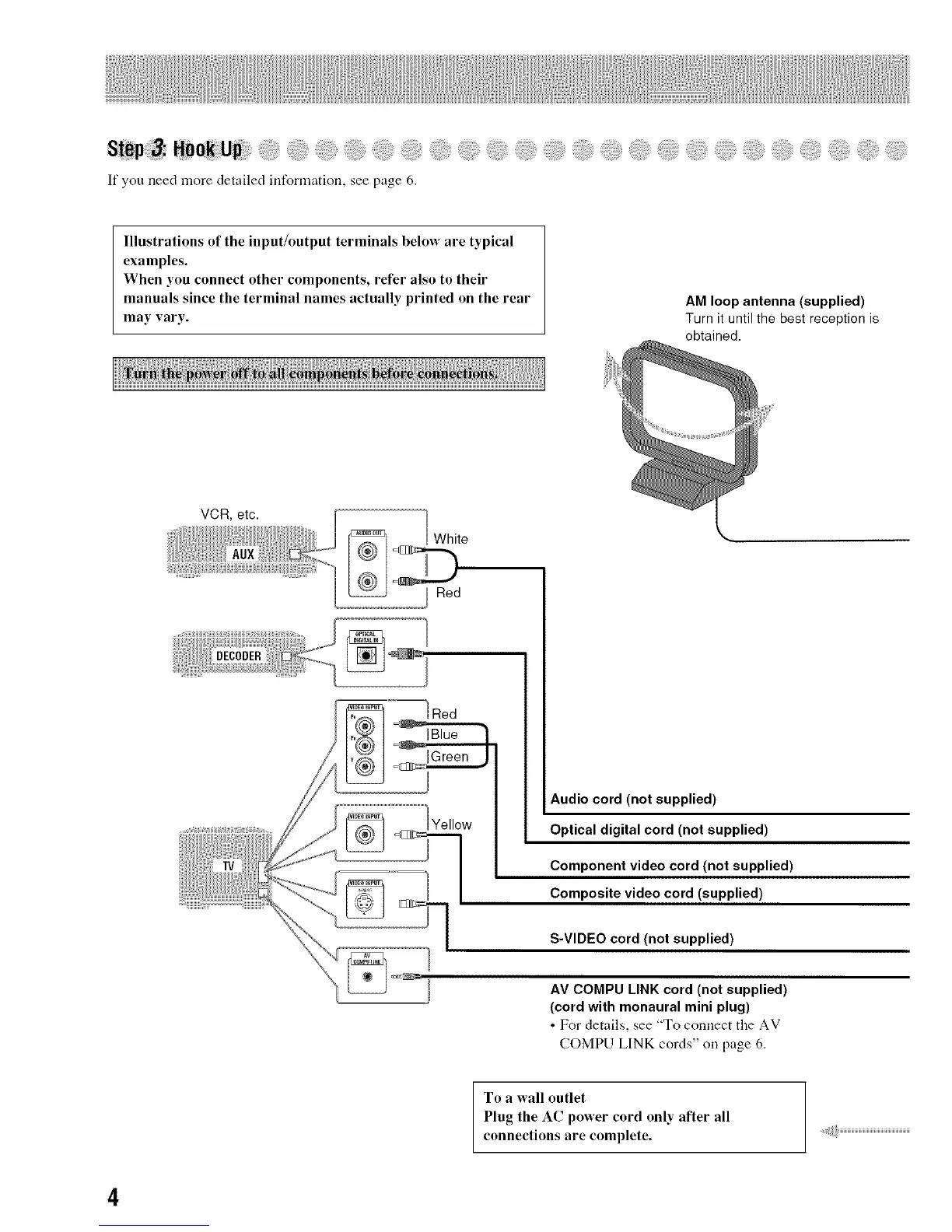
Illustrations of the input/output terminals below are typical
examples.
When you connect other components, refer also to their
manuals since the terminal names actually printed on the rear
may vary.
AM loop antenna (supplied)
Turn it until the best reception is
obtained.
VCR, etc.
White
Red
Audio cord (not supplied)
Optical digital cord (not supplied)
Component video cord (not supplied)
Composite video cord (supplied)
S-VIDEO cord (not supplied)
AV COMPU LINK cord (not supplied)
(cord with monaural mini plug)
• For details, see "To connect the AV
COMPU LINK cords" on page 6.
To a wall outlet
Plug the AC power cord only after all
connections are complete.
4


 To Next Page