D.S.C. PLAYBACK
DIGITAL STILL CAMERA (D.S.C.) RECORDING & PLAYBACK
EN 21
MasterPage: DSC_Right
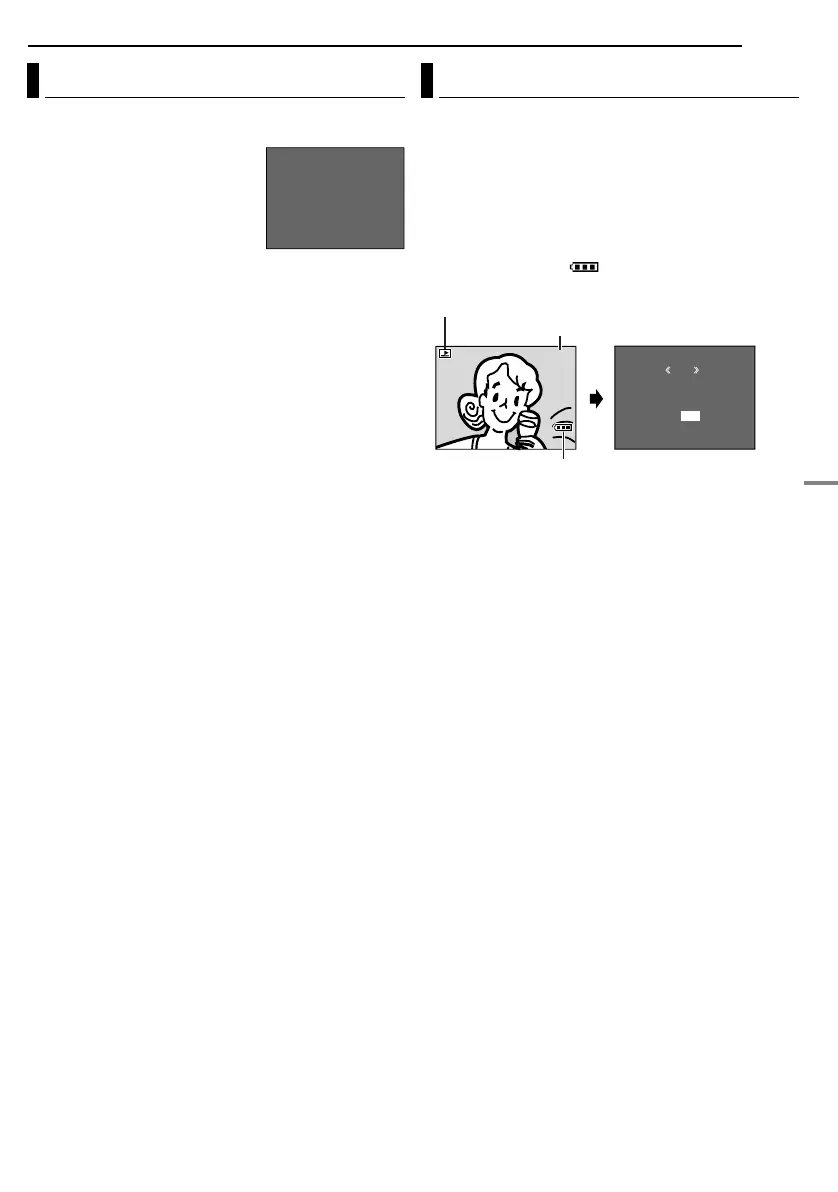
You can get the relevant file information by pressing the
INFO Button during normal playback or Index Playback.
FOLDER: Folder name (墌 pg. 24)
FILE: File name (墌 pg. 24)
DATE: Date the file was made
SIZE: Image size
QUALITY: Picture quality
PROTECT: When set to “ON”, the
file is protected from accidental
erasure. (墌 pg. 22)
● Press the INFO Button again to close the Information
Screen.
NOTE:
With images shot with other devices or processed on a PC,
“QUALITY: – – –” will be displayed.
1 Perform steps 1 – 3 in “Normal Playback Of Images”
(墌 pg. 20).
2 Press the MMENU/VOL. Wheel in. The Menu Screen
appears.
3 Rotate the MMENU/VOL. Wheel to select “DISPLAY”,
and press it. The Sub Menu appears.
4 Rotate the MMENU/VOL. Wheel to select “OFF”, and
press it. The operation mode indicator, folder/file number
and battery indicator ( ) disappear.
● To display the indicators again, select “ON”.
Viewing File Information
F
F
D
S
Q
P
O
I
A
I
U
R
L
L
T
Z
A
O
D
E
E
E
L
T
E
I
E
R
T
C
Y
T
:
:
:
:
:
:
1
D
1
F
O
0
V
0
I
F
0
C
2
N
F
J
0
4
E
V
0
X
C
0
7
G
1
6
R
0
8
OCT 0
3
0
4
Removing On-Screen Display
RETURN
DISPLAY
M
E
NU
ON
OFF
100-0013
Operation mode indicator
Battery indicator
Folder/file number
GR-D94US.book Page 21 Monday, November 17, 2003 2:12 PM


 To Next Page