EasyManua.ls Logo

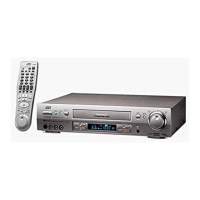
JVC HR-S3901/3911U - User Manual

JVC HR-S3901/3911U
24 pages
Print Icon
To Next Page IconTo Next Page
Loading...
—1—
9,'(2&$66(77(5(&25'(5
+568
,16758&7,216
/37$
CONTENTS
Buttons, Connectors and Indicators ................................................4
Connections and Plug&Play Setting ................................................5
Initial Settings ..............................................................................6
Language Setting ....................................................................6
Clock Setting ..........................................................................6
Tuner Setting ..........................................................................7
Cable Box and/or DBS Receiver Control Setting .....................7
Basic Playback .......................................................................9
Playback ......................................................................................9
Playback Features ...................................................................9
Recording ...................................................................................11
Basic Recording ...................................................................11
Recording Features ...............................................................11
Timer Recording ..........................................................................12
Changing VCR Plus+
®
Setting ................................................12
VCR Plus+
®
Timer Programing ..............................................12
Express Timer Programing ....................................................13
24HR Quick Programing ......................................................13
Other Functions ..........................................................................14
Timer warning display ..........................................................14
Checking tape position .........................................................14
Changing display information ...............................................14
Function settings ..................................................................14
Satellite Auto Recording .......................................................16
Child Lock ............................................................................16
Multi-Brand Remote Control ................................................17
Changing Remote Control Code ...........................................17
Editing .......................................................................................18
Specifications ..............................................................................19
Troubleshooting ..........................................................................20
FOR SERVICING (Only in U.S.A.) ..................................................21
WARRANTY (Only in U.S.A.) .......................................................22
Dear Customer,
Thank you for purchasing the JVC S-VHS video cassette recorder.
Before use, please read the safety information and precautions to
ensure safe use of your new VCR.
CAUTIONS
WARNING:
TO PREVENT FIRE OR SHOCK HAZARD, DO NOT EXPOSE
THIS UNIT TO RAIN OR MOISTURE.
CAUTION:
This video cassette recorder should be used with AC 120V
d
,
60Hz only.
To prevent electric shocks and fire hazards, DO NOT use any
other power source.
CAUTION:
TO PREVENT ELECTRIC SHOCK, MATCH WIDE BLADE OF
PLUG TO WIDE SLOT, FULLY INSERT.
ATTENTION:
POUR ÉVITER LES CHOCS ÉLECTRIQUES, INTRODUIRE LA
LAME LA PLUS LARGE DE LA FICHE DANS LA BORNE
CORRESPONDANTE DE LA PRISE ET POUSSER JUSQU’AU
FOND.
Note to CATV system installer:
This reminder is provided to call the CATV system installer’s
attention to Article 820-40 of the NEC that provides guidelines
for proper grounding and, in particular, specifies that the cable
ground shall be connected to the grounding system of the
building, as close to the point of cable entry as practical.
The lightning flash with arrowhead symbol, within
an equilateral triangle, is intended to alert the user
to the presence of uninsulated “dangerous voltage”
within the product’s enclosure that may be of
sufficient magnitude to constitute a risk of electric
shock to persons.
The exclamation point within an equilateral triangle
is intended to alert the user to the presence of
important operating and maintenance (servicing)
instructions in the literature accompanying the
appliance.


Questions and Answers

  • E
    Erica LopezAug 15, 2025
    What to do if my JVC VCR remote is not working?
    • H
      Henry LoweryAug 15, 2025
      If the JVC VCR remote isn't working, first replace the batteries. If that doesn't solve the problem, the VCR might be in timer recording standby mode; press TIMER to disengage it. As a last resort, the remote control A/B code could be incorrect; in that case, reset the A/B code.
  • H
    hallmatthewAug 18, 2025
    How to fix JVC HR-S3901/3911U VCR if the power will not come on?
    • J
      Justin WeaverAug 18, 2025
      If your JVC VCR's power won't come on, start by ensuring the AC power cord is properly connected. If it still doesn't power on, the Child Lock function may be activated. To deactivate it, press and hold the POWER button for more than 10 seconds.
  • J
    Joshua KingAug 21, 2025
    Why the JVC HR-S3901/3911U VCR clock works but the VCR’s power will not come on?
    • R
      Rebecca BrooksAug 22, 2025
      If your JVC VCR clock is working, but the VCR's power won't turn on, it might be in timer recording standby mode with “AUTO TIMER” set to “OFF”. Press the TIMER button to exit the timer mode. If that doesn't work, the Child Lock function might be enabled; press and hold the POWER button for over 10 seconds to disable it.
  • D
    Dr. Jamie HerreraAug 25, 2025
    What to do if my JVC HR-S3901/3911U recording will not start?
    • C
      Cynthia ChambersAug 26, 2025
      If your JVC VCR isn't recording, make sure a cassette is loaded and that its record safety tab is intact. If the cassette's tab has been removed, either cover the hole with adhesive tape or use a cassette with an intact tab.
  • J
    Joseph BooneAug 28, 2025
    Why the JVC HR-S3901/3911U VCR tape is running but the picture will not appear?
    • C
      Charles BrownAug 28, 2025
      If your JVC VCR tape is running but no picture appears, and you're using an RF connection, make sure your TV is set to channel 3 or 4. If you're using an AV or S-video connection, ensure your TV is set to the correct AV mode.
  • W
    Wendy HigginsAug 31, 2025
    How to troubleshoot JVC VCR timer recording if it will not work?
    • T
      thorntonheatherAug 31, 2025
      If timer recording isn't working on your JVC VCR, verify that the clock and timer program are set correctly. Also, press the TIMER button to ensure the timer is engaged, and that the # symbol appears on the display panel. If problems persist, re-perform the initial set-up procedures, paying special attention to compensating for any mismatches between the guide channel and the VCR or cable box channel numbers.
  • B
    bwatersSep 4, 2025
    Why JVC HR-S3901/3911U VCR timer recording begins as scheduled, but the channel is always incorrect?
    • J
      Jared KleinSep 4, 2025
      If your JVC VCR timer recording starts as scheduled, but the channel is always incorrect, check the “CABLE BOX SET” or “DBS RECEIVER SET” settings. Even if you aren't using an external cable box or DBS receiver, these settings might be set to “ON”. If so, set both “CABLE BOX SET” and “DBS RECEIVER SET” to “OFF”.
  • D
    Daniel BryanSep 7, 2025
    Why JVC VCR timer programing will not work?
    • S
      Sara CastanedaSep 7, 2025
      Timer programming on your JVC VCR cannot be performed while timer recording is already in progress. Wait until the current timer recording finishes before attempting to set a new timer program.
  • C
    Caroline ColonSep 12, 2025
    What to do if the channel cannot be changed on my JVC VCR?
    • D
      Dr. Justin RamirezSep 12, 2025
      If the channel on your JVC VCR cannot be changed, it is likely that recording is in progress. To change the channel, press the PAUSE button to pause the recording, then change the channel, and finally press the PLAY button to resume recording.

Summary

Safety and Precautions

General Cautions

Important warnings and safety advice for operating the VCR.

Product Safety Instructions

Essential safety rules for installation, use, and servicing of the VCR.

Installation and Usage Guidelines

Covers antenna installation, proper use, cleaning, and placement.

VCR Setup and Connections

Controls and Indicators Overview

Identifies front panel, rear panel, and remote control components.

Connecting the VCR

Guides through RF, AV, and S-video connection methods.

Initial Settings

Covers language, clock, and channel tuning procedures.

External Device Control Setup

Setting up control for cable boxes and DBS receivers.

Playback Operations

Basic Playback Steps

Loading cassettes, starting playback, pausing, and searching.

Advanced Playback Features

Explains tracking adjustment and audio monitor selection.

Tape Locating and Searching

Using Index Search, Instant Review, and Skip Search.

Recording Operations

Basic Recording Steps

Guides loading, channel selection, speed setting, and starting recording.

Recording Modes and Features

Explains ITR, S-VHS/VHS modes, and second audio recording.

Timer Recording Setup

Instructions for setting up timer recordings using VCR Plus+ and Express methods.

Advanced Functions and Remote Control

Managing Timer Programs

Checking, canceling, or changing programmed timer settings.

Other VCR Functions

Explores timer warnings, display options, and various selectable VCR functions.

Specific Function Settings

Details on S-VHS ET, Video Calibration, Picture Control, and Auto Timer.

Multi-Brand Remote Operation

How to use the remote for TV, cable box, and DBS receiver control.

Tape Editing and Specifications

Tape Editing Procedures

Procedures for connecting and performing tape editing operations.

Technical Specifications

Detailed technical data of the VCR.

Troubleshooting and Support

Troubleshooting Common Issues

Common problems and corrective actions for power, playback, and recording.

Service and Warranty Information

Guidance for service, warranty terms, coverage, and exclusions.

JVC HR-S3901/3911U Specifications

General IconGeneral
BrandJVC
ModelHR-S3901/3911U
CategoryVCR
LanguageEnglish

Related product manuals