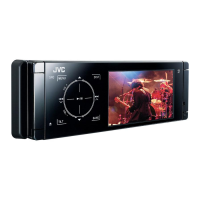
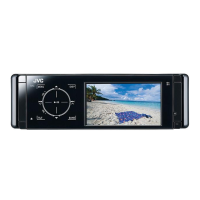
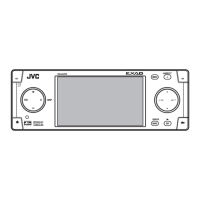
KD-AVX44
Installation/Connection Manual
This unit is designed to operate on 12 V DC, NEGATIVE ground electrical systems. If your vehicle does
not have this system, a voltage inverter is required, which can be purchased at JVC car audio dealers.
WARNINGS
• DO NOT install any unit or wire any cable in location where;
– it may obstruct the steering wheel and gearshift lever operations, as this may result in a traffic accident.
– it may obstruct the operation of safety devices such as air bags, as this may result in a fatal accident.
– it may obstruct visibility.
• DO NOT operate any unit while manipulating the steering wheel, as this may result in a traffic accident.
• The driver must not watch the monitor while driving. It may lead to carelessness and cause an accident.
• The driver must not put on the headphones while driving. It is dangerous to shut off the outside sounds
while driving.
• If you need to operate the unit while driving, be sure to look around carefully.
• If the parking brake is not engaged, “Parking Brake” appears on the monitor, and no playback picture
will be shown.
– This warning appears only when the parking brake lead is connected to the parking brake system built
in the car.
Notes on electrical connections:
• Replace the fuse with one of the specified rating. If the fuse blows frequently, consult your JVC car audio
dealer.
• It is recommended to connect to the speakers with maximum power of more than 50 W (both at the rear
and at the front, with an impedance of 4 to 8 Ω).
If the maximum power is less than 50 W, change “Amplifier Gain” setting to prevent the speakers from
being damaged (see page 53 of the INSTRUCTIONS).
• To prevent short circuits, cover the terminals of the UNUSED leads with insulating tape.
• The heat sink becomes very hot after use. Be careful not to touch it when removing this unit.
L
Rubber cushion
F
Crimp connector
I
Washer (ø5)
J
Lock nut (M5)
M
Mounting bolt—M5 x 20 mm
K
Handles
H
Batteries
*
1
When you stand the unit, be careful not to damage the
fuse on the rear.
Do the required electrical connections.
Bend the appropriate tabs to hold the
sleeve firmly in place.
Heat sink
Do not block the fan.
INSTALLATION (IN-DASH MOUNTING)
The following illustration shows a typical installation. If you have any questions or require information regarding installation kits, consult your JVC car audio dealer or a company supplying kits.
• If you are not sure how to install this unit correctly, have it installed by a qualified technician.
• Make sure not to block the fan on the rear panel to maintain proper ventilation when installing the unit.
• You cannot install the unit on the car which has any obstacles in the space shown in “Required space for installation” above.
Caution when installing
Fit the unit into the mounting sleeve by using four corners of the trim plate.
• DO NOT press the panel (shaded in the illustration).
Required space for installation
Control panel
G
Remote controller
LVT1798-005A
[A]
0208MNMMDWJEIN
EN
© 2008 Victor Company of Japan, Limited
Parts list for installation and connection
The following parts are provided for this unit. After checking them, please set them correctly.
Dashboard
C
Sleeve
E
Power cord
A / B
Hard case/Control panel
D
Trim plate
Fit the protrusions outside the unit.
Trim plate is detached on this illustration for explanation.
3 mm
6 mm
5 mm
Insta_KDAVX44[A]1.indb 1Insta_KDAVX44[A]1.indb 1 08.2.4 10:18:38 AM08.2.4 10:18:38 AM

 Need help?
 General
 Weight and Dimensions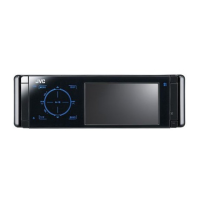

 To Next Page