EasyManua.ls Logo

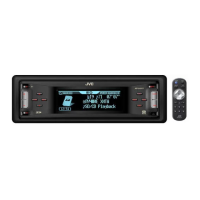
JVC KD-LH917 - User Manual

JVC KD-LH917
115 pages
Print Icon
To Next Page IconTo Next Page
Loading...
ENGLISH
РУCCKИЙ
CD/SD RECEIVER
ПРИЕМНИК С ПРОИГРЫВАТЕЛЕМ КОМПАКТ-ДИСКОВ И SD-КАРТ
KD-LH917
For installation and
connections, refer to the
separate manual.
Указания по установке и
выполнению соединений
приводятся в отдельной
инструкции.
INSTRUCTIONS
ИНСТРУКЦИИ ПО ЭКСПЛУАТАЦИИ
GET0276-001A
[EE]
В соответствии с Законом Российской Федерации “О защите прав
потре бителей” срок службы (годности) данного товара “по истечении
которого он может представлять опасность для жизни, здоровья
потребителя, причинять вред его имуществу или окружающей среде”
составляет семь (7) лет со дня производства. Этот срок является
временем, в течение которого потребитель данного товара может
безопасно им пользоваться при условии соблюдения ин струк ции по
эксплуатации данного товара, проводя необходимое обслуживание,
включающее замену расходных материалов и/или соответствующее
ремонтное обеспечение в специализированном сервисном центре.
Дополнительные косметические материалы к данному товару,
поставляе мые вместе с ним, могут храниться в течение двух (2) лет со
дня его производства.
Срок службы (годности), кроме срока хранения дополнительных
космети ческих материалов, упомянутых в предыдущих двух пунктах,
не затрагивает никаких других прав потребителя, в частности,
гарантийного свидетельства JVC, которое он может получить в
соответствии с законом о правах потребителя или других законов,
связанных с ним.
For canceling the display demonstration, see page 9.
Информацию об отмене демонстрации функций дисплея см. на стр. 9.
Cover_LH917[EE]f.indd 2Cover_LH917[EE]f.indd 2 12/24/04 12:34:10 PM12/24/04 12:34:10 PM

Table of Contents

Other manuals for JVC KD-LH917

Question and Answer IconNeed help?

Do you have a question about the JVC KD-LH917 and is the answer not in the manual?

Summary

How to Read This Manual

How to Forcibly Eject a Disc

How to Change Display Pattern

How to Enter Menus

Control Panel KD-LH917

Parts Identification

Identifies all the buttons and components on the control panel.

Remote Controller RM-RK300

Installing the Lithium Coin Battery

Guide on how to insert the battery into the remote.

Main Elements and Features

Overview of the remote controller's buttons and functions.

Getting Started

Basic Operations

Essential functions for operating the receiver.

Canceling Display Demonstrations

Setting the Clock

Radio Operations

Listening to the Radio

Instructions for tuning and listening to radio stations.

Storing Stations in Memory

How to save favorite radio frequencies.

When FM Stereo Broadcast is Hard to Receive

Adjusting settings for poor FM stereo reception.

Manual Presetting

Manually saving radio stations to memory slots.

Listening to a Preset Station

How to recall and listen to stored radio stations.

FM RDS Operations

Searching for Favorite FM RDS Programme

Tuning to stations based on PTY codes for preferred programs.

What You Can Do with RDS

Features enabled by Radio Data System signals.

Storing Your Favorite Programmes

Saving favorite PTY types for quick access.

Using Standby Reception

TA Standby Reception

Temporarily switches to Traffic Announcement broadcasts.

Announcement Standby Reception

Switches to favorite announcement types.

PTY Standby Reception

Switches to favorite PTY programs.

Tracing Same Programme (Alternative Reception)

Maintaining program continuity through signal changes.

Disc;SD Card Operations

Playing a Disc in the Receiver

Instructions for playing audio CDs and CD Text discs.

Playing Discs in the CD Changer

How to operate the CD changer with the receiver.

Playing an SD Card

Instructions for playing MP3/WMA files from an SD card.

Playing a CD-R or CD-RW

Guidelines for playing recordable and rewritable CDs.

Playing an MP3;WMA Track

Conditions and limitations for playing MP3/WMA files.

Other Main Functions

Selecting a Disc;Folder;Track on List

Navigating and selecting files from lists.

Prohibiting Disc Ejection

Locking a disc in the loading slot.

Selecting Playback Modes

Options for playback like Intro, Repeat, and Random.

Intro Play

Repeat Play

Random Play

Sound Adjustments

Setting Basic Sound Selection (SEL Menu)

Adjusting bass, treble, balance, and loudness.

Selecting Preset Sound Modes (i-EQ)

Choosing equalizer settings for different music genres.

Storing Your Own Sound Modes

Saving personalized equalizer settings.

Select a Band Width

Adjusting the frequency range of equalizer bands.

Graphic Displays

Basic Procedure

Steps to download and display images/animations.

Downloading Pictures or Animation

Process for transferring pictures and animations.

Downloading the Files

Details on different types of graphic files to download.

Deleting the Files

How to remove downloaded pictures and animations.

Deleting All Stored Pictures and Animation

Procedure for clearing all downloaded graphic files.

To Delete All Stored Files

Removing all downloaded files from storage.

Activating Downloaded Files

Enabling downloaded images and animations for display.

General Settings (PSM)

Basic Procedure

Overview of Preferred Setting Mode options.

Selecting the Dimmer Mode

Adjusting display brightness based on time or headlights.

Changing the Display Color

Customizing screen colors for sources or all sources.

Creating Your Own Color (User)

Personalizing display colors for day and night.

Other Main Functions

Assigning Titles to Sources

Naming CDs or external inputs.

Changing the Control Panel Angle

Adjusting the angle of the detachable control panel.

Detaching the Control Panel

Procedures for removing the control panel.

Attaching the Control Panel

Procedures for reinstalling the control panel.

External Component Operations

Playing an External Component

Connecting and operating external audio devices.

DAB Tuner Operations

Listening to the DAB Tuner

Tuning into DAB radio ensembles and services.

Storing DAB Services in Memory

Saving favorite DAB radio stations.

Tuning in to a Preset DAB Service

Recalling and listening to stored DAB services.

What is DAB System?

When Surrounding Sounds Are Noisy

To Search for Your Favorite Service

Maintenance

How to Clean Connectors

Cleaning electrical contacts for reliability.

Moisture Condensation

Handling moisture buildup inside the CD player.

Handling Discs;SD Cards

Proper care and handling of discs and SD cards.

Available Characters on Display

Supported characters for display information.

More About This Receiver

Basic Operations

Additional notes on power, source selection, and operations.

Tuner Operations

Details on storing and recalling radio stations.

FM RDS Operations

Further information on RDS features and network tracking.

Sound Adjustment General Notes

Additional notes on fader, subwoofer, and input levels.

Graphic Display Notes

Important considerations for downloading and playing graphics.

Troubleshooting

General Troubleshooting

Solutions for common receiver issues.

FM;AM Troubleshooting

Resolving radio reception and static noise problems.

Disc Playback Troubleshooting

Solutions for disc recognition and playback errors.

MP3;WMA Disc;SD Card Playback Troubleshooting

Troubleshooting digital media file playback issues.

CD Changer Troubleshooting

Solutions for CD changer loading and connection errors.

Specifications

Audio Amplifier Section

Technical details of the audio output and amplifier.

Tuner Section

Technical specifications for FM and AM tuners.

CD;SD Player Section

Technical details for CD and SD card playback.

JVC KD-LH917 Specifications

General IconGeneral
CategoryCD Receiver
BrandJVC
ModelKD-LH917
CD PlaybackYes
MP3 PlaybackYes
WMA PlaybackYes
USB PortYes
AUX InputYes
Detachable Face SecurityYes
Display TypeLCD
ClockYes
BluetoothNo
HD RadioNo
SiriusXM ReadyNo
TunerAM/FM
Max Power Output50W
Preamp Outputs3
IlluminationMulti-Color
Display colorCustomizable (Red/Blue/Green/White)