ENGLISH
4
MO
RPT RND
MODE
SCM
CD
AM
FM
SSM
DIRECT TRACK ACCESS
1
2
3
4
9
8
76
y
e
q
p
5
w
r t
o
iu
;
a
s
d
f
g h
j
l
k
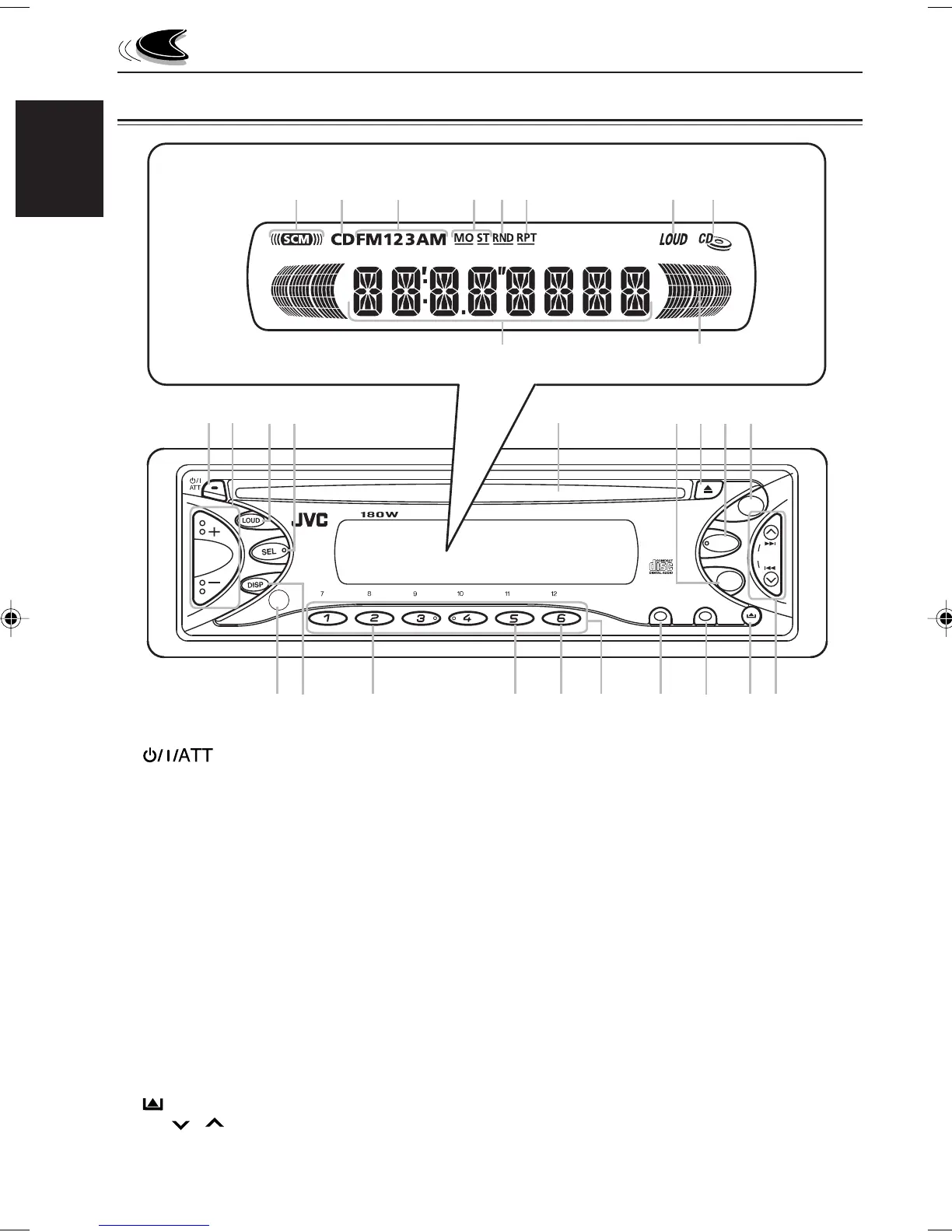
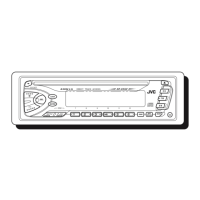
LOCATION OF THE BUTTONS
1 (Standby/On/Attenuator) button
2 +/– button
3 LOUD (Loudness) button
4 SEL (Select) button
5 Loading slot
6 AM button
7 0 (Eject) button
8 CD button
9 FM button
p Remote sensor (only for KD-S6350)
q DISP (Display) button
w MO (Monaural) button
e RPT (Repeat) button
r RND (Random) button
t Number buttons
y MODE button
u SCM (Sound Control Memory) button
i
(Control panel release) button
o 4
/ ¢ buttons
• Also functions as SSM buttons when
pressed together.
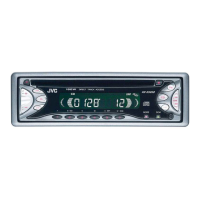
Display window
; SCM (Sound Control Memory) indicator
a CD indicator
s Band indicators
FM1, FM2, FM3
AM
d Tuner reception indicators
MO (Monaural), ST (Stereo)
f RND (Random) indicator
g RPT (Repeat) indicator
h LOUD indicator
j CD-in indicator
k Main display
l Volume level indicator
Display window
Control panel
EN04-06-KD-S6350/S590[J]f 10/4/02, 3:58 PM4


 To Next Page